Creative Live! Cam 4K UHD USB Webcam with Backlight Compensation, Up to 60 FPS, 95° Wide-Angle Lens, Privacy Lens, Built-in Mics, Plug & Play for PC and Mac
4K UHD WEBCAM THAT WORKS ON ANY PLATFORM - Equipped with a high-performance imaging sensor, Creative Live! Cam 4K is capable of delivering impressive 4K UHD* resolution and crisp visuals
OPTIMAL EXPOSURE IN ANY LIGHTING – With the blacklight compensation feature, look your best on camera no matter the lighting conditions
BE HEARD LOUD AND CLEAR – Your voice will be captured with precise clarity with the built-in dual mics. Plus, a convenient mute and unmute slider switch for easy call control during conversations
EXPAND YOUR VIEW AND GET THE IDEAL SHOT – Creative Live! Cam 4K's 95°wide-angle lens, 360° horizontal rotation, and 30° tilt flexibility lets you capture all details and view in a single frame
LOOK SHARP AND ENSURE PRIVACY ANYTIME – Manually adjust the webcam's focus ring to stay in focus, and cover the lens with the privacy lens cap whenever you need privacy


 -18%
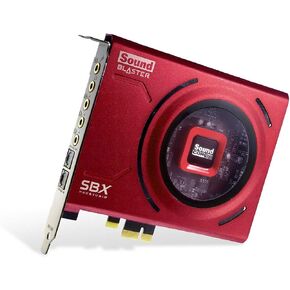
Creative Sound Blaster Z SE Internal PCI-e Gaming Sound Card and DAC, 24-bit / 192 kHz, 116 dB SNR, ASIO, 600Ω Headphones Amp, Mic EQ, Discrete 5.1 / Virtual 7.1, Supports Dolby Digital Live, DTS
KWD 37
-18%
Creative Sound Blaster Z SE Internal PCI-e Gaming Sound Card and DAC, 24-bit / 192 kHz, 116 dB SNR, ASIO, 600Ω Headphones Amp, Mic EQ, Discrete 5.1 / Virtual 7.1, Supports Dolby Digital Live, DTS
KWD 37
 -20%
Creative SBS E2900,Black
KWD 33
-20%
Creative SBS E2900,Black
KWD 33
 SB1040 CREATIVE Labs Sound Blaster Internal PCI Sound Card
KWD 32
SB1040 CREATIVE Labs Sound Blaster Internal PCI Sound Card
KWD 32
 Creative Live! Cam Sync HD 720P Webcam
KWD 12.500
Creative Live! Cam Sync HD 720P Webcam
KWD 12.500




