HDMI Extender Over Cat5e/Cat6/Cat7, 60m (196ft) 1080p Full HD Repeater Balun Kit, HDMI Over Ethernet Supports 3D, HDCP, EDID, Plug & Play, Transmitter Receiver for TV, Projector, Gaming, Home Theater
All electronics ship with US style plugs.You may need a voltage converter or a plug adapter.
Special Features
【Extend HDMI Up to 60m (196ft)】 This HDMI extender over Cat5e/Cat6/Cat7 cable allows you to transmit high-quality audio and video signals up to 60 meters (196 feet), far beyond the limits of standard HDMI cables. Perfect for home theaters, conference rooms, digital signage, and gaming setups where long-distance connectivity is needed without signal loss.
【Crystal-Clear 1080p@60Hz Full HD & 3D Support】 Enjoy stunning high-definition video with support for Full HD 1080p resolution at 60Hz, along with 3D compatibility. Ideal for Blu-ray players, streaming devices, gaming consoles (PS5, Xbox), and professional AV systems requiring sharp, lag-free visuals.
【Stable Transmission with HDCP & EDID Support】 Advanced signal processing ensures zero latency and no quality degradation over long distances. HDCP compliant for protected content (Netflix, Disney+) and EDID management for automatic display optimization, ensuring seamless compatibility with TVs, projectors, and monitors.
【True Plug & Play Setup】 No drivers or software needed—simply connect the transmitter to your HDMI source (e.g., laptop, cable box) and the receiver to your display (TV, projector). Powered via included USB cables, with a single Cat5e/6/7 cable (recommended) for easy, cost-effective installation through walls or ceilings.
【Wide Device Compatibility】 Works with HDMI-enabled devices like Roku, Fire Stick, Apple TV, PCs, Blu-ray/DVD players, and more. Compact, durable design for flexible placement. Package Includes: 1x Transmitter, 1x Receiver, 2x USB Power Cables, 1x User Manual.
【To Restore Factory EDID Settings】Connect power to the Transmitter. Then, press and hold the EDID button for about 3 seconds until the signal indicator lights up and then turns off. This action clears the saved EDID and restores the unit to its factory default settings. (If you experience compatibility issues with a new display)


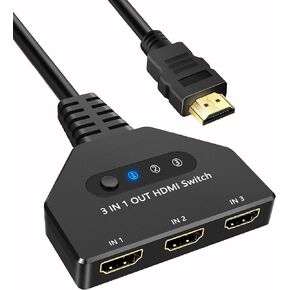 HDMI Switch 3 in 1 Out, 4K@30hz HDMI Splitter Supports Full HD 1080P 3D Compatible with Roku Fire TV Stick HDTV PS4/PS5 Xbox One Chromecast
KWD 4
HDMI Switch 3 in 1 Out, 4K@30hz HDMI Splitter Supports Full HD 1080P 3D Compatible with Roku Fire TV Stick HDTV PS4/PS5 Xbox One Chromecast
KWD 4
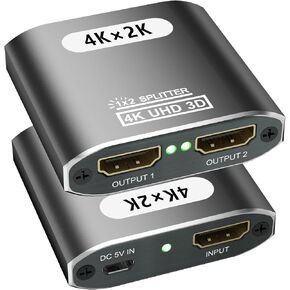 HDMI Splitter 1 in 2 Out, 4K HDMI Splitter for Dual Monitors Supports 3D Full HD 1080P Aluminum HDMI Spliter Dual Monitor HDMI Adapter Compatible for PS4 Fire Stick HDTV(1 Source to 2 Displays)
KWD 3.500
HDMI Splitter 1 in 2 Out, 4K HDMI Splitter for Dual Monitors Supports 3D Full HD 1080P Aluminum HDMI Spliter Dual Monitor HDMI Adapter Compatible for PS4 Fire Stick HDTV(1 Source to 2 Displays)
KWD 3.500
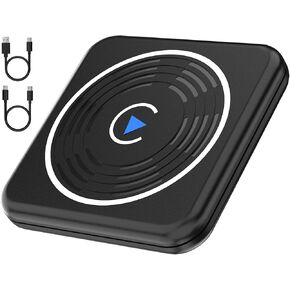 CLOSS Wireless CarPlay Adapter for Apple, CarPlay Wireless Adapter for iPhone Converts Wired to Wireless CarPlay Dongle, Plug & Play Fit for OEM Wired Apple CarPlay Cars from 2016 & iPhone iOS 10+
KWD 7
CLOSS Wireless CarPlay Adapter for Apple, CarPlay Wireless Adapter for iPhone Converts Wired to Wireless CarPlay Dongle, Plug & Play Fit for OEM Wired Apple CarPlay Cars from 2016 & iPhone iOS 10+
KWD 7
 Wireless CarPlay Adapter for iPhone, CarPlay Wireless Adapter for Apple Convert Wired to Wireless Plug & Play Dongle for iPhone & Factory Wired CarPlay Cars - Fit Cars from 2016 and iPhone iOS 10+
KWD 7
Wireless CarPlay Adapter for iPhone, CarPlay Wireless Adapter for Apple Convert Wired to Wireless Plug & Play Dongle for iPhone & Factory Wired CarPlay Cars - Fit Cars from 2016 and iPhone iOS 10+
KWD 7




