- Shopping, made easy.
- /
- Get the app!

** Laptop Port Introduction:**
To extend your screen, your laptop must provide:
1⃣ **Video Data Transmission** (via **full-featured USB-C** or **HDMI port**)
2⃣ **Power Supply** (via **USB-A** or **non-full-featured USB-C**)
🔹 **Full-featured USB-C** = Video + Power
🔹 **HDMI** = Video only
🔹 **USB-A** = Power only
💡 **Solution:** **H5-M Special Cable** converts a **USB-A power port** into an **HDMI video port**, enabling dual-screen setups even without full-featured USB-C.
--- ### **Key Points:**
✔ **Full USB-C** → Video + Power (ideal)
✔ **HDMI + USB-A** → Video + Power (alternative)
✔ **Non-full USB-C** → Power only (needs H5-M cable for video)
 KODAK 150" Replacement Dual Projector Screen | Fast Fold Gray Front & Rear Projection Backdrop for Outdoor & Indoor Movies | Easy Clean, Glare Proof, Wrinkle Free Fabric
KWD 86.500
KODAK 150" Replacement Dual Projector Screen | Fast Fold Gray Front & Rear Projection Backdrop for Outdoor & Indoor Movies | Easy Clean, Glare Proof, Wrinkle Free Fabric
KWD 86.500
 -9%
Outdoor Projector Screen with Stand 180 inch 16:9, Portable Projector Screen, 1.5 High Gain Fiberglass, Sturdy Backing, Wind-Resistant Movie Screen, Tripod/Wall Mounted, for Home Cinema/Backyard Party
KWD 65
-9%
Outdoor Projector Screen with Stand 180 inch 16:9, Portable Projector Screen, 1.5 High Gain Fiberglass, Sturdy Backing, Wind-Resistant Movie Screen, Tripod/Wall Mounted, for Home Cinema/Backyard Party
KWD 65
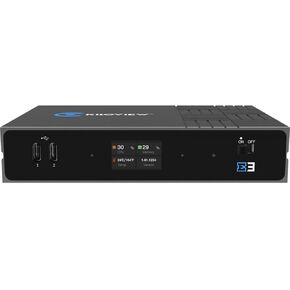 E3 Dual-Channel 4K HDMI & 3G-SDI HEVC Video Encoder
KWD 165.500
E3 Dual-Channel 4K HDMI & 3G-SDI HEVC Video Encoder
KWD 165.500
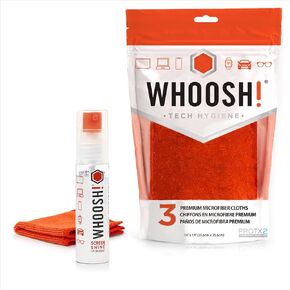 WHOOSH! Screen Cleaner Spray & Microfiber Cloths Bundle | 1 fl oz + 1 Microfiber Cloths (6x6) + 3 Microfiber Cloths (14x14)
KWD 9.500
WHOOSH! Screen Cleaner Spray & Microfiber Cloths Bundle | 1 fl oz + 1 Microfiber Cloths (6x6) + 3 Microfiber Cloths (14x14)
KWD 9.500

