TECURS Bluetooth Keyboard for Microsoft Surface Pro 11/10/9/8/X (13") - Charging Via Type-C Cable(Included), 7-Color Backlit, Trackpad, Pencil Slot, Bluetooth Manual Pairing Type Cover Keyboard
【IMPORTANT】 Check Compatibility Before Purchase! Confirm your model in Settings > System > About. This Bluetooth keyboard is designed for Microsoft Surface Pro 11/10/9/8/X (13Inch)
【Magnetic Attachable Or Detachable】The Magnet Strip is only used to fix the keyboard and the tablet ( Cannot Charge or Connect to the Tablet ). Easily attaches or detaches from your device and offer two different typing angles for you to choose from
【Bluetooth Connection Only】It only supports Bluetooth connection and requires manual pairing. Press F+C keys to active Bluetooth of Keyboard >Turn Bluetooth on in Settings on your device >Select"Bluetooth Keyboard"for pairing(Note: Magnetic automatic connection is not supported)
【Precision Touchpad & Media Shortcuts】Enjoy effortless navigation with our responsive touchpad, featuring smooth multi-touch gesture support and adjustable cursor sensitivity (Settings > Bluetooth & devices > Touchpad > Cursor speed). While customizable hotkeys let you adjust volume, media playback, and brightness without interrupting your workflow
【Adjustable Backlight】 Choose from 7 colors and 3 brightness levels for comfortable typing in any lighting, day or night
【Rechargeable Battery】The high-performance 750mAh lithium battery achieves a full charge in merely 2 efficient hours, then provides exceptional 50-hour continuous operation - perfect for business trips and extended work sessions (charging cable is included in the package)
Friendly reminder: Please note that the first key on the bottom left of the keyboard is the FN key, not the Ctrl key. When using Ctrl + C for copying, please take care to press the correct combination to avoid triggering FN + C by mistake, which triggers a Bluetooth reconnection and cause the keyboard to disconnect


 -24%
TECURS USB Microphone, Condenser Microphone Kit for Computer, Podcast Mic Set, PC Condenser Mic with Boom Arm for Gaming,Streaming,YouTube,Recording,Chatting
KWD 15.500
-24%
TECURS USB Microphone, Condenser Microphone Kit for Computer, Podcast Mic Set, PC Condenser Mic with Boom Arm for Gaming,Streaming,YouTube,Recording,Chatting
KWD 15.500
 -29%
Allinside Silicone Keyboard Cover for iMac Magic Keyboard A2449/A2450, Protective Skin for iMac 24" Wireless Keyboard Released in 2021, US Layout, Light Green
KWD 2.500
-29%
Allinside Silicone Keyboard Cover for iMac Magic Keyboard A2449/A2450, Protective Skin for iMac 24" Wireless Keyboard Released in 2021, US Layout, Light Green
KWD 2.500
 TECURS Bluetooth Keyboard and Mouse Combo for iPad - Rechargeable Wireless Keyboard & Mouse with 7-Color Backlit Compatible with iPad 10th/9th/8th Gen, iPad Pro/Air/Mini, iPhone15/14/13 Pro, Black
KWD 11.500
TECURS Bluetooth Keyboard and Mouse Combo for iPad - Rechargeable Wireless Keyboard & Mouse with 7-Color Backlit Compatible with iPad 10th/9th/8th Gen, iPad Pro/Air/Mini, iPhone15/14/13 Pro, Black
KWD 11.500
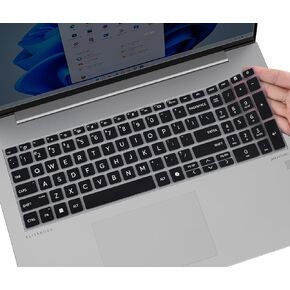 Keyboard Cover for 2025 2024 HP EliteBook 660/665 G11 16 inch, ProBook 460/465 G11 16-in Laptop Protective Skin Accessories -Ombre Pink
KWD 3
Keyboard Cover for 2025 2024 HP EliteBook 660/665 G11 16 inch, ProBook 460/465 G11 16-in Laptop Protective Skin Accessories -Ombre Pink
KWD 3




