XD Card Reader, SD Card Reader, 3 in 1 TF/SD/xD-Picture-Card Memory Card Reader Camera Phone Adapter, with USB/USB-C/Lightning Port, Use for iPhone 17/16/15/14 iPad MacBook Android PC Laptop
Ultra-Fast 480Mbps Data Transfer for Instant Access: Experience lightning-speed file transfers with our XD card reader, delivering up to 480Mbps performance for photos and videos. This XD picture card reader supports JPEG/RAW formats and HD videos (H.264/MPEG-4) with exFAT compatibility (NTFS not supported). Transfer content from your Olympus XD Card or Fujifilm XD card to your iPhone in seconds—no apps required for seamless plug-and-play operation.
Triple Interface & Triple Slot Universal Compatibility: Maximize versatility with three connectivity options: Lightning for iPhone, USB-C for MacBook/Android, and USB-A for PC/laptops. This 3-in-1 XD card adapter features dedicated slots for XD-Picture Card, SD/SDHC/SDXC, and MicroSD/TF cards. Perfectly compatible with iOS devices (iPhone 16/15/14), iPad, Android phones, MacBooks, and Windows PCs.
Bidirectional Data Transfer for Expanded Storage: Not just a memory card adapter—this innovative SD card reader for iPhone enables two-way transfers. Move photos/videos from TF/SD/XD cards to your iPhone, or free up space by transferring files from your iPhone back to the memory card. Perfect for videographers managing limited Phone device storage.
Supports High-Capacity Cards up to 2TB: Handle massive files effortlessly with this XD memory card reader, supporting read storage up to 2TB. Ideal for memory cards from GoPro, drones, dash cams, digital cameras, and surveillance devices. Whether reading XD card or smartphone back to the memory card, this reader ensures broad utility.
Note: ① Make sure the memory card is formatted with a supported file system, such as exFAT (NTFS is not supported). ② Due to system limitations, the card reader can only read one card at a time, please do not insert two cards at the same time. ③ For Android devices, please insert the memory card into the card reader first and then connect the card reader to the device. If you replace the memory card, please disconnect the card reader first, insert the new card and then reconnect it to avoid recognition problems.


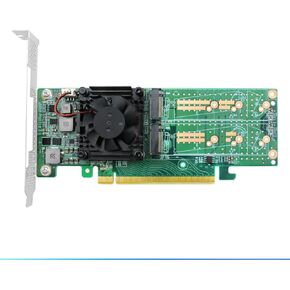 PCIe 3.0 X16 to Quad M.2 NVMe SSD Swtich Adapter Card for Servers-LRNV9547L-4I
KWD 57.500
PCIe 3.0 X16 to Quad M.2 NVMe SSD Swtich Adapter Card for Servers-LRNV9547L-4I
KWD 57.500
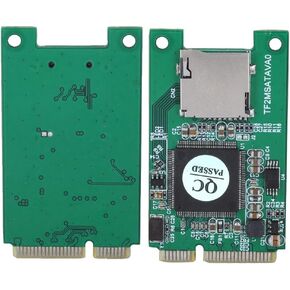 Zerone Micro Secure Digital TF Card to Mini PCI-E mSATA SSD Adapter Card as Disk Driver
KWD 6.500
Zerone Micro Secure Digital TF Card to Mini PCI-E mSATA SSD Adapter Card as Disk Driver
KWD 6.500
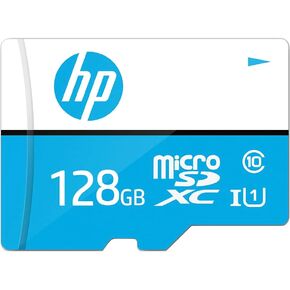 HP 128GB mx310 Class 10 U1 microSDHC Flash Memory Card – Read Speed Up to 100MB/s, Quick & Reliable Data Transfer, Ideal for HD Photography and Full HD Videography, UHS-I, for Use with Mobile Devices
KWD 5.500
HP 128GB mx310 Class 10 U1 microSDHC Flash Memory Card – Read Speed Up to 100MB/s, Quick & Reliable Data Transfer, Ideal for HD Photography and Full HD Videography, UHS-I, for Use with Mobile Devices
KWD 5.500
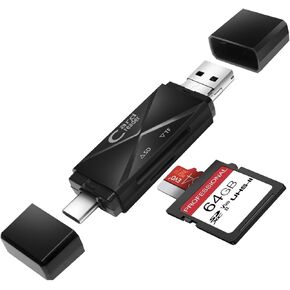 USB Micro SD Card Reader, 3-in-1 SD Card Reader to USB Adapter, Memory Card Reader for SDXC, SDHC, MMC, RS-MMC, Micro SDXC, Micro SD, Micro SDHC and UHS-I Cards (Grey)
KWD 2
USB Micro SD Card Reader, 3-in-1 SD Card Reader to USB Adapter, Memory Card Reader for SDXC, SDHC, MMC, RS-MMC, Micro SDXC, Micro SD, Micro SDHC and UHS-I Cards (Grey)
KWD 2




