- Shopping, made easy.
- /
- Get the app!
Frequency: 3-28 MHz
Power: rated power 5W, intermittent power 10W
Matching impedance range: 25 to 2500 ohms
Connector: BNC
Net weight: 261g
How to use
The front panel switch is used to select the mode. When it is in the TUNE n, the standing wave indicator circuit is accessed. When the transmitter is transmitting, the brighter the LED, the higher the standing wave. Two cpacitor controls are used to adjust the matching. The rear switch sets the antenna impedance.
Note: Standing wave indicator LED.
Note: It is essential to check the standing wave before transmitting,otherwise the ORP transmitter without high standing wave protection may burn out.
Note: If quick tuning is not possible, use a network analyser for debugginAt this stage the mode switch should be set to WORK.
Note: This tuner is for ORP only. Excessive power can cause components to burn out.
Adjusting for a Match:
With your transmitter and antenna connected to the turner,set the tune/operate to the tune position,set the adjustment knobs to the center position.
Note: tune mode,maximum power input-5watts
Place the HI/LOW impedance switch in the HI position.the HI impedance setting provides the most efficient coupling and operation.
Briefly key your transmitter and attempt to adjust the knobs tp dimthe LED.Continue adjusting back and forth until the LED is out or is as dimas possible.If the adjustments do not produce adequate dimming of the LED switch tothe Low impedance position and repeat the adjustment process.
Note:Under some conditions of match adjustment the LED vwill not go completely out, Your antenna will be tuned for proper operation even if the LED does not cdim completely out.
Switch the tune/operate switch to the operate position. Work thoseDX stations.
 -12%
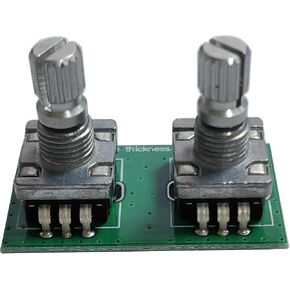
Malachite DSP2 SDR Radio Receiver Spare Eecoders Frequency Tuning Eecoder & Volume Eecoder for Malachite DSP2 DSP1 SDR Shortwave Radio Receiver
KWD 7.500
-12%
Malachite DSP2 SDR Radio Receiver Spare Eecoders Frequency Tuning Eecoder & Volume Eecoder for Malachite DSP2 DSP1 SDR Shortwave Radio Receiver
KWD 7.500
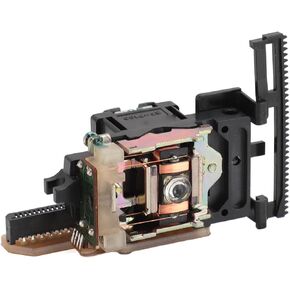 Optical Pick Up Lens, SF P100 13 Pin Optical Pick Up Lens Replacement Fit for CD Player Mechanism Repairing Replacement Parts (Single Lens)
KWD 23.500
Optical Pick Up Lens, SF P100 13 Pin Optical Pick Up Lens Replacement Fit for CD Player Mechanism Repairing Replacement Parts (Single Lens)
KWD 23.500
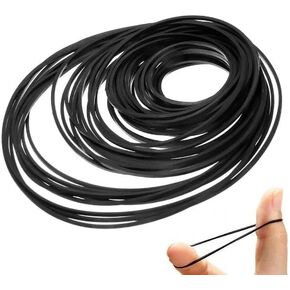 30 Pcs Black 26-120mm Mix Cassette Tape Machine Square Belt Assorted Repair,CD and Tape Players,Tape Decks,Easy Installation Small in Size
KWD 3
30 Pcs Black 26-120mm Mix Cassette Tape Machine Square Belt Assorted Repair,CD and Tape Players,Tape Decks,Easy Installation Small in Size
KWD 3
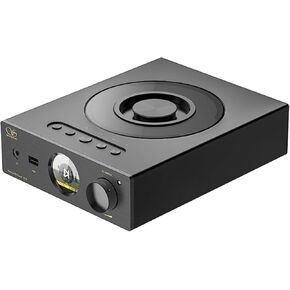 Shanling EC3 Compact CD Player (Silver)
KWD 254.500
Shanling EC3 Compact CD Player (Silver)
KWD 254.500




