420-800mm F/8.3 Telephoto Zoom Lens for Canon EF/EF-S, Nikon F, Sony E Mount Cameras, Full Frame Manual Focus Lens for Moon, Bird, Wildlife & Nature Photography
【420-800mm F/8.3 Full Frame Zoom】Experience the freedom of a massive 420-800mm focal range. Effortlessly zoom in on the intricate craters of the moon, frame warblers in leafy canopies, or capture the cautious gaze of wildlife in its natural habitat – all from a respectful and safe distance. Stay put and let the lens bring the action to you
【Full Frame Power & Flexibility】Built for Full Frame sensors, it delivers superior image coverage. This also means it works flawlessly on popular APS-C cameras, effectively extending your reach even further (e.g., ~672-1280mm equivalent on Canon APS-C)
【Multi-Mount Versatility】Yanuoda lens is designed with 3 types of T-mount adapter rings, including Canon EF/EF-S, Nikon F, and Sony E mounts, for seamlessly switching between cameras
【F/8.3 Maximum Aperture (Variable with Zoom)】 This lens features a maximum aperture of F/8.3, providing good light intake at the wider end of the zoom range. Please note: as you zoom, the aperture naturally adjusts (e.g., 420mm | F/8.3 → 800mm | F/16). This design helps keep the lens compact and affordable. It performs best in bright daylight conditions or under strong lighting, especially when shooting at the longest focal lengths (800mm). Pro Tip: For optimal results in lower light or at 800mm, using a tripod is highly recommended to stabilize your camera and compensate for the smaller aperture
【Build Photography Skills & Sharpen Your Photographic Eye】This is a 100% manual focus lens — no electric contacts, no autofocus or no image stabilization from the camera, which encourages you to slow down, compose thoughtfully, and truly master the fundamentals of focus and depth of field. This telephoto lens is perfect for bulding essential skills and deepening your understanding of photography
【Tip for better use of Manual Lens】Switch the camera to full manual (M) mode immediately after installation, otherwise the “No lens” error may be triggered. If the error persists, you must enable the "Release shutter w/o lens" option in the camera menu (common on Nikon and Sony models)


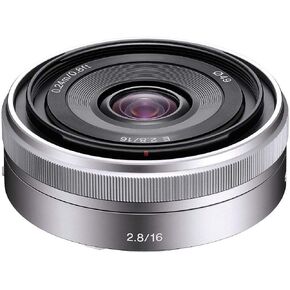 Sony SEL16F28 16mm f/2.8 Wide-Angle Lens for NEX Series Cameras
KWD 103
Sony SEL16F28 16mm f/2.8 Wide-Angle Lens for NEX Series Cameras
KWD 103
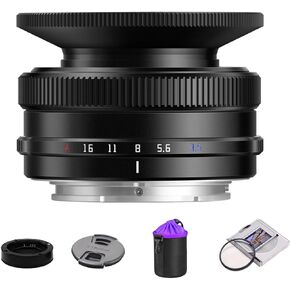 TTArtisan AF 14mm F3.5 APS-C Auto Focus STM Camera Lens Compatible with Sony E Mount A5000 A6000 A5100 A6100 A6600 ZVE-10 FX30
KWD 53
TTArtisan AF 14mm F3.5 APS-C Auto Focus STM Camera Lens Compatible with Sony E Mount A5000 A6000 A5100 A6100 A6600 ZVE-10 FX30
KWD 53
 Panasonic Lumix 25mm F1.7 | H-H025E-K Prime Lens, Black - Micro 4/3 Mount Compatible Panasonic & Olympus
KWD 64
Panasonic Lumix 25mm F1.7 | H-H025E-K Prime Lens, Black - Micro 4/3 Mount Compatible Panasonic & Olympus
KWD 64
 YN56mm F1.4S DA DSM Autofocus F1.4 Large Aperture APS-C Frame for Sony E Mount for A6000 A6100 A6300 A6400 A6500 A6600 A6700 ZV-E10 FX30 ZC-E10II FX3 A7C A7SII A7III A7RIIl A7IV A7RIV A9
KWD 105
YN56mm F1.4S DA DSM Autofocus F1.4 Large Aperture APS-C Frame for Sony E Mount for A6000 A6100 A6300 A6400 A6500 A6600 A6700 ZV-E10 FX30 ZC-E10II FX3 A7C A7SII A7III A7RIIl A7IV A7RIV A9
KWD 105




