- Shopping, made easy.
- /
- Get the app!
What do you get?
6 × replacement filament cutters
It is harder and very durable.
Prior to replacing the tool head cutter scraper, it is advisable to turn off the 3D printer and unplug the power supply so as to prevent short circuits

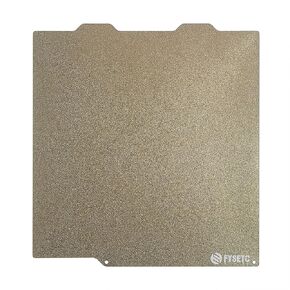 3D Printer Platform 257x257mm Dual Side Textured PEI Steel Sheet for Bambulab X1 X1C P1P P1S A1: Strong Adhesion Easy Prints Release Removable and Flexible Spring Build Plate BCZAMD
KWD 6.500
3D Printer Platform 257x257mm Dual Side Textured PEI Steel Sheet for Bambulab X1 X1C P1P P1S A1: Strong Adhesion Easy Prints Release Removable and Flexible Spring Build Plate BCZAMD
KWD 6.500
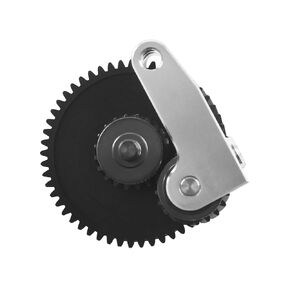 3D Printer Accessories Upgrade Extruder Gear Kit for Bambulab X1 Series P1P P1S Active Extrusion Wheel Assembly: 1Pcs Nano-Coated Gears Improved Filament Extrusion BCZAMD
KWD 11.500
3D Printer Accessories Upgrade Extruder Gear Kit for Bambulab X1 Series P1P P1S Active Extrusion Wheel Assembly: 1Pcs Nano-Coated Gears Improved Filament Extrusion BCZAMD
KWD 11.500
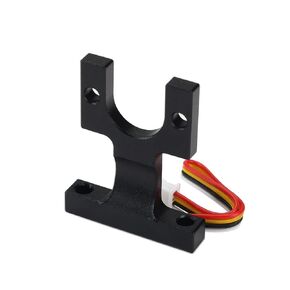 BCZAMD Anycubi Hotend Mounting Block Kit, Strain Gauge Sensor Spare Parts The Hole Has No Thread for Automatic Leveling on Anycubi Vyperr Series (B C D) 3D Printer Parts Replacment
KWD 9
BCZAMD Anycubi Hotend Mounting Block Kit, Strain Gauge Sensor Spare Parts The Hole Has No Thread for Automatic Leveling on Anycubi Vyperr Series (B C D) 3D Printer Parts Replacment
KWD 9
 -30%
3D Printer Accessories Bambulab X1 Series Hotend Cooling Fan 2Pcs: 25x25x10mm/ 0.98x0.98x0.39inch 15,000 RPM NOT Compatible with P1P P1S and A1 Series BCZAMD
KWD 7
-30%
3D Printer Accessories Bambulab X1 Series Hotend Cooling Fan 2Pcs: 25x25x10mm/ 0.98x0.98x0.39inch 15,000 RPM NOT Compatible with P1P P1S and A1 Series BCZAMD
KWD 7




