- Shopping, made easy.
- /
- Get the app!
Connect the Bluetooth Audio Device:
1. Connect the Bluetooth transmitter to PC/P4/P5 console and the blue LED will flash slowly;
2. Turn on the pairing mode of the Bluetooth audio device, press the
Bluetooth pairing button( Bluetooth transmitter) and the blue LED
light will change from slow flash to fastflash. The Bluetooth transmitter will enter the pairing mode.
3. After it is well paired, the blue LED light on the Bluetooth transmitter will be on, showing that the Bluetooth connection is succesful.
Back Connection:
Plug the Bluetooth transmitter and the LED light will flash slowly. Then open the Bluetooth audio device that has been connected, the device
will be automatically connected. After that, the LEDlight will be always on.
Clearing:
Long press the Bluetooth pairing button for 5 seconds to clear the memory.
Product Parameters:
Input Voltage:DC 5V
Frequency Range: 2 402GHZ-2.480GHZ
Bluetooth Version: BT5.0
Connection Method: USB
Receiving Distance: 8-10M
Audio Agreement: SBC A2DP
Package List:
Bluetooth Microphone X1
Transmitter X1
Operating InstructionX1
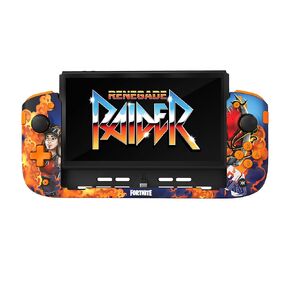 CRKD Nitro Deck+ Handheld Pro Controller for Nintendo Switch & OLED Model - TV Dockable - Programmable Sidekicks & Back Buttons - True Collection System (Renegade Raider Fortnite Edition)
KWD 33
CRKD Nitro Deck+ Handheld Pro Controller for Nintendo Switch & OLED Model - TV Dockable - Programmable Sidekicks & Back Buttons - True Collection System (Renegade Raider Fortnite Edition)
KWD 33
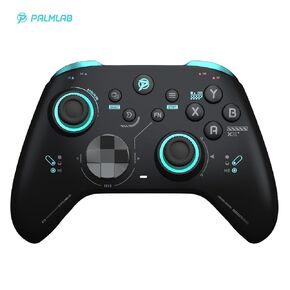 PALMLAB M001 Ultimate Controller - Wireless Gaming Pro Controller with Hall Effect Joysticks Adjustable Triggers RGB Lights Turbo&Vibration - Work for Windows 10/11,Android,iOS,Steam and Switch
KWD 16.500
PALMLAB M001 Ultimate Controller - Wireless Gaming Pro Controller with Hall Effect Joysticks Adjustable Triggers RGB Lights Turbo&Vibration - Work for Windows 10/11,Android,iOS,Steam and Switch
KWD 16.500
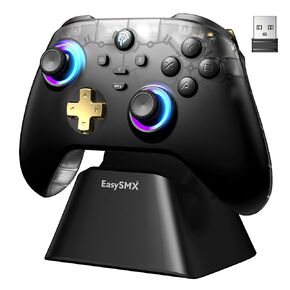 AKNES EasySMX D05 Wireless Gaming Controller with Charging Dock for PC/Switch/iOS/Android, Hall Joystick&Triggers, 2 Programmable Back Buttons, 1000Hz Polling Rate, Adjustable RGB Lighting - White
KWD 18.500
AKNES EasySMX D05 Wireless Gaming Controller with Charging Dock for PC/Switch/iOS/Android, Hall Joystick&Triggers, 2 Programmable Back Buttons, 1000Hz Polling Rate, Adjustable RGB Lighting - White
KWD 18.500
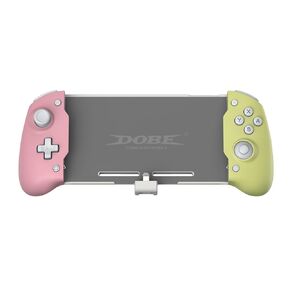 Dobe TNS-1125 Black&White Switch Controller for Nintendo Switch, One-Piece Joypad Controller, Switch Controller Handheld Mode with 6-Axis Gyro Dual Motor Vibration, (Black and White)
KWD 11.500
Dobe TNS-1125 Black&White Switch Controller for Nintendo Switch, One-Piece Joypad Controller, Switch Controller Handheld Mode with 6-Axis Gyro Dual Motor Vibration, (Black and White)
KWD 11.500




