KVM Switch 4 Computers 2 Monitors 8K@30Hz 4K@144Hz, Dual Monitor KVM Switch for 4 Computer Share 2 Monitor and 4 USB3.0 Port Keyboard Mouse,Wired Remote and USB Cables Included
【Dual Monitor KVM Switch for 4 Computer】This Dual Monitor DP1.4 KVM Switch allows 4 computers/latops share 2 monitor and 4 USB3.0 devices. It can make your work space tidy and efficient, also a premium choice for working from home.▲▲▲Note:Only when your computers support 2 monitors or multi monitors, you can use this KVM to achieve 4 PC to share 2 monitors.
【8K@30Hz/4K@144Hz 】USB 3.0 Dual Monitor KVM switch supports resolution 8𝐊@30𝐇𝐳,4𝐊@𝟏𝟒𝟒𝐇𝐳 backwards compatible with lower resolutions.4 computers 2 monitors KVM switch supports two monitors using different resolutions. Setting steps: Select "Extended Mode" → Right-click and select Adjust Resolution → Set the resolution and refresh rate independently for each display.Note: Please use DP1.4 cable, and the shorter the length of the DP cable, the better, the more stable the signal will be.
【Dual Monitor KVM Switch with 4 USB 3.0 Ports】Dual monitor DP USB KVM switch with 4 USB 3.0 ports which can recognize keyboard,mouse,printer,scaner and other USB devices. USB 3.0 offers data transfer speeds of up to 5Gbps, while USB 2.0 offers data transfer speeds of only 480Mbps.☛Note:If the input USB3.0 ports are not connected to the KVM or connected incorrectly, the output USB device will not be recognized.
【2 Switching Mode&LED Indicator】This KVM Switch with 2 swtich methdos that are pressing the button on the panel and the wired controller(1.5m/4.92ft).The indicator light will show which computer is the active computer.
【Extended Mode&Copy Mode】The Dual Monitor DP KVM Switch supports extended mode (the display screens of the two monitors are different) and copy mode (the display screens of the two monitors are identical). Selecting the display mode according to your needs can greatly improve your work efficiency and facilitate your life.
【Wide Compatibility and Easy to Use】This dual monitor KVM switch is driver-free, plug and play.It is required that each connected computer has 2 Displayport ports, but there may be many computers, especially laptops, which may not have two 2 Displayport ports, then an adapter is required, such as USB-C to Displayport , HDMI to Displayport .
【Use suggestions】Dual display KVM switches require 2*Displayport connections per computer, and for computers with discrete and integrated graphics cards require both Displayport ports to be belong of the discrete graphics card. ☛Note:✔①MAC M1/M2 only supports one external screen, no multi-screen output. ✔② If using the MST multi-screen docking station, the computer CPU requires support for 11th generation.


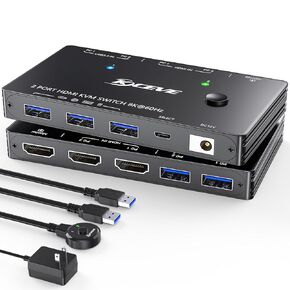 Dual Monitor KVM Switch USB 3.0 HDMI KVM Switch 2 Monitors 3 Computers 4K@60Hz 2K@144Hz, EDID Emulator, Dual Monitor KVM Switch with 4 USB 3.0 Ports,Wired Remote and Cables Included
KWD 24.500
Dual Monitor KVM Switch USB 3.0 HDMI KVM Switch 2 Monitors 3 Computers 4K@60Hz 2K@144Hz, EDID Emulator, Dual Monitor KVM Switch with 4 USB 3.0 Ports,Wired Remote and Cables Included
KWD 24.500
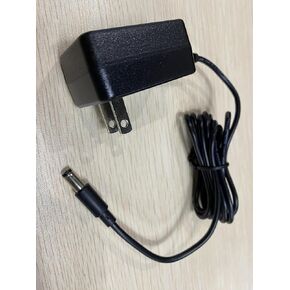 KVM Switch DC12V
KWD 2
KVM Switch DC12V
KWD 2
 Dual Monitor KVM Switch 2 Port 8K@60Hz 4K@144Hz HDMI+DP USB 3.0 Switch Extended Display 2 Monitors 2 Computers with USB 3.0 Cables Wired Controller
KWD 20.500
Dual Monitor KVM Switch 2 Port 8K@60Hz 4K@144Hz HDMI+DP USB 3.0 Switch Extended Display 2 Monitors 2 Computers with USB 3.0 Cables Wired Controller
KWD 20.500
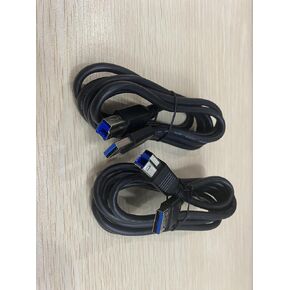 2 Pack KVM USB-B 3.0 Cables
KWD 2.500
2 Pack KVM USB-B 3.0 Cables
KWD 2.500




