Angetube TrackCam 4K Webcam for PC/Mac - AI Tracking USB 3.0 Streaming Camera with Remote Control, Gesture Control, PTZ, HDR, Microphones, Web Camera for Desktop Computer, Laptop, Meeting, Video Call
Full HD 1080P Webcam: The Angetube 825 PC Webcam with a 2.0 megapixel CMOS. Full definition 1080p/30 fps web camera record vibrant HD video clips that capture the smallest details. Perfect for streaming, conferencing, video chatting, webinars, gaming, distance learning,online teaching and more.
Webcam with Stereo Microphone: Built-in 2 dual Omni-directional mics with noise cancellation effectively reduce distracting background noise for natural and clear sound,even in a noisy environment. It feels like you're facing and talking to someone.Great for webinars, video conferencing, live streaming, etc.
Flexible Manual Focus Webcam: The computer camera with manual PTZ base,The webcam head can be rotated 360 degrees in the horizontal direction and 90 degrees in the vertical direction,you can adjust the viewing angles as you like.Install it on your monitor or your desk easily. With standard 1/4 inch tripod hole ready design, compatible with most tripods in market.
Auto Low Light Correction: Angetube 825 PC webcam equipped with automatic white balance and low-light correction functions to ensure your videos always look great no matter what the lighting is dim or harsh.You can adjust the focus ring until the image is clear base on the different distance between you and PC.
Wide Angle , Plug and play: Angetube 825 web cam equipped with a 100 degree wide angle and 6 element optical glass lens, you can cover more people during group video calls. Great for webinars and family video conferencing. There is no optical distortion, reflecting the actual shape of the photo or video.Plug and play, Quick and easy setup within 30 seconds, no drivers needed.
Enhanced Control with Angetube Webcam Software: You can download software from Angetube's official website to modify camera property such as exposure, resolution, white balance, etc., and choose different filters to video effects through the software. Adjusted video effects to other video software such as ZOOM, MS Teams, etc. via the “Angetube virtual camera”.
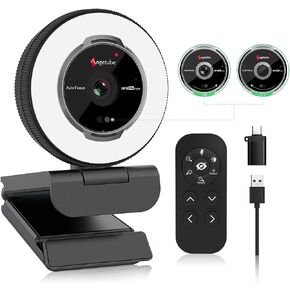 Angetube Streaming Webcam with Microphone: 1080P 60FPS USB Web Cam with Ring Light and Remote Control - HD Web Camera with 5X Digital Zoom Built in Privacy Cover,for PC|Computer|Laptop|Mac|Desktop
KWD 29.500
Angetube Streaming Webcam with Microphone: 1080P 60FPS USB Web Cam with Ring Light and Remote Control - HD Web Camera with 5X Digital Zoom Built in Privacy Cover,for PC|Computer|Laptop|Mac|Desktop
KWD 29.500
 -19%
Angetube Streaming Webcam 1080P with Ring Light - HD Web Camera with Digital Zoom Autofocus for Computer PC Laptop Mac 962 USB Web Cam for Gaming Xbox Google Meet
KWD 14.500
-19%
Angetube Streaming Webcam 1080P with Ring Light - HD Web Camera with Digital Zoom Autofocus for Computer PC Laptop Mac 962 USB Web Cam for Gaming Xbox Google Meet
KWD 14.500
 -35%
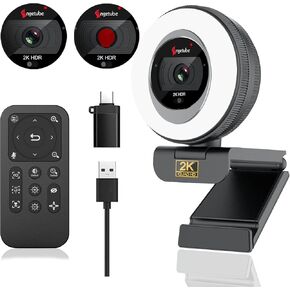
Angetube Webcam, 2K Streaming Webcam with Ring Light, HDR Laptop Camera with Remote, Dual Stereo Microphone and Privacy Cover, Auto Focus 5X Zoom in, Computer Camera for Zoom/Skype/Teams/Webex
KWD 17.500
-35%
Angetube Webcam, 2K Streaming Webcam with Ring Light, HDR Laptop Camera with Remote, Dual Stereo Microphone and Privacy Cover, Auto Focus 5X Zoom in, Computer Camera for Zoom/Skype/Teams/Webex
KWD 17.500
 -22%
Angetube 1080P Webcam with Microphone - USB Computer Camera for Laptop/Desktop/Mac - HD PC Web Cam for Zoom/Skype/Teams/Xbox, Streaming | Video Conferencing | Calling
KWD 10.500
-22%
Angetube 1080P Webcam with Microphone - USB Computer Camera for Laptop/Desktop/Mac - HD PC Web Cam for Zoom/Skype/Teams/Xbox, Streaming | Video Conferencing | Calling
KWD 10.500




