- Shopping, made easy.
- /
- Get the app!
2 Port Dual Monitor KVM Switch HDMI 4K@60Hz
Features
Extended or duplicated display
Max up resolution 4K@60Hz
Switch mode: controller or buttons on the front panel
3.5mm headphone output
microphone input
Computers: (each computer)
- 2 HDMI port
- Dual Graphic Card Systerm
Switch:
- 2 HDMI monitor
- 3 USB ports
- Standard wired or wireless keyboard and mouse
Installation Proceedures
➤Power off everything before installation;
➤Computer 1: Connect 2 HDMI outputs from computer 1 to HD IN 1 A and HD IN 1 B ports; Connect USB A-male to USB 3.0 port on computer 1, and USB B-male to USB IN 1 input on the KVM switch;
➤Computer 2: Connect 2 HDMI outputs from computer 2 to HD IN 2 A and HD IN 2 B ports; Connect USB A-male to USB 3.0 port on computer 2, and USB B-male to USB IN 2 input on the KVM switch;
➤Primary Monitor: Connect primary monitor to HD Out A;
➤Extended Monitor: Connect extended monitor to HD Out B;
➤Keyboard and Mouse: Connect keyboard and mouse into USB keyboard and mouse port respectively;
➤Connect USB peripherals to USB 2.0 ports if needed (optional);
➤After cables being connected, power on the kvm switch first, then monitors, then computers.B.
Mouse/Keyboard Compatibility
Dedicated mouse & keyboard ports have emulation programming.
Compatible with keyboards and mice of more brands,but Keyboard software such as Logitech Options, Corsair iCUE, etc conflicts with the emulation,It is not recommended to use, so as not to affect the use effect
Package
Dual Monitor HDMI KVM Switcher x1
USB Cable x2
Manual x1
 HDMI KVM Switch Dual Monitor 2 Computers, Support EDID, 4K@60Hz Extended Display KVM Switch 2 Port 2 Monitors with 3 USB Ports and Audio Microphone Output, PC Keyboard Mouse Monitor Switcher
KWD 23
HDMI KVM Switch Dual Monitor 2 Computers, Support EDID, 4K@60Hz Extended Display KVM Switch 2 Port 2 Monitors with 3 USB Ports and Audio Microphone Output, PC Keyboard Mouse Monitor Switcher
KWD 23
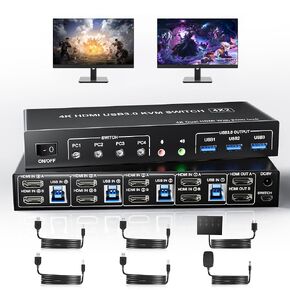 USB 3.0 HDMI Dual Monitors 4 Computers KVM Switch, Supports EDID, 4K@60Hz HDMI Dual Monitor Switch for 4 PCs with 3 USB3.0 and Audio Microphone Ports, 4 Port HDMI KVM Switch for 4PC
KWD 49
USB 3.0 HDMI Dual Monitors 4 Computers KVM Switch, Supports EDID, 4K@60Hz HDMI Dual Monitor Switch for 4 PCs with 3 USB3.0 and Audio Microphone Ports, 4 Port HDMI KVM Switch for 4PC
KWD 49
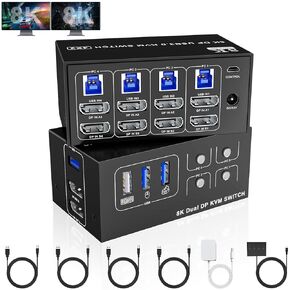 8K@60Hz Displayport USB 3.0 KVM Switch 2 Monitors for 4 Computers 4K@144Hz, DP1.4 Dual Monitor Displayport KVM Switch 4 Port with 4 USB Ports, 8K@60Hz DP Monitor Switch for 4 PCs
KWD 49
8K@60Hz Displayport USB 3.0 KVM Switch 2 Monitors for 4 Computers 4K@144Hz, DP1.4 Dual Monitor Displayport KVM Switch 4 Port with 4 USB Ports, 8K@60Hz DP Monitor Switch for 4 PCs
KWD 49
 -10%
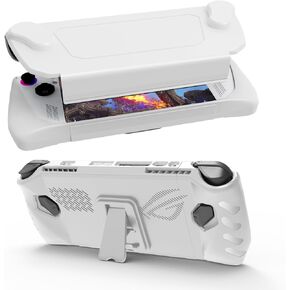
Upgraded Full Protective Case with Front Cover and Kickstand Compatible with ASUS ROG Ally 2023, Shock-Absorption, Non-Slip and Anti-Scratch Design Cover Protector (White)
KWD 9.500
-10%
Upgraded Full Protective Case with Front Cover and Kickstand Compatible with ASUS ROG Ally 2023, Shock-Absorption, Non-Slip and Anti-Scratch Design Cover Protector (White)
KWD 9.500




