【Attention】:Brand new support,Use the Asin:" B0CPP4HDVV" ,type-c to dp; Displayport kvm switch became mac kvm Switch when you use type-c to dp1.4 kvm switch cable + dp kvm switch of DaoFaZiRan,then the kvm switch support mac and mac pro;the kvm displayport became Type c kvm Switch when you use the type-c tp dp cable and all DaoFaZiRan dp kvm switch. the dp kvm switch became Thunderbolt kvm Switch when Thunderbolt + Type c to dp+Displayport KVM switch.It is only used for all DaoFaZiRan
【DP2.0 KVM switch 2 computers 2 monitors display port 144hz】Control 2 computers for Windows, Mac, Chrome and Linux with one set of wired or wireless keyboard, mouse and 2 extended or mirrored monitors at the same time; With Slide Switch for KVM or USB operation mode. The virtual interaction function prevents the input from flickering and supports fast switching.
【Kvm switch 2 monitors 2 computers Display port 4k 240hz 】4 Ports USB 3.0 Hub for 2 Computers,The integrated USB 3.0 ports allow you to share USB peripherals like printer, scanner, webcam and hard disk between 2 computers with data transfer rate up to 5Gbp/s (10 times faster than USB 2.0); Extra USB 1.1 port for Hotkey switching.
【Dual Monitor kvm Switch displayport 4k 144hz】Maximum resolution up to 8K@60Hz, 4K/144Hz240HZ, and compatible downwards depending on support of graphic card, monitor and adapters if used any; Driver Free and Automatic Wake-up Function with Power Adapter: With new generation PC automatic wake-up function, truly plug and play.
【FOUR Switching Methods with Wide Compatibility】Supports Four switching methods to meet with different needs, including keyboard hotkeys, mouse hotkeys, push button, wired remote ; switching only takes several seconds after first set-up;
【Attention 】: This DisplayPort KVM switch Dual monitor 2 computer 4k 120hz does not support EDID emulation .If need to support adapters,the powered HDMI to DP 、 USB C to DP adapters cables 、 docking station、Mac、Thunderbolt,USB C. Must purchase an additional Type C TO DP Cable (Asin:B0CPP4HDVV)
Display port kvm switches 2 monitors 2 computers:when you computer is thunderbolt output ,and you want one thunderbolt kvm switch ,you can use type c TO dp cable +kvm switch displayport+dp 2.0 cable to monitor,them the thunderbolt input will be OK.
kvm switches 2 monitors 2 computers dp 1.4 :when you computer is hdmi output ,and you want one Displayport kvm switch ,you can use hdmi TO dp adapter cable +kvm switch dp +dp 2.0 to monitor,them the hdmi output will be OK.
kvm switch 2 monitors 2 computers displayport :when you computer is type c output ,and you want one type-c kvm switch ,you can use type c TO dp cable +kvm switch displayport + dp cable to monitor,them the type c output will be OK.
kvm switch 2 monitors 2 computers displayport 144hz:the dp kvm switch support hotkey switching , you can use hotkey to switch between 2 computers,Right Control two times and number 1 and Enter(Right Ctrl+Right ctrl+1+Enter),you will switch to PC-A, and (Right Ctrl+Right ctrl+2+Enter) you will switch to PC-B. You can use Keyboard Hotkey (Right Ctrl+Right ctrl+B+Enter) to turn off or turn on the Beep for the dual monitor kvm switch.


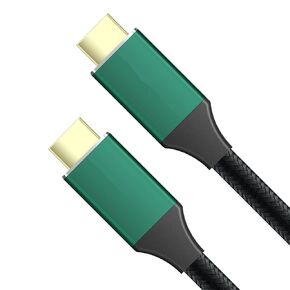 8k HDMI 2.1 Cable 6.6 Feet 4k 144hz 48G kvm Switch Dual hdmi 2.1 Cable 4k 144hz
KWD 6.500
8k HDMI 2.1 Cable 6.6 Feet 4k 144hz 48G kvm Switch Dual hdmi 2.1 Cable 4k 144hz
KWD 6.500
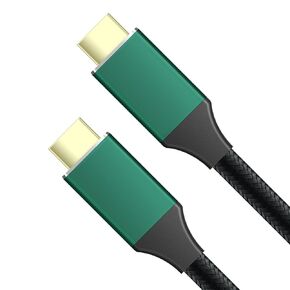 8k HDMI 2.1 Cable 6.6 Feet 4k 144hz 48G kvm Switch Dual hdmi 2.1 Cable 4k 144hz hdmi 2.1 kvm Switch Cable 4k 144hz kvm Switch 2 Monitors 2 Computers hdmi
KWD 4.500
8k HDMI 2.1 Cable 6.6 Feet 4k 144hz 48G kvm Switch Dual hdmi 2.1 Cable 4k 144hz hdmi 2.1 kvm Switch Cable 4k 144hz kvm Switch 2 Monitors 2 Computers hdmi
KWD 4.500
 16K DP 2.1 Cable 6.6 Feet 80G 4k 240hz 5k 240hz 8k 120hz kvm Switch 2 Monitors 2 Computers displayport Cable 4k 240 hz dp kvm Switch Cable 4k 240hz kvm Switch dp Cable 4k 240hz
KWD 8.500
16K DP 2.1 Cable 6.6 Feet 80G 4k 240hz 5k 240hz 8k 120hz kvm Switch 2 Monitors 2 Computers displayport Cable 4k 240 hz dp kvm Switch Cable 4k 240hz kvm Switch dp Cable 4k 240hz
KWD 8.500
 Kvm Switch Displayport 2 Monitors 2 Computers 4K 240Hz Hotkey Switching 8k Kvm Switch Dual Monitors dp 2.0 1440P 144hz 165hz 240hz Dual Monitor kvm Switch displayport Thunderbolt FreeSync G-SYNC
KWD 68.500
Kvm Switch Displayport 2 Monitors 2 Computers 4K 240Hz Hotkey Switching 8k Kvm Switch Dual Monitors dp 2.0 1440P 144hz 165hz 240hz Dual Monitor kvm Switch displayport Thunderbolt FreeSync G-SYNC
KWD 68.500




