Upgraded Ethernet Adapter For Starlink - RJ45 Gigabit Ethernet Adapter for Starlink Actuated Gen 2 for Starlink Rectangle Dish Satellite Internet V2 for Starlink network to wired external (Yellow)
All electronics ship with US style plugs.You may need a voltage converter or a plug adapter.
Special Features
Ethernet Adapter for Starlink to RJ45 Gigabit Ethernet Adapter Fast & Stable Network Connection for Starlink Actuated Gen 2,This adapter maximizes throughput from your outdoor dish, making it an affordable and efficient solution for adding or extending an RJ45 port on your starlink devices. Ideal for connecting to a wired network to your other wifi gateway.
Ethernet Adapter for Starlink - Extend starlink satellite internet from Starlink Gen 2 Router to a wired external connection . Connect our adapter for starlink network to all your wifi devices by wired connection home mesh wifi network, Designed to connect a device directly to the Starlink Router for a wired connection. Supports up to 1 Gbps speeds.
Designed For Starlink Gen 2 Router to Third Party Mesh WiFi Router - The ethernet adapter for starlink has a RJ54 network port, can be adapted to EERO, Netgear Orbi and other third party router configuration,extend starlink wifi to your home mesh wifi for your more wifi device
Extend Starlink Ethernet Network to Full Home by Third Party Router- This ethernet for starlink is able to extend starlink wifi router network to other areas of your home that need Wi-Fi, such as your underneath garage, bedrooms, etc., helping you to boost the internet signal throughout your house
Increase Your Starlink Speed - Ethernet for Starlink with stable connectivity, you can have faster internet even in rural areas, using this accessories for starlink satellite internet can help you to solve the problem of insufficient internet and weak WiFi signal to improve your internet speed
Easy to Use - Plug and Play, No activation and no driver installation required, 60 sec's Easy connection to the Starlink satellite internet v2 for rectangle dish,then extend the starlink network to all your device.
You Can Use Ethernet adapter for starlink to connect directly to the starlink v2 interface without having to upgrade from starlink v2 to v3. Substitute accessories for starlink increases the speed of your network while helping you save more mone
For use with Starlink Standard Actuated Kit only.Does not work with Starlink Standard Kit (Latest Model) with kickstand base.Upgrade Your Starlink gen 2 router to starlink gen 3 router by our Ethernet adapter for starlink,Just plug and play.
Description
As you know ,With adapter ethernet for starlink you can cover every corner of your home with routers and Wi-Fi extender access points to establish an Ethernet connection. with starlink ethernet network connections, you can connect to PC, tablet or other devices to establish a high-speed Ethernet connection. Satisfy your daily network needs. so our etherent adapter for starlink is designed to this function.and you can also upgrade the starlink gen 2 router to gen 3 router (wifi 6) by our adaptador ethernet for starlink. Pre-Installation Precautions. You need to power everything down, install the adaptor and then restart starlink ethernet v2 router . after inserting it correctly, otherwise it will not work prope. Step 1 – Unplug the starlink router AC power cord from the wall. You will want the dish and router turned off while we reconfigure the starlink cables. Step 2 – Unplug the starlink antenna cable from the bottom of the router. Step 3 – Plug the ethernet adapter for starlink into the router, where the starlink antenna cable was. Step 4 – Plug the starlink antenna cable into the connector on the ethernet adapter. Step 5 – You can now power everything back on by plugging in the router AC power cord at the wall.

 Intel Centrino 2230 Mini PCI Express Bluetooth 4.0 2230BNHMW IEEE 802.11n Wi-Fi/Bluetooth Combo Adapter 300 Mbps
KWD 10
Intel Centrino 2230 Mini PCI Express Bluetooth 4.0 2230BNHMW IEEE 802.11n Wi-Fi/Bluetooth Combo Adapter 300 Mbps
KWD 10
 Global Marketing Partners Cirago Bluetooth Adapter USB Mini CLASS2 20 EDR Range 33FT
KWD 4.500
Global Marketing Partners Cirago Bluetooth Adapter USB Mini CLASS2 20 EDR Range 33FT
KWD 4.500
 Sunnytech 6 Pack CAT7 10GBase-T, 1200MHz, RJ45 Shielded Keystone Jack
KWD 12
Sunnytech 6 Pack CAT7 10GBase-T, 1200MHz, RJ45 Shielded Keystone Jack
KWD 12
 -14%
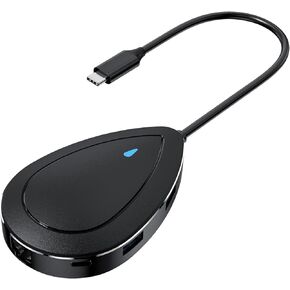
FORIDA 7-in-1 USB C Network Hub, USB C Docking Station with 3 USB 3.0 Port Up to 5Gbps Transfer, 1 USB C 3.0 Data Port, 4K HDMI, 100W PD Charging, RJ45, Suit for MacBook Pro/Air, DELL, Lenovo
KWD 9.500
-14%
FORIDA 7-in-1 USB C Network Hub, USB C Docking Station with 3 USB 3.0 Port Up to 5Gbps Transfer, 1 USB C 3.0 Data Port, 4K HDMI, 100W PD Charging, RJ45, Suit for MacBook Pro/Air, DELL, Lenovo
KWD 9.500

