【Compatible Model】Please note that this front glass OLED screen replacement is designed ONLY for the compatible iPhone 13 6.1-inch models with the following model numbers: A2482, A2631, A2634, A2635, A2633. To ensure that this replacement screen is suitable for your device, kindly check the model number of your phone before making any purchase.
【Pre-Assembled Earpiece Flex Cable】The iPhone 13 OLED screen replacement is Updated with Full-assembled front Proximity Sensor and Ambient Light Sensor flex cable. We offer a detailed video tutorial that provides a step-by-step guide for the installation process.
【About Touch ID Function】It is important to be aware that the Face ID function will not be functional after screen replace. The screen has been specifically designed to Face ID function with the original ear speaker flex cable on your phone. If you wish to retain the Face ID feature, you will need to transfer the original earpiece flex cable from the old phone part to the new one provided.
【Complete Repair Tools】We offer a comprehensive set of repair tools that comes included with your purchase. Additionally, our waterproof seal ensures that the replacement screen restores your phone's waterproof capabilities, keeping it just as secure as the original one. Tips: Remember to turn off the phone before replacing the screen, plug and unplug the battery flex cable first to resolve any potential issues, and use a hair dryer to soften the glue and make it easier to remove the screen.
【Step-By-Step】Please be mindful of the installation sequence. Begin by installing the screen cable, followed by the installation of the earpiece cable. Disregarding this order may cause complications during screen installation, resulting in a dimmed or non-responsive display. To make the installation process quick and easy for you, we provide a step-by-step video tutorial. If any issues during the installation or while using the product, please contact us for assistance.
 -11%
for iPhone 15 15 Plus Rear Camera Lens Replacement with Dual-Sided Adhesive Back Camera Glass Lens Replace with Fix Tool Repair Kit Tweezers A3089 A3090 A3091 A3092 A3093 A3094 A3095 A3096
KWD 4
-11%
for iPhone 15 15 Plus Rear Camera Lens Replacement with Dual-Sided Adhesive Back Camera Glass Lens Replace with Fix Tool Repair Kit Tweezers A3089 A3090 A3091 A3092 A3093 A3094 A3095 A3096
KWD 4
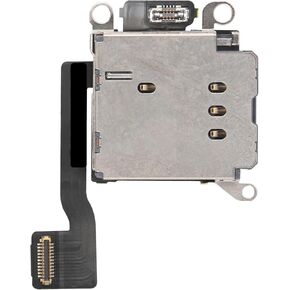 Single SIM Card Reader Replacement US Version for iPhone XR Sim Card Slot Adapter Version for iPhonexr Mobile Phone Repair Replace Parts for A1984 A2105 A2106 A2107 A2108
KWD 3
Single SIM Card Reader Replacement US Version for iPhone XR Sim Card Slot Adapter Version for iPhonexr Mobile Phone Repair Replace Parts for A1984 A2105 A2106 A2107 A2108
KWD 3
 Single SIM Card Reader Replacement for iPhone 8 Plus Sim Card Slot Adapter Flex Cable for iPhone 8Plus US Version Mobile Phone Repair Replace Parts for A1864 A1897 A1898
KWD 3
Single SIM Card Reader Replacement for iPhone 8 Plus Sim Card Slot Adapter Flex Cable for iPhone 8Plus US Version Mobile Phone Repair Replace Parts for A1864 A1897 A1898
KWD 3
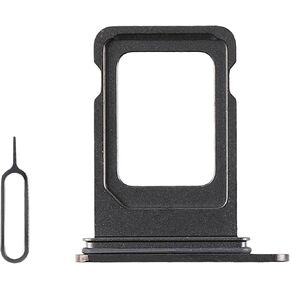 for iPhone 15 Pro 15 Pro Max Single SIM Card Tray Replacement Single Version SIM Card Slot Holder Replace for iPhone 15pro 15promax with Open Eject Pin Model: A2848 A2849 (Black Titannium)
KWD 2.500
for iPhone 15 Pro 15 Pro Max Single SIM Card Tray Replacement Single Version SIM Card Slot Holder Replace for iPhone 15pro 15promax with Open Eject Pin Model: A2848 A2849 (Black Titannium)
KWD 2.500


![[OLED] for iPhone 13 Screen Replacement 6.1" with Ear Speaker Proximity Sensor Flex Cable OLED Touch Display Digitizer Glass Full Assembly Frame with Repair Tools Kit for A2482 A2631 A2634 A2635 A2633 in Kuwait](https://cdn1.tilga.com/md/prod/1/852/30216172.49401.jpg)
![[OLED] for iPhone 13 Screen Replacement 6.1" with Ear Speaker Proximity Sensor Flex Cable OLED Touch Display Digitizer Glass Full Assembly Frame with Repair Tools Kit for A2482 A2631 A2634 A2635 A2633 in Kuwait](https://cdn1.tilga.com/md/prod/1/852/30216173.59710.jpg)
![[OLED] for iPhone 13 Screen Replacement 6.1" with Ear Speaker Proximity Sensor Flex Cable OLED Touch Display Digitizer Glass Full Assembly Frame with Repair Tools Kit for A2482 A2631 A2634 A2635 A2633 in Kuwait](https://cdn1.tilga.com/md/prod/1/852/30216174.15421.jpg)
![[OLED] for iPhone 13 Screen Replacement 6.1" with Ear Speaker Proximity Sensor Flex Cable OLED Touch Display Digitizer Glass Full Assembly Frame with Repair Tools Kit for A2482 A2631 A2634 A2635 A2633 in Kuwait](https://cdn1.tilga.com/md/prod/1/852/30216175.44581.jpg)
![[OLED] for iPhone 13 Screen Replacement 6.1" with Ear Speaker Proximity Sensor Flex Cable OLED Touch Display Digitizer Glass Full Assembly Frame with Repair Tools Kit for A2482 A2631 A2634 A2635 A2633 in Kuwait](https://cdn1.tilga.com/md/prod/1/852/30216176.48684.jpg)
![[OLED] for iPhone 13 Screen Replacement 6.1" with Ear Speaker Proximity Sensor Flex Cable OLED Touch Display Digitizer Glass Full Assembly Frame with Repair Tools Kit for A2482 A2631 A2634 A2635 A2633 in Kuwait](https://cdn1.tilga.com/md/prod/1/852/30216177.5485.jpg)