- Shopping, made easy.
- /
- Get the app!
Item Type: Remote Control
Material: ABS Shell
Color: Black
Power by : 2xAAA Batteries(Not Included)
Weight: Approx. 42g
Package List:
1x Remote Control
How to pair Xiaomi Mi Box S and remote controller?
Step 1: Open the battery cover of the Bluetooth remote control, remove the insulation film, and install the battery (positive side up) and the battery cover.
Step 2: Enter [Settings] -> [System Settings] -> [Network] -> [Bluetooth].
Step 3: Press the Bluetooth remote control [ button.
Step 4: Use the remote control to click [Search Device] -> [Searched Device] -> Click [Xiameter Bluetooth Remote Control].
Step 5: After performing the above steps, you can see the Xiaomi Bluetooth remote control in the paired device list, and when the "drip" sound is emitted, operate the Bluetooth remote control direction.
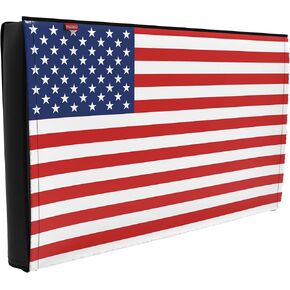 Outdoor 86"-90" TV Set Cover,Scratch Resistant Liner Protect LED Screen Best-Compatible with Standard Mounts and Stands (American Flag )
KWD 7.500
Outdoor 86"-90" TV Set Cover,Scratch Resistant Liner Protect LED Screen Best-Compatible with Standard Mounts and Stands (American Flag )
KWD 7.500
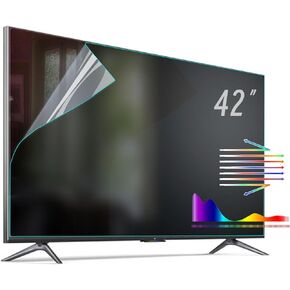 Anti Glare Film for 42 inch TV Screen, Blue Light Filter and Glare Reducer, Indoor Outdoor Anti Glare Shield for TVs, Matte Screen Protector for Clear Viewing (42 inch)
KWD 28.500
Anti Glare Film for 42 inch TV Screen, Blue Light Filter and Glare Reducer, Indoor Outdoor Anti Glare Shield for TVs, Matte Screen Protector for Clear Viewing (42 inch)
KWD 28.500
 -44%
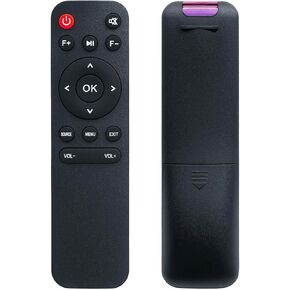
Replacement Remote for Mini Projector,Compatible with Lisowod L02, ONOAYO AY3,Salange P90A Projector.
KWD 4.500
-44%
Replacement Remote for Mini Projector,Compatible with Lisowod L02, ONOAYO AY3,Salange P90A Projector.
KWD 4.500
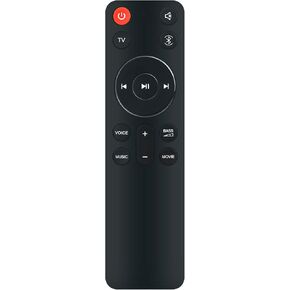 New SB510 SB550 Replacement Remote Control Compatible with 200W JBL Cinema SB510 3.1 Channel Soundbar with Built-in Subwoofer
KWD 7
New SB510 SB550 Replacement Remote Control Compatible with 200W JBL Cinema SB510 3.1 Channel Soundbar with Built-in Subwoofer
KWD 7




