Universal Docking Solutions: Conveniently attach any laptop equipped with USB-C or USB-A and connect easily to displays, keyboard and mouse devices whether at home or in the office.
High Resolution Viewing: Enjoy Ultra HD 5K on a single screen or up to three 4K displays via USB-C thanks to DisplayLink technology.
Enhanced Video: Do your best work faster by plugging in a single USB-C cable and transfer audio, video, data and power without the need for an additional power adapter.
Dell Universal Dock – D6000/D6000S is compatible with any laptop equipped with a USB-C or a USB-A port and running on Windows, Ubuntu, Chrome OS, or macOS.
It is recommended that you plug in an external power adapter to your laptop during the following scenarios: When connecting your laptop to your dock's USB-A connector. Or, when connecting your laptop to your dock's USB-C connector and your laptop requires more than 65W of power.


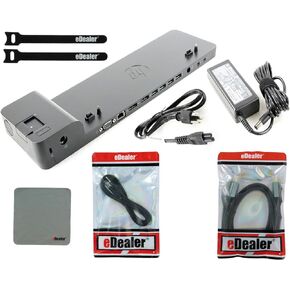 HP UltraSlim Dock 2013 Docking Station (D9Y32AA#ABA) + Starter Kit Bundle
KWD 28.500
HP UltraSlim Dock 2013 Docking Station (D9Y32AA#ABA) + Starter Kit Bundle
KWD 28.500
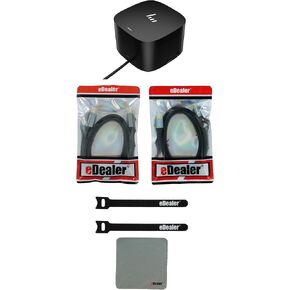 HP Thunderbolt Dock 120W G4 (4J0A2AA#ABA) + Starter Kit Bundle
KWD 68.500
HP Thunderbolt Dock 120W G4 (4J0A2AA#ABA) + Starter Kit Bundle
KWD 68.500
 HP UltraSlim Dock 2013 Docking Station (D9Y32UT#ABA) + Starter Kit Bundle
KWD 24.500
HP UltraSlim Dock 2013 Docking Station (D9Y32UT#ABA) + Starter Kit Bundle
KWD 24.500
 -19%
HP USB-C Dock G5 (5TW10AA#ABA) + Starter Kit Bundle
KWD 53
-19%
HP USB-C Dock G5 (5TW10AA#ABA) + Starter Kit Bundle
KWD 53




