- Shopping, made easy.
- /
- Get the app!
Hittoliy Wireless Pro Controller Features:
🎮 All Switch games are playable.
🎮 Built-in 6-axis gyroscope chip can achieve high-precision somatosensory targets.
🎮 Adjustable dual vibration and turbine functions.
🎮Add definition programming buttons to better experience the pleasure of gaming.
🎮Wireless connection, strong anti-interference ability, and stable connection signal.
🎮One-click connection method, wakes up the switch at the same time and is easy to operate.
🎮Has memory mode to remember the last settings.
🎮Built-in 1000 mAh polymer lithium battery, which can last for about 8 hours after being fully charged.
Connect via Bluetooth pairing:
[Connecting the Bluetooth controller to the switch for the first time]
1. Turn on the Switch switch, in the main menu interface of the switch, touch it with your finger, and click on the handle →Change Grip to enter into the switch pairing mode interface;
2. Press and hold the HOME button for 3 seconds to turn on the controller, the four LEDs will flash rapidly and cyclically at the same time to enter the search state, when the individual LEDs are always on at the same time, it means that the controller and the switch pairing is successful, and then press the B button to return to the operation.
[Connecting the controller to the switch again]
Short press the HOME button to turn on the controller for PC, and the controller and the switch are automatically connected, then press the A button to operate.
Game Controller for Switch via USB cable:
1. First, open the 'Pro Grip Wired Connection Function' inside the switch settings;
2. The handle is connected to the switch through the USB cable, and can be used as a wired handle, the handle's channel indicator shows in the charging state and will keep flashing. Unplug the USB cable, the controller becomes Bluetooth mode and the switch automatically con
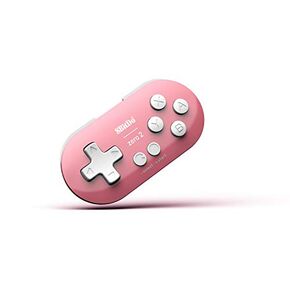 8Bitdo Zero 2 Bluetooth Gamepad Keychain Sized Mini Controller for Switch, Windows, Android, macOS & Raspberry Pi(Turquoise Edition) - Nintendo Switch
KWD 8.500
8Bitdo Zero 2 Bluetooth Gamepad Keychain Sized Mini Controller for Switch, Windows, Android, macOS & Raspberry Pi(Turquoise Edition) - Nintendo Switch
KWD 8.500
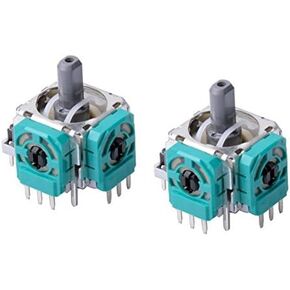 2 x For Xbox One Controller 3D Analog Joystick Axis Sensor Module Rocker Replacement
KWD 3.500
2 x For Xbox One Controller 3D Analog Joystick Axis Sensor Module Rocker Replacement
KWD 3.500
 51Pcs Full Screws Set for Nintendo Switch Console Compatible Replacement Philips Head Screw
KWD 3
51Pcs Full Screws Set for Nintendo Switch Console Compatible Replacement Philips Head Screw
KWD 3
 -40%
Joystick Replacement Thumb Grip for Switch, Grip Button Stick Cover Switch Controller, 3D Analog Skin Replacement, Part Repair Kit Accessories for Switch Pro
KWD 1.500
-40%
Joystick Replacement Thumb Grip for Switch, Grip Button Stick Cover Switch Controller, 3D Analog Skin Replacement, Part Repair Kit Accessories for Switch Pro
KWD 1.500




