- Shopping, made easy.
- /
- Get the app!
If you already own a set of speakers and want to connect a versatile component that can provide Internet radio, FM, and play your own music collection, the Ocean Digital WR-50 is the perfect choice. The WR-50 panel is made of aluminum, and the unit is built with high-quality metal housing. It can be easily paired with any home audio equipment.
All outputs of the WR-50 are in stereo, providing excellent sound quality. Internet radio can be accessed via WIFI or LAN (RJ45), and it also supports WPS button connection if your router has one.
The WR-50 now includes a new Podcast function, expanding your radio listening options. The system offers convenient features such as fast forward, rewind, and seamless playback for an enhanced user experience. Subscribed channels can receive automatic updates.
You can stream the audio contents from the network-connected devices that are UPnP/DLNA compatible, or play media from other apps via Bluetooth.
The WR-50 allows you to create and customize a list of up to 150 favorite stations, which is easily managed through a web browser on a computer or mobile device. You can also type in the URLs for the radio stations (they have to be audio stream URLs). If you can't find your favorite radio station, please don't hesitate to contact us!
Technical Specifications:
Model: WR-50
Power input: 5V 1A
Power voltage: 100 – 240 Volts 50/60 Hz
Wi-Fi Wireless Network: IEEE 802.11b/g/n
Frequency: 2.4 GHz
Security Protocol: WEP, WPA, WPA2
Ethernet connection(LAN): 10 Mbps RJ45
Bluetooth Version: V5.0
Bluetooth Frequency: 2.4 GHz
Bluetooth Range: 32 Feet (10 meters, line of sight)
FM Radio Frequency: 87.5 – 108 MHz
Audio input: USB thumb drive
Audio Stereo output: Headphone jack 3.5mm, RCA connector, Optical (Toslink) and co-axial digital out (SPDIF)
External antennas: 5dBi WiFi antenna and BT antenna
Unit dimension: 430 x 48 x 243 mm(L x H x D)
Unit weight: 2.5kg
What's in the box:
Internet Radio Tuner
Power Adaptor
Wire antenna for FM
External antenna x 2 pcs
RCA Cable
Remote Control (without batteries)
User Manual
 Ocean Digital WR-860 FM Wi-Fi Internet Radio with Stereo Speakers, Alarm Clock, Sleep Timer, Line Out, Aux in, Stress Relief, Relaxation and Sleep Aid, 2.4" Color
KWD 61.500
Ocean Digital WR-860 FM Wi-Fi Internet Radio with Stereo Speakers, Alarm Clock, Sleep Timer, Line Out, Aux in, Stress Relief, Relaxation and Sleep Aid, 2.4" Color
KWD 61.500
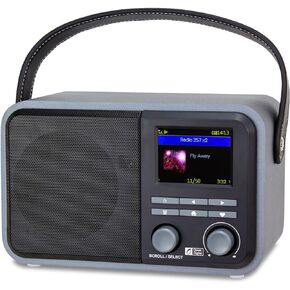 Ocean Digital WR-330 Wi-Fi Internet FM Radio Portable with Hand Strap and Passive Bass Radiator Preset Button Rechargeable Battery Bluetooth Receiver Stress Relief Relaxation 2.4" Color Display
KWD 35
Ocean Digital WR-330 Wi-Fi Internet FM Radio Portable with Hand Strap and Passive Bass Radiator Preset Button Rechargeable Battery Bluetooth Receiver Stress Relief Relaxation 2.4" Color Display
KWD 35
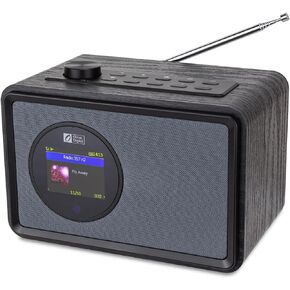 Ocean Digital WR-390 Wi-Fi Internet FM Radio Portable with Rechargeable Battery, 4 Preset Buttons, Bluetooth Receiver, Alarm Clock, Sleep Timer, Stress Relief Relaxation Sleep Aid, 2.4" Color Display
KWD 41
Ocean Digital WR-390 Wi-Fi Internet FM Radio Portable with Rechargeable Battery, 4 Preset Buttons, Bluetooth Receiver, Alarm Clock, Sleep Timer, Stress Relief Relaxation Sleep Aid, 2.4" Color Display
KWD 41
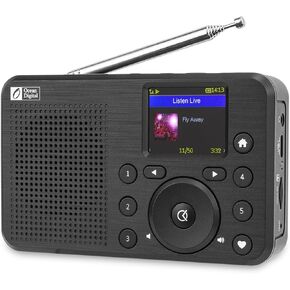 Ocean Digital WR-18 Handheld Portable Internet Radio, FM, Bluetooth Speaker, Micro SD, Rechargeable, 5 Preset Buttons, Dimmer, Auto-Off Timer, Color Display
KWD 33
Ocean Digital WR-18 Handheld Portable Internet Radio, FM, Bluetooth Speaker, Micro SD, Rechargeable, 5 Preset Buttons, Dimmer, Auto-Off Timer, Color Display
KWD 33




