- Shopping, made easy.
- /
- Get the app!
GGMTY VR link cable
● Connected your Quest 1/2 to gaming PC, so you can play the big games on a PC when your headset have not enough storage or play Steam VR games using the Quest 2 headset.
How to Connect the Quest 1/2 to the PC Via VR Link Cable?
● Please make sure that you use a PC with Windows 10 and with i5-4590/8GB RAM. Download PC app, the software version is up to date and your Quest is running the latest operating system.
● Plug USB cable into PC port, plug USB C into Quest 2's charging port.
● You should see a pop-up to access to data. Select Deny.
● You will see an option to Enable Link. Select Enable.
Compatible for Quest 1/2
● It allows you to connect the Quest 1/ 2 to PC and play VR games that require higher graphics power on your PC. It basically turns the Quest into an Rift. This way you can play both standalone and PC VR games.
90° Right angled design
● 90° Right angled design perfectly match the Quest and Quest 2 VR headsets, the connection is more stable and not easy to loosen.
20FT Extra-Long VR link cable
● 20FT link cable to meet all your need and play any game in a wider area, less limit and more fun.
Super High Picture Quality
● Ultra HD image quality transmission is more delicate, no delay and no flicker, it also supports 3A charging speed to extend the game time.
High-Quality Link Cable
● VR link cable sturdy with 20000+ bend lifespan. Premium connector resists heat and corrosion, nylon outer braid link cable makes the cable durable.
Streaming & Charging
● The link cable support usb c to usb a 3.0 and be able to stream the VR game and charge your headset at the same time.
High Throughput
● Virtual reality link for Quest or Quest 2 and gaming PC/Steam VR, transfer data to and from all your USB C devices at speeds of up to 5 Gbps.
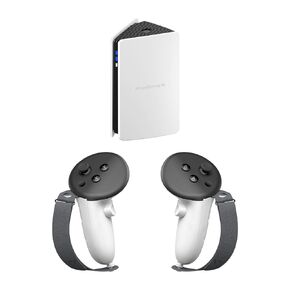 PRISMXR Controller Grips and PC-VR Streaming Air Link Bridge Compatible with Meta Quest 3S/Quest 3
KWD 39
PRISMXR Controller Grips and PC-VR Streaming Air Link Bridge Compatible with Meta Quest 3S/Quest 3
KWD 39
 -31%
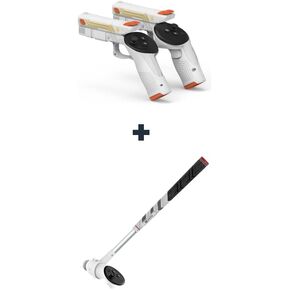
Golf Club Attachment Compatible with Meta/Oculus Quest 3 Accessories&VR G-un Stock Attachment Compatible with Meta/Oculus Quest 3 Accessories
KWD 23
-31%
Golf Club Attachment Compatible with Meta/Oculus Quest 3 Accessories&VR G-un Stock Attachment Compatible with Meta/Oculus Quest 3 Accessories
KWD 23
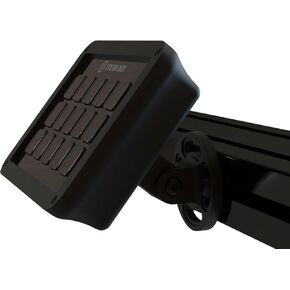 Stream Deck Mount for Sim Rig (MK.2)
KWD 16.500
Stream Deck Mount for Sim Rig (MK.2)
KWD 16.500
 -19%
AMVR Facial Interface Face Pad Cover and Golf Club Attachment Compatible with Meta/Oculus Quest 3S Accessories
KWD 25
-19%
AMVR Facial Interface Face Pad Cover and Golf Club Attachment Compatible with Meta/Oculus Quest 3S Accessories
KWD 25




