- Shopping, made easy.
- /
- Get the app!
RUIAN Dial indicator with white face,grip handle, thumb trigger, and spring-loaded spindle for accurate measurements.contact point is flat anvil, suitable for measuring paper, film, leather, steel plate, etc.
Measuring range: 0 -10mm/0-0.4"
Accuracy: 0.1mm/0.004"
Total Size:81 X 41mm/3.2" X 1.6" (L*W)
Package Includes:1 X Thickness Gauge; 1 X Storage Case
Tips:
1.Make sure the flat anvil is clean before measurement and check whether the pointer is reset.
2.Put it in the box after use.
 -7%
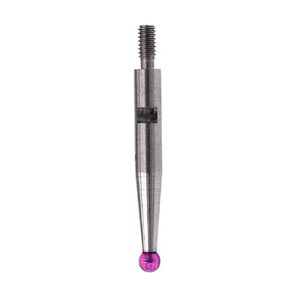
Ball Tip Measuring Insert for Interapid 312 Dial Test Indicators 74.111913 (0.080" Carbide Ball, 2.675" Length)
KWD 6.500
-7%
Ball Tip Measuring Insert for Interapid 312 Dial Test Indicators 74.111913 (0.080" Carbide Ball, 2.675" Length)
KWD 6.500
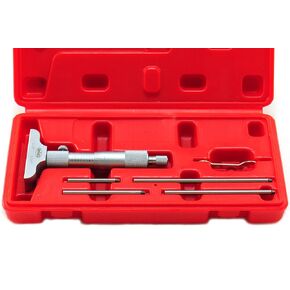 Shars 0-6" x 0.001" Depth Micrometer, 2.5"Base, 6 Rods 303-2507 P)
KWD 26
Shars 0-6" x 0.001" Depth Micrometer, 2.5"Base, 6 Rods 303-2507 P)
KWD 26
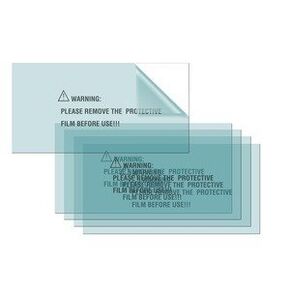 Lincoln Electric KP3283-1 Interior Clear Lens for Viking Series 1740 Screens, Set of 5
KWD 9
Lincoln Electric KP3283-1 Interior Clear Lens for Viking Series 1740 Screens, Set of 5
KWD 9
 Anvil Base Kit for Headspace Measurements, Stable Platform for Precision Reloading, Improve Ogive and Shoulder Consistency
KWD 8.500
Anvil Base Kit for Headspace Measurements, Stable Platform for Precision Reloading, Improve Ogive and Shoulder Consistency
KWD 8.500




