- Shopping, made easy.
- /
- Get the app!
Functions Introduction ON/OFF button: Long press to turn on/off the device. Indicator light: In charging condition, the indicator light is red; In working condition, the indicator light is blue. Up/Down button: When entering the menu or playback mode, use this button to switch between different options. Menu button: When the device is powered on, press the "M" menu button to enter or exit the menu, and long press the button to switch to three modes: Photo/Video/Playback. OK button: After entering the Photo/Video mode under power-on state, press this button to take photos, start end video recording; After entering the menu, press this button to confirm selection. Micro/USB interface: When the battery is unavailable or the battery is low, connect the Micro USB cable to charge the device. Do not use the device during charging, which reduces the battery life. Connect the computer with USB cable with signal, and you can choose to enter PC memory mode/camera mode/charging mode. After the USB cable is removed, the device will shut down within 5 seconds (it is normal. If you need to continue using the device, restart the device). TF card slot: Supports a maximum of 32GB (please select C10) Key slot: The device is connected to the inline control and external supplementary light through this jack. Focus wheel: Rotate this wheel to focus in camera or video mode Light Wheel: Turn the knob to adjust the brightness of LED light. Active arm: Adjustable angle of display screen.Technical specifications Item Parameter Photo Resolution 16M, 12M, 10M, 8M, 5M, 3M, 2MHD, 1.3M Video Resolution 1080FHD, 1080P, 720P Light Source 8 LED lights (brightness adjustable) Focus range 10~40mm(support distant view) PC Resolution and Image Transfer Rate: 1280*720/25fps PC
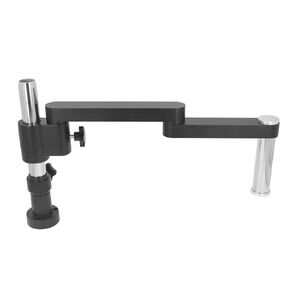 Microscope Arm Boom Stand Flexible Soldering 360 Degree Retractable Folding Bracket Heavy Duty Mic Desk Mount for Stereo Microscopes
KWD 57.500
Microscope Arm Boom Stand Flexible Soldering 360 Degree Retractable Folding Bracket Heavy Duty Mic Desk Mount for Stereo Microscopes
KWD 57.500
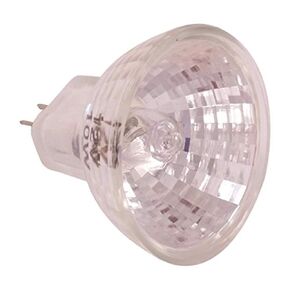 HHIP 8902-5081 10W Bulb for 8902-0050 Microscope
KWD 4
HHIP 8902-5081 10W Bulb for 8902-0050 Microscope
KWD 4
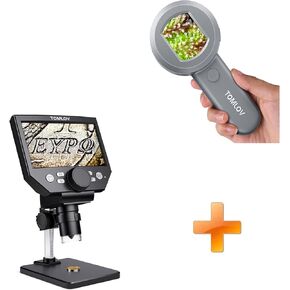 TOMLOV P10 Microscope for Adults Kids, Portable 100X Illuminated Jewelers Loupe, Handheld Coin Magnifier with Light for Collectors+DM4 Lite New
KWD 29.500
TOMLOV P10 Microscope for Adults Kids, Portable 100X Illuminated Jewelers Loupe, Handheld Coin Magnifier with Light for Collectors+DM4 Lite New
KWD 29.500
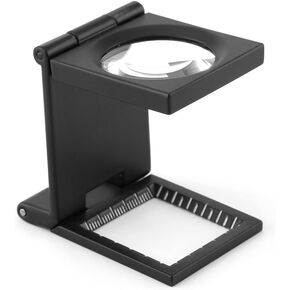 10 x 28 mm Triple Folding 10x Magnifying Glass Zinc Alloy Magnifying Glass with Scale
KWD 4.500
10 x 28 mm Triple Folding 10x Magnifying Glass Zinc Alloy Magnifying Glass with Scale
KWD 4.500




