- Shopping, made easy.
- /
- Get the app!
Air Filter UX38841 Compatible for Projector Model
HITACHI CP-EW301N,CP-EW302,CP-EW302N,CP-EX251N,CP-EX252,CP-EZ252N,CP-EX301N,CP-EX302,CP-EX302N,CP-EX401,CP-WX3030WN,CP-WX3041WN,CP-WX3042WN,CP-WX3541WN,CP-WX4041WN,CP-WX4042WN,CP-X2530WN,CP-X2541WN,CP-X3030WN,CP-X3041WN,CP-X3042WN,CP-X3541WN,CP-X4030WN,CP-X4041WN,CP-X4042WN
Replacing the Air Filter
1.Press the power button on the remote control or the control panel to turn off the power,then discounnect the power cable.
2.Hook your finger into the tab on the air filter cover and remove it from the lens side.
3.Grip the knob in the center of the air filter and pull it out at an angle.
4.Grip the new air filter by the knob in the center and insert it at an angle.
5. Secure the tab on the outside first and then secure the tab on the lens side.
Attention
*If dust collects on the air filter it can cause the internal temperature of the projector to rise,and this can lead to problems with operation and shorten the optical engine's service life.It's recommended that you clean the air filter at least once every three months.Clean them more often than this if using the projector in a particularly dusty enviroment.
*Do not rinse the air filter in water.Do not use detergents or solvents.
*Lightly brush the air filter to clean it.If it is brushed too strongly,dust will be ground into the air filter and can't be removed.
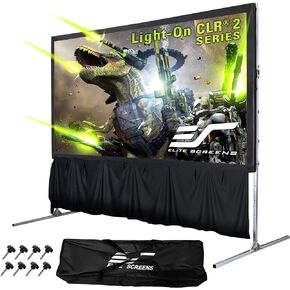 Elite Screens 122" Portable Projector Screen with Stand, Folding Frame, ALR/CLR Ceiling Light Rejecting, Indoor Use, LPS123H-SBCLR16
KWD 328
Elite Screens 122" Portable Projector Screen with Stand, Folding Frame, ALR/CLR Ceiling Light Rejecting, Indoor Use, LPS123H-SBCLR16
KWD 328
 Portable Projector Screen with Tripod Stand, 16:9 4K HD, Indoor & Outdoor Movie Screen for Home Cinema, Gaming, Office (100IN)
KWD 17.500
Portable Projector Screen with Tripod Stand, 16:9 4K HD, Indoor & Outdoor Movie Screen for Home Cinema, Gaming, Office (100IN)
KWD 17.500
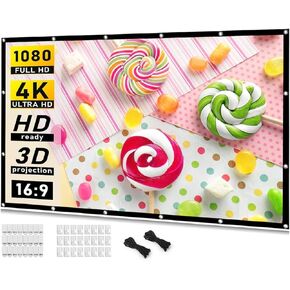 80 inch Projector Screen for Home Theater, Video, Game
KWD 3.500
80 inch Projector Screen for Home Theater, Video, Game
KWD 3.500
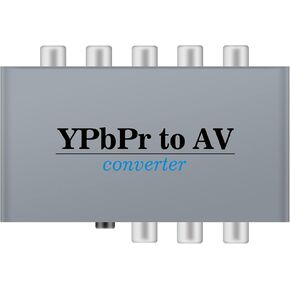 Component to AV Adapter, YPbPr to CVBC Coverter + R/L, Component 5RCA RGB to AV Converter Adapter, Supports 1080P Video Audio Converter Adapter for DVD PSP to HDTV Monitor
KWD 9.500
Component to AV Adapter, YPbPr to CVBC Coverter + R/L, Component 5RCA RGB to AV Converter Adapter, Supports 1080P Video Audio Converter Adapter for DVD PSP to HDTV Monitor
KWD 9.500




