- Shopping, made easy.
- /
- Get the app!

Enjoy the freedom of wireless stereo music from your iPod with the Motorola D670 adapter. Simply plug the Motorola D670 into your iPod, pair it to any Motorola Bluetooth stereo headphone, and play! And never miss a call when you pair your Motorola Bluetooth stereo headphones with both the D670 adapter and your Bluetooth mobile phone - your iPod automatically pauses or mutes with each call you make or receive through your stereo headphones!
Connecting the D670 to iPod
Turn off any Bluetooth devices previously paired with your headphones.
Turn headphones off and on to place in pairing mode. You may need to follow the instructions listed in your manual.
Power on iPod.
Connect your adapter to your iPod.
Note: The adapter indicator light flashes rapidly in blue for a few moments, then begins to flash rapidly in red and blue to indicate the adapter is in pairing mode.
Note: When your adapter and headphones are connected and ready for use, the adapter indicator light changes to a slow blue flash.
Note: Music playing on your iPod or iPhone is heard on your headphones.)
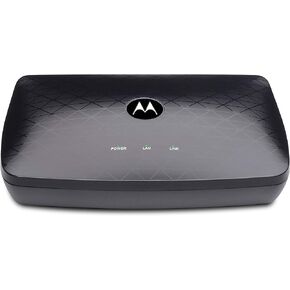 Motorola MOCA Adapter for Ethernet Over Coax, 1,000 Mbps Bonded 2.0 MoCA (Model MM1000)
KWD 24.500
Motorola MOCA Adapter for Ethernet Over Coax, 1,000 Mbps Bonded 2.0 MoCA (Model MM1000)
KWD 24.500
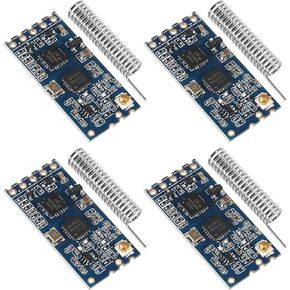 4pcs HC-12 433Mhz SI4463/SI4438 Wireless Serial Port Module 1000M Replace Bluetooth with Antenna
KWD 8
4pcs HC-12 433Mhz SI4463/SI4438 Wireless Serial Port Module 1000M Replace Bluetooth with Antenna
KWD 8
 -18%
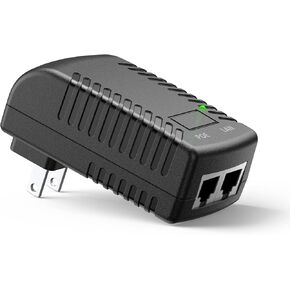
PoE Injector Adapter, Ueevii 24V Gigabit Port Ethernet POE Adapter,Plug and Play, Suitable for Wireless Bridge
KWD 4.500
-18%
PoE Injector Adapter, Ueevii 24V Gigabit Port Ethernet POE Adapter,Plug and Play, Suitable for Wireless Bridge
KWD 4.500
 -6%
Upgrade-Wireless-Bluetooth-Adapter 2 in 1 for-Apple CarPlay & Android Auto, Plug and Play Low Latency Mini-Convert Wired to Wireless Dongle for Cars with USB Type-A or Type-C Interfaces(Black)
KWD 15.500
-6%
Upgrade-Wireless-Bluetooth-Adapter 2 in 1 for-Apple CarPlay & Android Auto, Plug and Play Low Latency Mini-Convert Wired to Wireless Dongle for Cars with USB Type-A or Type-C Interfaces(Black)
KWD 15.500

