- Shopping, made easy.
- /
- Get the app!
The Quickset Light TPMS Reset Tool is the ideal tool for the DIYer who wishes to reset the TPMS light himself, after having changed or rotated tires, swapping summer and winter wheels, or replaced a dead TPMS sensor on your import vehicle. This simple TPMS relearn tool transfers the new TPMS sensor ID's into the vehicle's ECU (Electronic Control Unit).
The Quickset TPMS reset tool can store two sets of wheels for each car (summer and winter tires) and is limited to four cars.
Quickset features:
Easily switch summer and winter tires
Resets TPMS through OBD2
Fully updateable via PC
Worldwide TPMS technical support
Obtain wheel sensor ID's from a TPMS tool or a shop, download Quickset program (ATQuickset) to the PC from CD that is included in the kit or on the support page. Make sure tool is plugged in while installing so drivers install correctly. On screen, click NEW VEHICLE, then select the vehicle's make, model and year. Follow on-screen instructions to enter the four new sensor ID's. (Limited to four vehicles.)
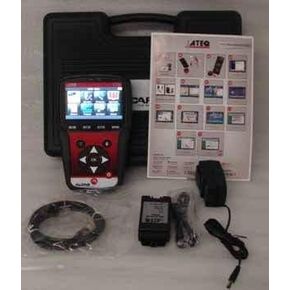 ATEQ VT56 TPMS Diagnostic Tool Kit without Printer Tools Equipment
KWD 332.500
ATEQ VT56 TPMS Diagnostic Tool Kit without Printer Tools Equipment
KWD 332.500
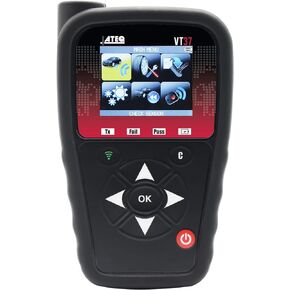 ATEQ VT37 TPMS Sensor Activation and Programming Tool
KWD 93
ATEQ VT37 TPMS Sensor Activation and Programming Tool
KWD 93
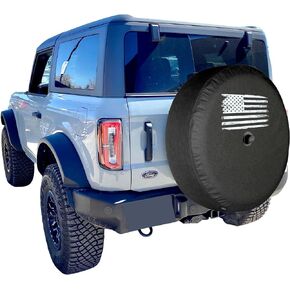 Boomerang® USA - 32" Soft Tire Cover - Distressed Flag - Compatible with Ford Bronco (with Back-up Camera) - (2021-2024) - Big Bend, Black Diamond & Outer Banks
KWD 37
Boomerang® USA - 32" Soft Tire Cover - Distressed Flag - Compatible with Ford Bronco (with Back-up Camera) - (2021-2024) - Big Bend, Black Diamond & Outer Banks
KWD 37
 -33%
ACDelco GM Original Equipment 84064999 Rear Driver Side Brake Dust Shield
KWD 3
-33%
ACDelco GM Original Equipment 84064999 Rear Driver Side Brake Dust Shield
KWD 3




