- Shopping, made easy.
- /
- Get the app!
Hardware Specifications:
Chipset: Intel Z8350 4-core 1.84 GHZ 64 bit
GPU: Intel HD Graphics
RAM:4GB DDR3
ROM: 64GB EMMC
Main Features:
OS: Windows 10
3D: Hardward 3D graphics acceleration Support Decoder format: HEVC(H.265 @4K x 2K), H.264 @5.1, SVC,VP8 1080P,VP8 4K, VP8 stereo, MPEG4 ASP/SP,AVS,BD2.4,H.263
Support Media format: H.264@ 5.1,VP8 1080P, VP8 4K, VP8 stereo,SVC,AVS,H.263
Support photo format:HD JPEG/BMP/GIF/PNG/TIFF
USB host: 1 high speed USB 3.0, 3 high speed USB 2.0, Type-C, support USB DISK and USB HDD
Card reader: TF card
HDD file system: FAT16/FAT32/NTFS
OSD type of languages: English/Chinese languages
LAN: Support RJ45 10/100/1000M
WIFI: AP6255 2.4G/5G
Bluetooth: Bluetooth V 4.1
Mouse/Keyboard: Support mouse and keyboard via USB, support 2.4GHz wireless mouse and keyboard via 2.4GHz USB dongle
HDMI: Support 4K x 2K
VGA: Support VGA 1920*1080
Microphone audio: 3.5mm Microphone jack x 1
Power KEY: Support Power KEY
Dimension: 12.5*12.5*3.8(cm)
Weight: 400g
Tips to better use mini pc:
1. Add a Micro SD card for saving files and documents.
2. Regularly delete the software distribution folder in windows directory to keep updates size use down. This folder is used for updates for windows.
3. Uninstall any program or app that isn't needed or used. Once done, there was enough space to update Windows
Connecting:
Turn on the monitor and change the video output top be HDMI or VGA.
Connect the Wintel PC to the HDMI or VGA connector of the monitor with a HDMI cable.
Connect the power adapter into the wall socket, and the other end into the DC port. Then the device starts and LED light is on.
POWER ON: Press the power button for 3 seconds and the indicator lights up. After 30-40 second, you will see the screen of Windows 10
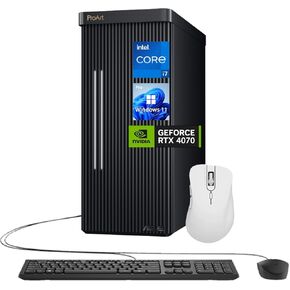 ASUS ProArt Station PD500TE High-Performance Desktop, Intel i7-13700, GeForce RTX 4070, Multizone Cooling, 64GB RAM, 4TB SSD, for Designing, 3D Modeling, with Thunderobot ML101 Wireless Mouse Bundle
KWD 763
ASUS ProArt Station PD500TE High-Performance Desktop, Intel i7-13700, GeForce RTX 4070, Multizone Cooling, 64GB RAM, 4TB SSD, for Designing, 3D Modeling, with Thunderobot ML101 Wireless Mouse Bundle
KWD 763
 Alienware Desktop
KWD 1,672
Alienware Desktop
KWD 1,672
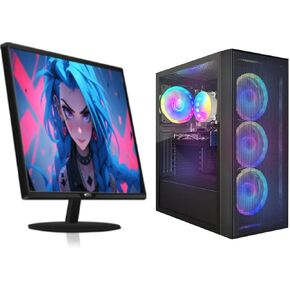 STGAubron Gaming PC Bundle with 24 inch FHD LED Monitor-Intel Core I7 8th up to 4.1G, Radeon RX 580 8G, 16G DDR4, 512G SSD, RGB Fan x4, Windows 11 Home
KWD 207.500
STGAubron Gaming PC Bundle with 24 inch FHD LED Monitor-Intel Core I7 8th up to 4.1G, Radeon RX 580 8G, 16G DDR4, 512G SSD, RGB Fan x4, Windows 11 Home
KWD 207.500
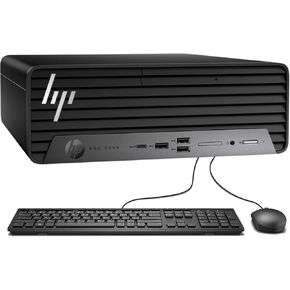 HP Compact Core-i5 Business Desktop • 32GB RAM • 1TB SSD | ProDesk 400 G9 Small Form Factor, External, Support 4K, Type-C, RJ-45, Wired Keyboard and Mouse, Windows 11 Pro
KWD 254.500
HP Compact Core-i5 Business Desktop • 32GB RAM • 1TB SSD | ProDesk 400 G9 Small Form Factor, External, Support 4K, Type-C, RJ-45, Wired Keyboard and Mouse, Windows 11 Pro
KWD 254.500




