- Shopping, made easy.
- /
- Get the app!
Summary:
1. It is a universal USB data cable, made by Washinglee, compatible with a variety of Bayer glucose meters: Contour Plus, Breeze 2, Contour, Contour TS, Didget and Contour next EZ.
2. The intelligent chip built inside to ensure good performance and stability.
3. Plug and Play. Generally no driver installation required for Win10/8/7, if necessary, the latest driver and data management software could be downloaded directly and freely from the Internet.
Troubleshooting:
If it doesn't work normally, please try following steps:
Step 1: Unplug the USB cable from PC or laptop, plug it again. Or try another USB port.
Step 2: Check if the driver installed correctly. Do NOT use the driver from Bayer. If necessary, update driver from the device manager in the system folder, using the internet to search for the driver.
Step 3: Restart the computer, and plug the USB cable.
Step 4: Try the cable on other computer.
Step 5: Contact us for technical support.
Important Note:
1.You might need to download the free GLUCOFACTS and Glucofacts Deluxe application (NOT the driver) from Bayer.
2.This cable works well with ‘Contour next EZ', but not work with ‘Contour next'.
3.According to the experience from our customers, having the right software version is the key to success with this cable, the PC or laptop OS version, driver version and data management software.
 Washinglee USB Data Cable for Abbott Glucose Diabetes Meter, Copilot Freestyle Freedom, Freestyle Lite, Freestyle Freedom lite and Freestyle Flash. Black, 3 FT.
KWD 10.500
Washinglee USB Data Cable for Abbott Glucose Diabetes Meter, Copilot Freestyle Freedom, Freestyle Lite, Freestyle Freedom lite and Freestyle Flash. Black, 3 FT.
KWD 10.500
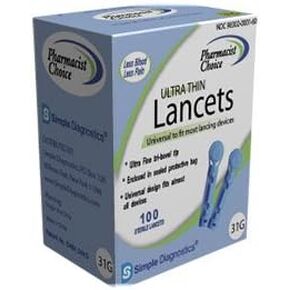 Simple Diagnostics Ultra Thin Lancets - 31G - Box of 100
KWD 3
Simple Diagnostics Ultra Thin Lancets - 31G - Box of 100
KWD 3
 8 Pairs 30" Extra Width Diabetic Non Binding Loose Socks Non Slip for Swollen Feet Calf for Men Women Gifts
KWD 11
8 Pairs 30" Extra Width Diabetic Non Binding Loose Socks Non Slip for Swollen Feet Calf for Men Women Gifts
KWD 11
 -7%
VIAL SAFE for Pets™ | Insulin Vial Protector Case | Secure Insulin Bottle Protector & Cover for 10mL Vials | Fits ProZinc 10mL | 2-Pack | Light Green
KWD 6.500
-7%
VIAL SAFE for Pets™ | Insulin Vial Protector Case | Secure Insulin Bottle Protector & Cover for 10mL Vials | Fits ProZinc 10mL | 2-Pack | Light Green
KWD 6.500



