- Shopping, made easy.
- /
- Get the app!
Product description Package includes: 1 x Game Stick 1 x Power Cable 1 x HDMI Extension Cable 2 xWired controller 1 x 64G TF Card 1 xTF card to SD card holder Specifications: - Game: pre-installed 5200 classic games - Emulator: PS1,CPS1,CPS2,NeoGeo,GBA,SFC,MD,FC,GB,GBC,SMS,GG - Language: Support multiple languages - CPU:7039st, Cortex-A9 4-core - RAM: DDR3 128*16MB - TF Card: 64GB-TF card,support TF card max to 256GB - Color: Black - Size: 23.2CM x 15.3CM×2.9 CM - Weight: 0.3kg Three Steps to Perpare: 1) Connect Game Stick to TV HDMI slot. 2) Connect power cable to Game Stick and power adapter or other USB power output slot. 3) Adjust the TV signal sourse to HDMI channel, and display the game list. Tips: 1) Exit game: Press SECECT + START for two seconds. 2) Each gamepad needs batteries(included). 3) Games can be saved, collected, searched. 4) Support multiple languages. The language of game list can be changed easily. Best service: We provide you with the best product and service, if you
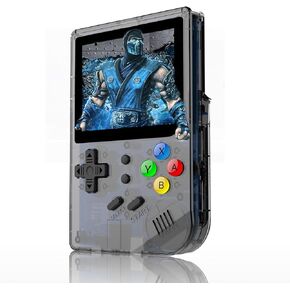 RG300 Handheld Game Console, Retro Game Console with 64G TF Card Built in 5000 Classic Games, Portable Game Console 3 inch Full View IPS Screen
KWD 16.500
RG300 Handheld Game Console, Retro Game Console with 64G TF Card Built in 5000 Classic Games, Portable Game Console 3 inch Full View IPS Screen
KWD 16.500
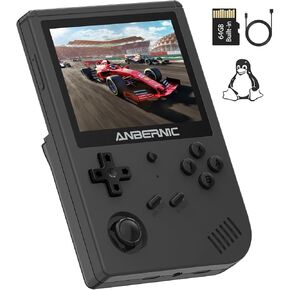 RG351V Handheld Game Console,Plug & Play Video Games Supports Double TF Extend 256GB,Portable Game Console 3.5 Inch IPS Screen 2521 Games (Transparent Black)
KWD 20.500
RG351V Handheld Game Console,Plug & Play Video Games Supports Double TF Extend 256GB,Portable Game Console 3.5 Inch IPS Screen 2521 Games (Transparent Black)
KWD 20.500
 RG351P Handheld Game Console,Plug & Play Video Games Supports TF Extend 256GB , Portable Game Console 3.5 Inch IPS Screen Double 3D Rocker Supports 3.5mm Sound Headphones (Purple)
KWD 20.500
RG351P Handheld Game Console,Plug & Play Video Games Supports TF Extend 256GB , Portable Game Console 3.5 Inch IPS Screen Double 3D Rocker Supports 3.5mm Sound Headphones (Purple)
KWD 20.500
 Arcade Game Console Mini Arcade Machine Functional Arcade Cabinet Retro Electronic Games 3" Full Colour Screen Built in 520 Games Speaker or Battery
KWD 10.500
Arcade Game Console Mini Arcade Machine Functional Arcade Cabinet Retro Electronic Games 3" Full Colour Screen Built in 520 Games Speaker or Battery
KWD 10.500




