- Shopping, made easy.
- /
- Get the app!

Pairing Steps: Step one: press + button switch to the correct channels you want to pair (CH1 or CH2) Step two: Make sure the camera and monitor are powered . Step three: Presses the “Menu'' button of the monitor into menu mode until the “ Pair ''appear on the monitor ,then press the ''+'' button to pair the signal . Step four: After “pairing”Countdown icon appears on the screen, you need to restart (turn off the camera and reconnect it immediately) the camera. Step five: waiting for few seconds the image appear

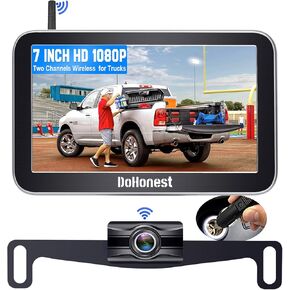 -10%
DoHonest RV Backup Camera Wireless HD 1080P with 7‘’ Touch Key DVR Monitor, 2023 Newest Version Rear View Camera Stable Signals Adapter for Furrion Pre-Wired for RVs,Truck,Trailer,IR Night Vision S21
KWD 37
-10%
DoHonest RV Backup Camera Wireless HD 1080P with 7‘’ Touch Key DVR Monitor, 2023 Newest Version Rear View Camera Stable Signals Adapter for Furrion Pre-Wired for RVs,Truck,Trailer,IR Night Vision S21
KWD 37
 -14%
DoHonest Wireless Backup Camera for Trucks Car Pickup Camper Van with 7 Inch Monitor System, HD 1080P Bluetooth Backup Camera 2.4G Stable Digital Signals, Support Add Second RV Rear View Camera-V29
KWD 28.500
-14%
DoHonest Wireless Backup Camera for Trucks Car Pickup Camper Van with 7 Inch Monitor System, HD 1080P Bluetooth Backup Camera 2.4G Stable Digital Signals, Support Add Second RV Rear View Camera-V29
KWD 28.500
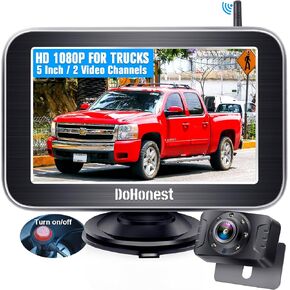 DoHonest Wireless Backup Camera WiFi: HD 1080P Magnetic Truck Hitch Rear View Camera Rechargeable Car Trailer Reverse Cam Night Vision Easy to Use iPhone Android V7
KWD 29
DoHonest Wireless Backup Camera WiFi: HD 1080P Magnetic Truck Hitch Rear View Camera Rechargeable Car Trailer Reverse Cam Night Vision Easy to Use iPhone Android V7
KWD 29
 -3%
DoHonest Car Backup Camera Easy Installation - DIY Parking Lines Clear Night Vision Truck Rear View Camera 4.3" Monitor Kit HD 1080P Waterproof License Plate Reverse Cam for Pickup Minivan S01
KWD 14
-3%
DoHonest Car Backup Camera Easy Installation - DIY Parking Lines Clear Night Vision Truck Rear View Camera 4.3" Monitor Kit HD 1080P Waterproof License Plate Reverse Cam for Pickup Minivan S01
KWD 14

