- Shopping, made easy.
- /
- Get the app!


Installation Steps:
The installation of this optic fiber decoder is quite easy. Please follow the below steps to install the decode to get sound.
Step 1: MOST BUS power wiring, please connect the black wire to your car's GND wire, yellow B+ wire to your car's B+/BATT wire, red ACC wire to yuor original car's ACC wire.
Step 2: For the white plug and the red plug on the decoder, please simply connect them to the car radio unit RCA cable's FRONT OUT L and REAR OUT R as in the picture. (Red RIGHT IN to your car's FRONT OUT R, White LEFT IN to your car's FRONT OUT L).
Step 3: Connect the green CAN-H/CAN-L cables with green cables from radio ISO harness which connect the CANBUS box. Please don't mix the CAN-H and CAN-L cables.(optional)
[IMPORTANT NOTE]: Some car models require one or two fiber optic loop adapter. (The original car has more than TWO optical fiber interfaces.) Or please contact the seller for support. If there is no sound after installation, or sound occurs a few minutes after the console starts. you need to determine if the original car comes with the original car navigation, satellite box and CDC.
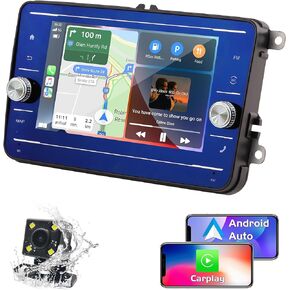 7 inch Car Stereo for VW Volkswagen Skoda Seat Blu-ray HD Touchscreen Car GPS Navigation with Wireless CarPlay & Android Auto, Octa Core 4GB RAM 64GB ROM
KWD 61.500
7 inch Car Stereo for VW Volkswagen Skoda Seat Blu-ray HD Touchscreen Car GPS Navigation with Wireless CarPlay & Android Auto, Octa Core 4GB RAM 64GB ROM
KWD 61.500
 AudioControl D-4.800 4/3/2 Channel High Power 800 Watts Car Audio Amplifier w/DSP & Matrixing + Stinger 4-Gauge Copper Amplifier Wiring Kit, 1200 Watt Subwoofer Wiring Kit
KWD 232.500
AudioControl D-4.800 4/3/2 Channel High Power 800 Watts Car Audio Amplifier w/DSP & Matrixing + Stinger 4-Gauge Copper Amplifier Wiring Kit, 1200 Watt Subwoofer Wiring Kit
KWD 232.500
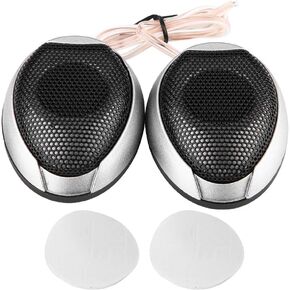 aqxreight - Car Speaker Tweeter, 1000W Mini Car Speaker Audio Round Stickable Loudspeaker Automobile Speaker with Glue(Silver)
KWD 5
aqxreight - Car Speaker Tweeter, 1000W Mini Car Speaker Audio Round Stickable Loudspeaker Automobile Speaker with Glue(Silver)
KWD 5
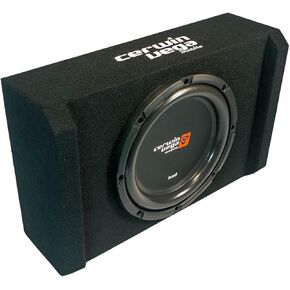 Cerwin Vega HED Series Shallow Subwoofer Enclosures – Sealed Down-Firing Design, Compact & Powerful Bass for Cars & Trucks (H7SE10)
KWD 68
Cerwin Vega HED Series Shallow Subwoofer Enclosures – Sealed Down-Firing Design, Compact & Powerful Bass for Cars & Trucks (H7SE10)
KWD 68




