- Shopping, made easy.
- /
- Get the app!
3 in 1 Lightning to RJ45 Ethernet Adapter for iPhone with USB 3.0 OTG and Fast Charging Port, Ethernet Adapter Compatible with iPhone, iPad, Card Reader, USB Flash Drive, Keyboard and Mouse
Widely Compatible:
iPhone 14 / 14 Plus / 14 Pro / 14 Pro Max
iPhone 13 Pro Max/13 Pro/13/13mini
iPhone 12 Pro Max/12 Pro/12/12mini
iPhone 11 Pro Max/11 Pro/11
iPhone XS Max/XS/XR/X
iPhone 8/8 Plus
iPhone 7/7 Plus
iPad Pro, iPad Mini 4/Mini 3/Mini 2, iPad Air/Air2. Support iOS 9.1 and up.
How to Use?
RJ45 Port:
1. Disable WiFi and data in iOS device settings and plug in the adapter that is connected to the network cable,
2. Open the settings, find the "Ethernet" option (if this option does not pop up, please plug and unplug the adapter again), click to enter "Ethernet", click "USB 10/100LAN" to obtain the IP address, and then you can access the Internet.
USB Port:
For newest iOS 13, with our USB OTG adapter, you can import & export photos / video / files ( Word / PPT / Excel ) / audio by open the 'Files' App.
For iOS 12 and before, it can transfer photos or videos from camera to your Phone or Pad, Plug and Play, NO APP Needed.
Charge Port
1.When using USB peripheral devices with high power consumption, we can plug in the charging cable and use it together, which can solve some of the problems that USB cannot be used due to high power consumption.
2. When we use the charging function, if you accidentally unplug the network adapter, you need to re-plug the charging cable when you use it again, otherwise it may cause the charging to fail.
Friendly Note:
1. Please make sure your router-connected Ethernet cable is connected to internet.
2. This adapter can't dial-up internet itself,need your router device provide a IP by DHCP service.
Packing List:
1 x 3 in 1 Lightning to Ethernet Adapter
1 x User Manual
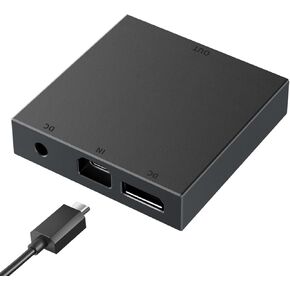 PS VR2 PC Adapter, PSVR2 Accessories Kit, PC Adapter Compatible with PS VR2 Headset, Support SteamVR Game (Black) A01
KWD 12.500
PS VR2 PC Adapter, PSVR2 Accessories Kit, PC Adapter Compatible with PS VR2 Headset, Support SteamVR Game (Black) A01
KWD 12.500
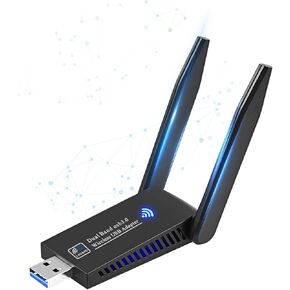 1300Mbps Wireless WiFi Adapter, USB3.0 WiFi Dongle 2.4G/5G 802.11AC Network Adapter Receiver with High Gain Antenna for Desktop Laptop PC, Support Windows 11/10/8/8.1/7/Vista/XP, Mac 10.6-10.15
KWD 7
1300Mbps Wireless WiFi Adapter, USB3.0 WiFi Dongle 2.4G/5G 802.11AC Network Adapter Receiver with High Gain Antenna for Desktop Laptop PC, Support Windows 11/10/8/8.1/7/Vista/XP, Mac 10.6-10.15
KWD 7
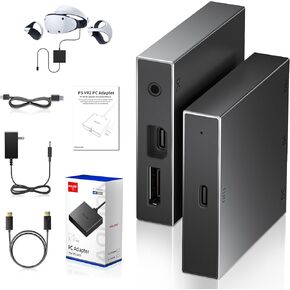 PSVR2 PC Adapter Accessories Kit,PS VR2 PC Adapter - Power Adapter - DP Cable and Adapter Connection Kit - Expand Your PSVR2 Game Library with Enhanced Compatibility for Immersive VR Gaming Experience
KWD 16.500
PSVR2 PC Adapter Accessories Kit,PS VR2 PC Adapter - Power Adapter - DP Cable and Adapter Connection Kit - Expand Your PSVR2 Game Library with Enhanced Compatibility for Immersive VR Gaming Experience
KWD 16.500
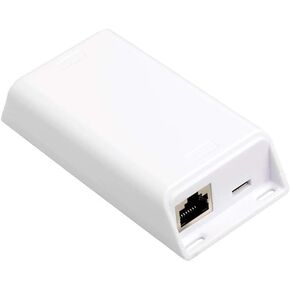 PoE Texas PoE+ Power and Separate Gigabit Data, Compatible with Google Mesh, Eero, Nest Cam, Apple Pro, Air, & Mini Tablets, Google Pixel, Surface Go, Samsung Galaxy & Others.
KWD 25
PoE Texas PoE+ Power and Separate Gigabit Data, Compatible with Google Mesh, Eero, Nest Cam, Apple Pro, Air, & Mini Tablets, Google Pixel, Surface Go, Samsung Galaxy & Others.
KWD 25


![[Apple MFi Certified] Lightning to RJ45 Ethernet Adapter, 3 in 1 RJ45 LAN Ethernet Network Adapter for iPhone/iPad with Charge Port and USB 3.0 OTG Port Support USB Flash Drive/Keyboard/Mouse/Camera in Kuwait](https://cdn1.tilga.com/md/prod/2/520/51023710.12120.jpg)
![[Apple MFi Certified] Lightning to RJ45 Ethernet Adapter, 3 in 1 RJ45 LAN Ethernet Network Adapter for iPhone/iPad with Charge Port and USB 3.0 OTG Port Support USB Flash Drive/Keyboard/Mouse/Camera in Kuwait](https://cdn1.tilga.com/md/prod/2/520/51023711.57410.jpg)
![[Apple MFi Certified] Lightning to RJ45 Ethernet Adapter, 3 in 1 RJ45 LAN Ethernet Network Adapter for iPhone/iPad with Charge Port and USB 3.0 OTG Port Support USB Flash Drive/Keyboard/Mouse/Camera in Kuwait](https://cdn1.tilga.com/md/prod/2/520/51023712.35245.jpg)
![[Apple MFi Certified] Lightning to RJ45 Ethernet Adapter, 3 in 1 RJ45 LAN Ethernet Network Adapter for iPhone/iPad with Charge Port and USB 3.0 OTG Port Support USB Flash Drive/Keyboard/Mouse/Camera in Kuwait](https://cdn1.tilga.com/md/prod/2/520/51023713.6324.jpg)
![[Apple MFi Certified] Lightning to RJ45 Ethernet Adapter, 3 in 1 RJ45 LAN Ethernet Network Adapter for iPhone/iPad with Charge Port and USB 3.0 OTG Port Support USB Flash Drive/Keyboard/Mouse/Camera in Kuwait](https://cdn1.tilga.com/md/prod/2/520/51023714.27474.jpg)
![[Apple MFi Certified] Lightning to RJ45 Ethernet Adapter, 3 in 1 RJ45 LAN Ethernet Network Adapter for iPhone/iPad with Charge Port and USB 3.0 OTG Port Support USB Flash Drive/Keyboard/Mouse/Camera in Kuwait](https://cdn1.tilga.com/md/prod/2/520/51023715.55246.jpg)
![[Apple MFi Certified] Lightning to RJ45 Ethernet Adapter, 3 in 1 RJ45 LAN Ethernet Network Adapter for iPhone/iPad with Charge Port and USB 3.0 OTG Port Support USB Flash Drive/Keyboard/Mouse/Camera in Kuwait](https://cdn1.tilga.com/md/prod/2/520/51023716.50573.jpg)
![[Apple MFi Certified] Lightning to RJ45 Ethernet Adapter, 3 in 1 RJ45 LAN Ethernet Network Adapter for iPhone/iPad with Charge Port and USB 3.0 OTG Port Support USB Flash Drive/Keyboard/Mouse/Camera in Kuwait](https://cdn1.tilga.com/md/prod/2/520/51023717.34188.jpg)