Remote Replacement Voice Control (2nd Gen) L5B83H fit for Amazon TV Stick(2nd Gen), for Amazon TV Stick 4K, for Amazon Cube(1stGen/2nd Gen), for Amazon TV (3rd Gen,Pendant Design)
Fit for Amazon TV Stick(2nd Gen) , for Amazon TV Stick 4K, for Amazon TV Cube(1stGen/2nd Gen ),for Amazon TV (3rd Gen,Pendant Design )
Not Compatible with:for Amazon TV(1st Gen),for Amazon TV(2nd Gen),for Amazon TV Stick(1st Gen),for Amazon TV Edition TVs.
Set up your Voice Remote Lite: Insert in included 2*AAA batteries.remove the battery door and insert the batteries into your Voice Renote.
Step1:Restart your for Amazon TV device by unplugging the power cable,then plugging it back in.Once the Home screen for Amazon TV appears,your remote should be ready for use. if not,move to Step2.Step2:Press and hold the Home button on the new remote for at least 10 seconds.The LED on the remote will slowly flashes amber.Continue holding down the Home button until the LED starts to rapidly flash.A notification will appear on your sareen indicating that your remote is succeafully paired.
Reasons why the remote controller can't work properly after pairing: (1) if the remote controller can't work after pairing, it may be caused by too many devices paired with the TV. (2)The battery of the old remote controller is not taken out. If the battery of the old remote controller is not removed, the old remote controller will still be paired with the TV, so the new remote controller will not work properly.

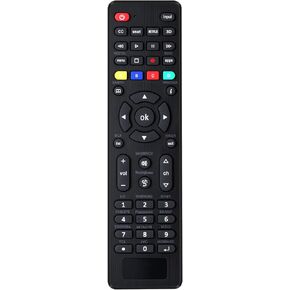 -11%
Universal Tv Remote for LG,Samsung, TCL, Philips, Vizio, Sharp, Sony, Panasonic, Sanyo, Insignia, Toshiba and Other Brands LCD LED 3D HDTV Smart TV Remote Control
KWD 4
-11%
Universal Tv Remote for LG,Samsung, TCL, Philips, Vizio, Sharp, Sony, Panasonic, Sanyo, Insignia, Toshiba and Other Brands LCD LED 3D HDTV Smart TV Remote Control
KWD 4
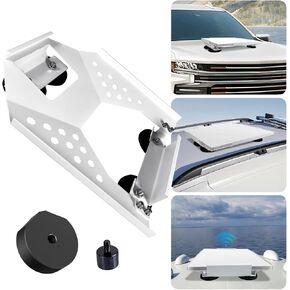 Starlink Mini Mount Magnetic Starlink Mini Car Mount Accessories Roof Mount Kit for Starlink Mini Dish Sunroof Mounting Kit for RV Truck Travel Trailer
KWD 29
Starlink Mini Mount Magnetic Starlink Mini Car Mount Accessories Roof Mount Kit for Starlink Mini Dish Sunroof Mounting Kit for RV Truck Travel Trailer
KWD 29
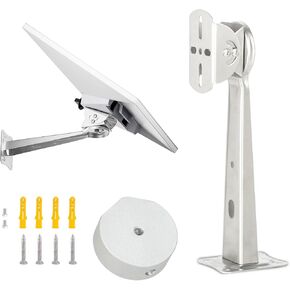 Starlink Mini Wall Mount Bracket, Adjustable Wall Mounting Bracket for Starlink Mini, Made of Water-Resistant Stainless Steel
KWD 4.500
Starlink Mini Wall Mount Bracket, Adjustable Wall Mounting Bracket for Starlink Mini, Made of Water-Resistant Stainless Steel
KWD 4.500
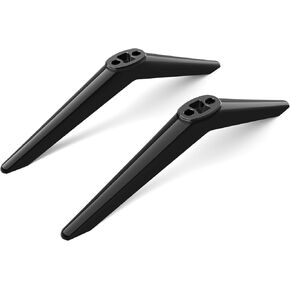 TV Stand for Hitachi TV Legs Replacement, This is Not a Universal TV Legs, Please Carefully Examine The Picture to Determine If it is Suitable for Your TV, with Screws, Easy to Install, Black
KWD 10
TV Stand for Hitachi TV Legs Replacement, This is Not a Universal TV Legs, Please Carefully Examine The Picture to Determine If it is Suitable for Your TV, with Screws, Easy to Install, Black
KWD 10




