- Shopping, made easy.
- /
- Get the app!
1. The USB-C female port of this product is only for charging USB-C laptops whose USB-C port supports USB Power Delivery (PD) and does not support data transfer.
2. A 4K-capable display and HDMl cable are required to achieve 3840x2160 resolution.
3. USB C hub to VGA Adapter: HD and VGA not simultaneously, resolution up to 1920 * 1080 P. a perfect solution for entertainment and work.
4. Charging USB Type-C port: Charging: (Charge only for laptop)
5. For stable connection connect an adapter to the hub when using high-power devices.
Tips:
1 ways to help reduce the USB 3.0 radio frequency interference to the wireless connection of some laptops.
2 Connect the laptop to a 5 GHz Wi-Fi network.
3 Connect devices (eg mouse and keyboard) to USB 2.0 ports on the laptop
4 Connect the USB 3.0 hub to the laptop with a high-quality 1-foot or longer USB 3.0 extension cable; keep USB 3.0 devices away from the host computer.
5 Use high-quality shielded USB 3.0 devices / cables / connectors.
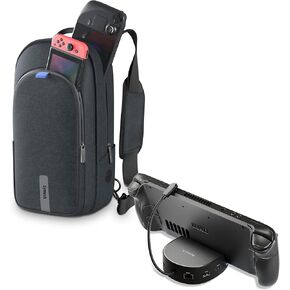 Syntech Mini Dock and Carrying Bag for Handheld Gaming Consoles
KWD 29
Syntech Mini Dock and Carrying Bag for Handheld Gaming Consoles
KWD 29
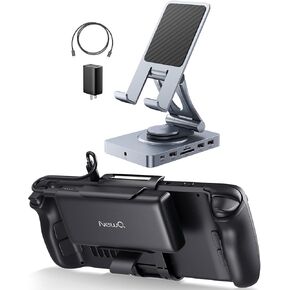 -22%
Versatile USB C Hub and Steam Deck Battery Bank
KWD 45
-22%
Versatile USB C Hub and Steam Deck Battery Bank
KWD 45
 HP USB-C Essential Dock G5 (8 in 1 Adapter for USB-C and Thunderbolt-Enabled Laptops, Notebooks and PCs - Single Cable for Charging, Networking, or Data Transfers), Black
KWD 61.500
HP USB-C Essential Dock G5 (8 in 1 Adapter for USB-C and Thunderbolt-Enabled Laptops, Notebooks and PCs - Single Cable for Charging, Networking, or Data Transfers), Black
KWD 61.500
 Dell WD19DCS Docking Station, Performance Dock WD19DCS - 3 Year Warranty, with 240W Power Adapter + 210W Power Delivery + ZoomSpeed HDMI & DisplayPort Cable + USB-C Cable - New
KWD 98
Dell WD19DCS Docking Station, Performance Dock WD19DCS - 3 Year Warranty, with 240W Power Adapter + 210W Power Delivery + ZoomSpeed HDMI & DisplayPort Cable + USB-C Cable - New
KWD 98




