- Shopping, made easy.
- /
- Get the app!
Please charge the keyboard for about 4 hours, before using for the first time.
If the backlight is turned on all the time, it can only be used for about 4 hours, because the backlight strip is very power-hungry.
If you don't want to charge frequently, turn on the backlight occasionally when using it.
How to use the Bluetooth Keyboard:
1. Turn on the power switch on the keyboard, the power indicator lights up, press the CONNECT pairing button, the Bluetooth light will flash, enter the pairing mode.
2. Turn on the Bluetooth switch of your device and search for the Bluetooth 3.0 Keyboard.
3. Click Bluetooth 3.0 Keyboard, the connection is successful and you can start using it.
Compatible with iPad 10.9 inch 10th 10.2 inch 9th 8th 7th Generation/ iPad 9.7 inch 6th 5th Gen, iPad Pro 12.9"/ 11" 6th 5th 4th 3th 2rd 1st Gen, iPad Air 5th 4th Gen 10.9 inch/ 3th Gen 10.5 inch, iPad mini 6th Gen 8.3''/ 5th Gen 7.9'', iPhone 14 Pro Max Plus, 13 Pro Max, iPhone 12 Pro Max, iPhone 11 Pro Max, etc.
Note: When the keyboard battery is low. Please charge in time.
Product Specifications:
Bluetooth Standard: Bluetooth 3.0
Keyboard Size: 24.7 * 15 * 0.65cm
Keyboard Weight: 195g
Operating Distance: 10m
Package:
1 * Bluetooth Keyboard
1 * USB Charging Cable
1 * User Manual
Service Support: We provide you with 12 months warranty and 24-hour email contact service. If you have any questions or needs, please feel free to contact us. We aim to provide you with the most satisfactory customer service.
 -20%
Wireless Keyboard and Mouse Combo, 2.4G Silent Cordless Keyboard Mouse Combo for Windows Chrome Laptop Computer PC Desktop, 106 Keys Full Size with Number Pad, 1600 DPI Optical Mouse (Black)
KWD 8
-20%
Wireless Keyboard and Mouse Combo, 2.4G Silent Cordless Keyboard Mouse Combo for Windows Chrome Laptop Computer PC Desktop, 106 Keys Full Size with Number Pad, 1600 DPI Optical Mouse (Black)
KWD 8
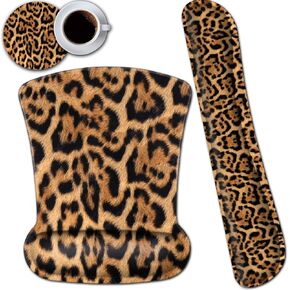 Ergonomic Mouse Pad and Keyboard Wrist Rest Set with Wrist Support and Nonslip Base Office Desk Pad Gel Wrist Easy Typing, for Laptop, Home,Working,Black and White Vertical Stripe Gaming Mouse Mat
KWD 8
Ergonomic Mouse Pad and Keyboard Wrist Rest Set with Wrist Support and Nonslip Base Office Desk Pad Gel Wrist Easy Typing, for Laptop, Home,Working,Black and White Vertical Stripe Gaming Mouse Mat
KWD 8
 ProElife Keyboard Cover Skin for MacBook Air 13.6 inch 15 inch 2024 2023 2022 M3 M2 Chip A2681 A2941, Ultra Thin Keyboard Protector U.S Enter for 2024-2022 Air 13.6'' 15'' M3 M2 Accessory (Black)
KWD 3
ProElife Keyboard Cover Skin for MacBook Air 13.6 inch 15 inch 2024 2023 2022 M3 M2 Chip A2681 A2941, Ultra Thin Keyboard Protector U.S Enter for 2024-2022 Air 13.6'' 15'' M3 M2 Accessory (Black)
KWD 3
 7 Color Backlit Bluetooth Keyboard and Mouse Combo for iPad 10th 9th iPad Pro Mini Air iPhone, iPadOS 13 or Later, Slim Rechargeable Android Tablet Phone Wireless Keyboard Mouse Combo Portable (Black)
KWD 9.500
7 Color Backlit Bluetooth Keyboard and Mouse Combo for iPad 10th 9th iPad Pro Mini Air iPhone, iPadOS 13 or Later, Slim Rechargeable Android Tablet Phone Wireless Keyboard Mouse Combo Portable (Black)
KWD 9.500




