- Shopping, made easy.
- /
- Get the app!
Using the Step
1.Quick and Easy Connection scheme one:After plugging in the headphones, a window will appear, click "Connect with iCloud" to use.When making or receiving calls, the audio needs to be switched from the speaker to "Baets".
2.Connection scheme twe:
a.The first time you use it, you need to enter the iPhone settings and turn on Bluetooth.
b.Bluetooth page: Find "Baets" in Other Devices, click "Baets" to connect(The headset will automatically connect to your device the next time, so you don't need to do this step again.)
Need Attention: It must be connected to Bluetooth for normal use. And it must always be connected to Bluetooth during use.When making or receiving calls, the audio needs to be switched from the speaker to "Baets".
 -16%
Bone Conduction Headphones, Open-Ear Design Sports Bluetooth 5.3 Wireless Waterproof Headset, 32GB for MP3 Mode, Large Capacity and Long Battery Life, Fast Charging, Suitable for Swimming and Running.
KWD 10.500
-16%
Bone Conduction Headphones, Open-Ear Design Sports Bluetooth 5.3 Wireless Waterproof Headset, 32GB for MP3 Mode, Large Capacity and Long Battery Life, Fast Charging, Suitable for Swimming and Running.
KWD 10.500
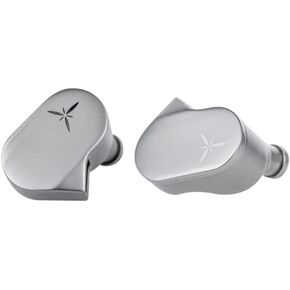 Moondrop LAN HiFi Earphone Wired Earbuds IEM with 0.78mm 2Pin Detachable Cable Earbuds
KWD 19
Moondrop LAN HiFi Earphone Wired Earbuds IEM with 0.78mm 2Pin Detachable Cable Earbuds
KWD 19
 Westone Audio Pro X30 IEM Earphones - Three-Driver Noise Isolating Musician in-Ear Monitor Wired Earbuds
KWD 64
Westone Audio Pro X30 IEM Earphones - Three-Driver Noise Isolating Musician in-Ear Monitor Wired Earbuds
KWD 64
 -27%
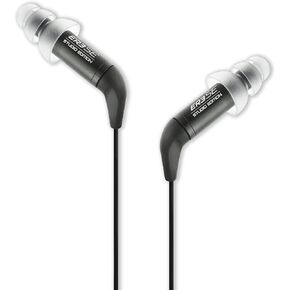
Etymotic ER3SE Studio Edition Earphone,Black
KWD 45
-27%
Etymotic ER3SE Studio Edition Earphone,Black
KWD 45




