- Shopping, made easy.
- /
- Get the app!
Bejavr M.2 PCIe NVMe X4 Adapter with Aluminum Heat Sink, Support PCIe 3.0 4.0 X4 X8 X16 Slot.
Q: Can i boot off of the drive from this adapter?
A: Usually older computer motherboards do not support booting from PCIe, As long as your motherboard has a modern enough chipset that supports booting from PCI Express m.2, yes this will work just fine as a boot drive adapter
Q: Included with the kit are two Thermal pads, one thick and one thin. If both are used which one goes where?
A: (thick)Put one between the ssd and the carrier and (thin)one between the ssd and the heat sink.
Package Including:
➊➤PCIe M.2 NVMe Adapter Card x1
➋➤Regular/Low Profile PCIe Bracket x2
➌➤Aluminum Heatsink x1
➍➤Heat conducting silica gel pad x2
➎➤Screwdriver x1
➏➤Screw kit x1
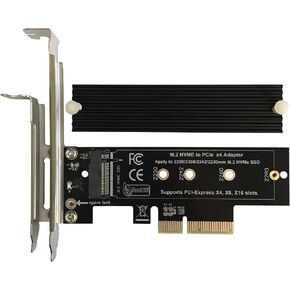 Bejavr M.2 NVME to PCIe 3.0/4.0 x4 Adapter, NVME/AHCI SSD to PCIe Expansion Card with Aluminum Heatsink Solution, Supports PCI-Express X4 X8 X16 Slots
KWD 4.500
Bejavr M.2 NVME to PCIe 3.0/4.0 x4 Adapter, NVME/AHCI SSD to PCIe Expansion Card with Aluminum Heatsink Solution, Supports PCI-Express X4 X8 X16 Slots
KWD 4.500
 -13%
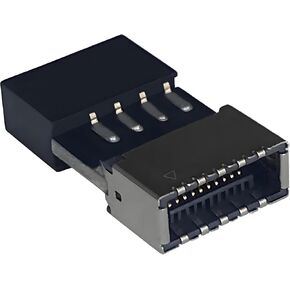
USB 2.0 to USB 3.2 Gen 1 Header Adapter Front Panel Connector Motherboard USB 9Pin to Type-E/USB C
KWD 3.500
-13%
USB 2.0 to USB 3.2 Gen 1 Header Adapter Front Panel Connector Motherboard USB 9Pin to Type-E/USB C
KWD 3.500
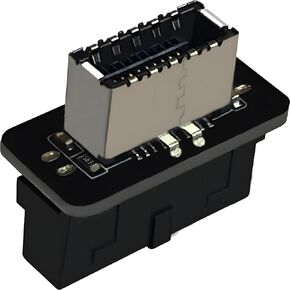 USB 3.2 Gen 1 to USB 3.2 Gen 2 Header Adapter Front Panel Connector Motherboard 19Pin USB 3.0 to Type-E/USB C
KWD 3.500
USB 3.2 Gen 1 to USB 3.2 Gen 2 Header Adapter Front Panel Connector Motherboard 19Pin USB 3.0 to Type-E/USB C
KWD 3.500
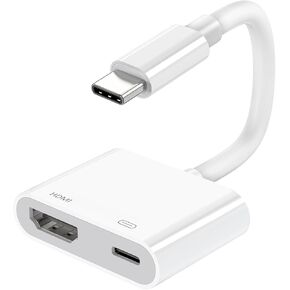 USB C to HDMI Adapter, Type C to 4K HDMI Adapter to TV with PD USB-C Digital AV Converter Plug & Play for MacBook Pro/air, iPad Pro/air/mini, iPhone 15/16/Pro Max, Tablets, S23, XPS 17, Surface Book 3
KWD 4
USB C to HDMI Adapter, Type C to 4K HDMI Adapter to TV with PD USB-C Digital AV Converter Plug & Play for MacBook Pro/air, iPad Pro/air/mini, iPhone 15/16/Pro Max, Tablets, S23, XPS 17, Surface Book 3
KWD 4




