- Shopping, made easy.
- /
- Get the app!
IOGEAR's 4-Port USB 2.0 Printer Switch Kit allows up to four (4) USB-A or USB-C PCs or Macs to share one printer. No more plugging and unplugging between computers or fussing with wireless printer connections. Automatic Printing Connect any mix of PCs or Macs and share a printer between each. Set up your automatic printing between each computer through your printer's included software. Simply submit a print job and the printer will automatically print from that computer. Manual Printing Use the push-button switching option to manually select the computer to print from. Switch-lock prevents other users from switching devices while you print a large file or confidential information to ensure exclusive data access. Manually or automatically* print to a USB-based printer from up to 4 computers Or share a separate USB 2.0 device between PC & Mac without a network setup Software-free push-button switching option for sharing other USB devices Active-port LEDs indicate which computer has access to the USB device Switch-lock prevents others from switching device while ensuring data access consistency Connect a USB-C PC or Mac via the included USB-A to USB-C adapter cables Heavy duty, tangle-free design - suited with a braided-nylon fiber cable jacket USB 2.0 supports data transfer rates up to 480 Mbps & USB 1.1 backward compatible No external power supply needed * Automatic switch function is software-based and is only available with a USB printer or the printer function of a multi-function printer. Requirements - For PC Users • Windows XP, Windows Vista, Windows 7, Windows 8.1, Windows 10 • Available USB 2.0 port • Chrome Book • Linux®, Unix and other USB supported systems* *Additional drivers and support may be needed For MAC Users • Mac 8.6 - Mac 10.10. Requires OS X for USB 2.0 support • Available USB 2.0 port

 IOGEAR Wireless HDMI Transmitter for GWHDMS52 - (must use with GWHDMS52) - GWHDSTXB
KWD 51
IOGEAR Wireless HDMI Transmitter for GWHDMS52 - (must use with GWHDMS52) - GWHDSTXB
KWD 51
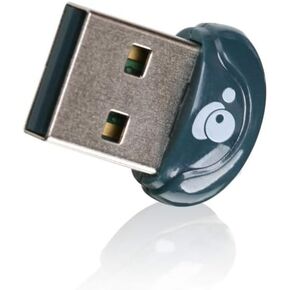 IOGEAR Bluetooth 4.0 USB Multi-Language Version Micro Adapter, GBU521W6
KWD 4
IOGEAR Bluetooth 4.0 USB Multi-Language Version Micro Adapter, GBU521W6
KWD 4
 -6%
IOGEAR 2-Port HDMI 4K KVMP Switch - 2-Port USB 3.1 Hub Transfer Rate 5Gbps - 4K 60Hz - Control 2 Computers w/1 Keyboard Mouse - HD Audio - Auto Scan Mode - TAA - Mac / Win - GCS1932H
KWD 90
-6%
IOGEAR 2-Port HDMI 4K KVMP Switch - 2-Port USB 3.1 Hub Transfer Rate 5Gbps - 4K 60Hz - Control 2 Computers w/1 Keyboard Mouse - HD Audio - Auto Scan Mode - TAA - Mac / Win - GCS1932H
KWD 90
 IOGEAR 4-Port 4K DisplayPort Triple View KVMP - 3 HDMI Monitors Outs - Converts DisplayPort to HDMI Out - 4096 x 2160 @60Hz - Control/share USB 3.0 peripherals - Win 7+ Mac OS Linux - GCS1964
KWD 31
IOGEAR 4-Port 4K DisplayPort Triple View KVMP - 3 HDMI Monitors Outs - Converts DisplayPort to HDMI Out - 4096 x 2160 @60Hz - Control/share USB 3.0 peripherals - Win 7+ Mac OS Linux - GCS1964
KWD 31




