- Shopping, made easy.
- /
- Get the app!
Important Notice:
To copy/write cards, please ensure the copy card is work at the same frequency as the original card.
Before purchasing, please check the card type or chip model of your own RFID cards, to confirm whether them can work with this copier or not.
Card Duplicator:
Power: four dry batteries (7 alkaline) or 5V USB cable
Screen: HD 2.8 inch color screen
Voice broadcast in English, display language in English.
Digital keyboard supports to input card number directly.
Standard handheld, easy to carry.
Working frequency: 13.56MHz ISO1443A(IC type-A), 125KHz, 250KHz, 375KHz, 500KHz, 625KHz, 750KHz, 875KHz, 1000KHZ, HID 125KHz
Supports to copy normal ID/IC card, such as TK4100, EM4100/EM4200, EM4305, 8210/8265, 5200/5567, T5577, MF Classic 1k, UID cards.
Supports to copy partial firewall cards, anti-copy cards, such as 8268/8310, CUID, UCUID, FUID cards.
Connect the copier to computer with the USB cable to find the decoding software. The software is suitable for Windows only, such as Windows 7, Windows 10, Windows XP, etc. But not suitable for MAC or Linux.
How to copy a normal card?
Press the "Power" button, then press "OK" to confirm "WARNING" page.
Put a original card on the back of the copier, press "SCAN"/"READ" button.
Put a copy card on the back of the copier, press "WRITE" button. Prompts "Write uid success", means copy is finished.
How to copy a encryption 13.56MHz IC card?
Connect the copier to computer with USB cable, it will show "WARNING" page and display a removable disk on computer. Then, open the removable disk to run the software.
Press "OK" button to confirm the "WARNING" page.
Put the original card on the back of the copier, press "Read" on software to start the decryption. Wait until the copier shows card number.
Put a copy card on the back of the copier, press "WRITE" button. Prompts "Write uid success", means copy is finished.
 256GB UHS-II SD Card V60 Memory Cards for Professional Camera 4K/6K Video - 300MB/s Read, 160MB/s Write, Shockproof & Waterproof High-Speed Storage, U3 Class 10 Compatible with Canon (EF8)
KWD 3.500
256GB UHS-II SD Card V60 Memory Cards for Professional Camera 4K/6K Video - 300MB/s Read, 160MB/s Write, Shockproof & Waterproof High-Speed Storage, U3 Class 10 Compatible with Canon (EF8)
KWD 3.500
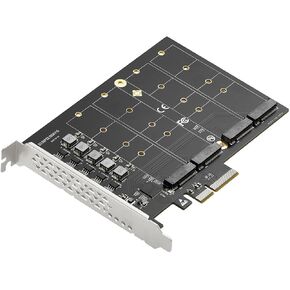 Quad Port PCIe 3.0 x4 NVMe M.2 SSD (m Key) 2280 2260 2242 2230 Adapter Card
KWD 24.500
Quad Port PCIe 3.0 x4 NVMe M.2 SSD (m Key) 2280 2260 2242 2230 Adapter Card
KWD 24.500
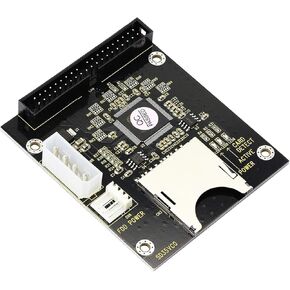 Sintech SD SDHC SDXC to 40Pin IDE Driver Adapter Card
KWD 6
Sintech SD SDHC SDXC to 40Pin IDE Driver Adapter Card
KWD 6
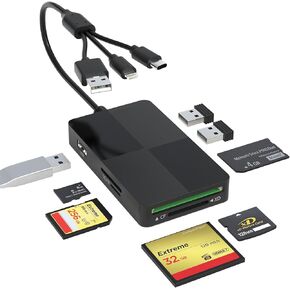 Memory Stick Duo pro Adapter - 8 in 1 SD/TF/MS/CF/XD Card Reader with Extra 3 USB Ports Supports Micro SD/SDHC/XD Picture Card USB C Lightning OTG Adapter Multi Memory Card Reader for Computer/iPhone
KWD 8.500
Memory Stick Duo pro Adapter - 8 in 1 SD/TF/MS/CF/XD Card Reader with Extra 3 USB Ports Supports Micro SD/SDHC/XD Picture Card USB C Lightning OTG Adapter Multi Memory Card Reader for Computer/iPhone
KWD 8.500




