- Shopping, made easy.
- /
- Get the app!
How to check whether your car is compatible with HESHS CarPlay Dongle?
What this CarPlay Wireless Dongle does is turn wired carplay/android auto into wireless. For cars with old system, in order to use carplay, you need a usb cable to connect the phone to the screen. With this box, you just need to turn on your phone's Bluetooth to use carplay without a cable.
This CarPlay Android Auto 2-in-1 Ai Box is compatible with most cars with OEM Wired CarPlay/Android Auto System. To see whether your car has this so-called system, you can do as following instructions:
Method 1. If you can find a CarPlay or Android Auto icon shown on your car screen, it means that your car has Wired CarPlay or Android Auto Function.
Method 2. Use a cable to connect your phone and car screen, if you can get carplay/android auto by doing so, it means that your car has Wired CarPlay or Android Auto Function.
Frequently Asked Questions
1. The device does not connect to the phone's Bluetooth (BT)?
a. Check if the BT of phone turns on.
b. Unplug the device and then reconnect.
c. Turn off the BT and forget the device, then reconnect it.
d. Delete the connection history on the vehicle screen and then reconnect.
2. BT/WiFi/Hotspot connection automatically turn on and off?
Follow the user manual to upgrade the firmware version.
How to update the firmware?
1. Consult to get the Update Files.
2. Copy the Files to a MicroSD Card (also called "TF Card"), the card doesn't include in the package, you need to have your own.
3. Insert the MicroSD Card into the CarPlay Box.
4. Connect the Box to your car, then it will update itself.
5. Update done.


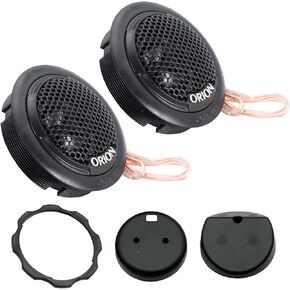 ORION Cobalt Series CB462 4x6" 2-Way Coaxial Car Speakers, 160W, 4 Ohms, Full Range, Enhanced Bass, Polypropylene Cone & Butyl Rubber Surround, Easy Install (Pair)
KWD 14.500
ORION Cobalt Series CB462 4x6" 2-Way Coaxial Car Speakers, 160W, 4 Ohms, Full Range, Enhanced Bass, Polypropylene Cone & Butyl Rubber Surround, Easy Install (Pair)
KWD 14.500
![[Bundle-2 Items: Vantrue E1 Pro Dash Cam & 256G Micro SD Card ] 4K Mini Dashcam Front, STARVIS 2 IMX678 Night Vision HDR, Voice Control, GPS Car Cam for Family Vehicles and Uber/Lyft Drivers! in Kuwait](https://cdn1.tilga.com/md/prod/3/5973/3/154628696.42798.jpg) [Bundle-2 Items: Vantrue E1 Pro Dash Cam & 256G Micro SD Card ] 4K Mini Dashcam Front, STARVIS 2 IMX678 Night Vision HDR, Voice Control, GPS Car Cam for Family Vehicles and Uber/Lyft Drivers!
KWD 62.500
[Bundle-2 Items: Vantrue E1 Pro Dash Cam & 256G Micro SD Card ] 4K Mini Dashcam Front, STARVIS 2 IMX678 Night Vision HDR, Voice Control, GPS Car Cam for Family Vehicles and Uber/Lyft Drivers!
KWD 62.500
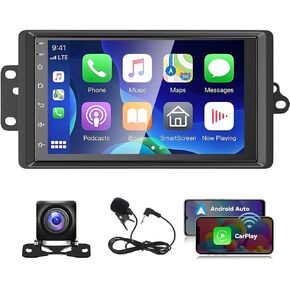 Car Stereo Radio for 2003 2004 2005 2006 Chevrolet Chevy Silverado Tahoe GMC Sierra Yukon, 7 IPS Touch Screen Car Radio Android 13 Wireless CarPlay/Android Auto GPS,Backup Camera/DSP/SWC, 2G+32G
KWD 68.500
Car Stereo Radio for 2003 2004 2005 2006 Chevrolet Chevy Silverado Tahoe GMC Sierra Yukon, 7 IPS Touch Screen Car Radio Android 13 Wireless CarPlay/Android Auto GPS,Backup Camera/DSP/SWC, 2G+32G
KWD 68.500
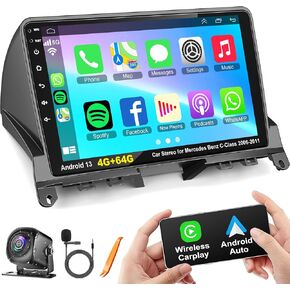 4G+64G Android 13 Car Radio Stereo with Wireless Carplay Android auto for Mercedes Benz C-Class C180 C200 C230 C250 C300 C350 W204 S204 2006-2011, 9'' QLED Touch Screen GPS WiFi 8 Core Head Unit
KWD 62
4G+64G Android 13 Car Radio Stereo with Wireless Carplay Android auto for Mercedes Benz C-Class C180 C200 C230 C250 C300 C350 W204 S204 2006-2011, 9'' QLED Touch Screen GPS WiFi 8 Core Head Unit
KWD 62




