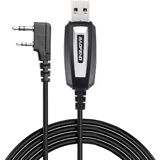
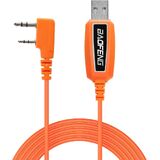
Baofeng programming cable use CH340 chip,work with Windows Operation System.
Original Baofeng programing cable,compatible with Quansheng UV-K5,Baofeng Two Way Radio ( UV-5R/5RA/5RE/,UV-5X3, UV-82, BF-F8HP, BF-888S, BF-F8+, H777 UV82HP, BF-f8hp, BF-f9 v2+,BF-R3,GM-15PRO, gt-3tp,UV-9S,etc)
This item is the cable that using to connect your Radio and PC, then writes the program setting and frequency of the two way radio by PC.
If the cable is not recognized, pls install the driver , plug the cable to the Baofeng radio and PC, check the COM port in the computer settings.
If your radio model is not find software,we will help you find software & special firmware for you.

 BAOFENG GT-3WP IP67 Dual Band Two-Way Radio, 144-148MHz 420-450MHz, Waterproof Dustproof Walkie Talkie Transceiver, Black 1 Pack
KWD 14
BAOFENG GT-3WP IP67 Dual Band Two-Way Radio, 144-148MHz 420-450MHz, Waterproof Dustproof Walkie Talkie Transceiver, Black 1 Pack
KWD 14
 Baofeng Original Desktop Charger for Baofeng Radio UV-82/ UV-82L - Black
KWD 4.500
Baofeng Original Desktop Charger for Baofeng Radio UV-82/ UV-82L - Black
KWD 4.500
 UV-82 Battery Accessories BL-8 Backup Battery for BaoFeng UV-82 Series, 3800mAh 7.4V (Black)
KWD 6.500
UV-82 Battery Accessories BL-8 Backup Battery for BaoFeng UV-82 Series, 3800mAh 7.4V (Black)
KWD 6.500
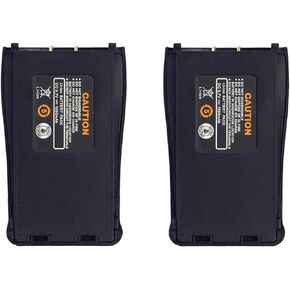 Baofeng Walkie Talkie Battery Replacement 1500mAh Rechagable Li-on Battery for BF-888S Two Way Radios (2 PCS)
KWD 6
Baofeng Walkie Talkie Battery Replacement 1500mAh Rechagable Li-on Battery for BF-888S Two Way Radios (2 PCS)
KWD 6