- Shopping, made easy.
- /
- Get the app!
Product information
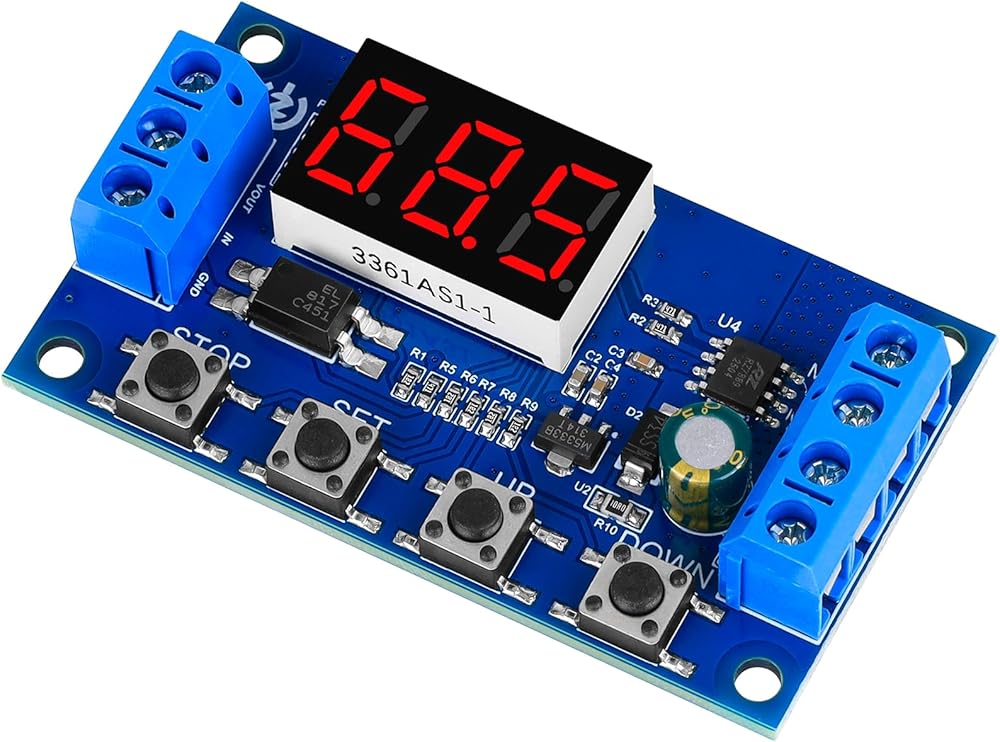
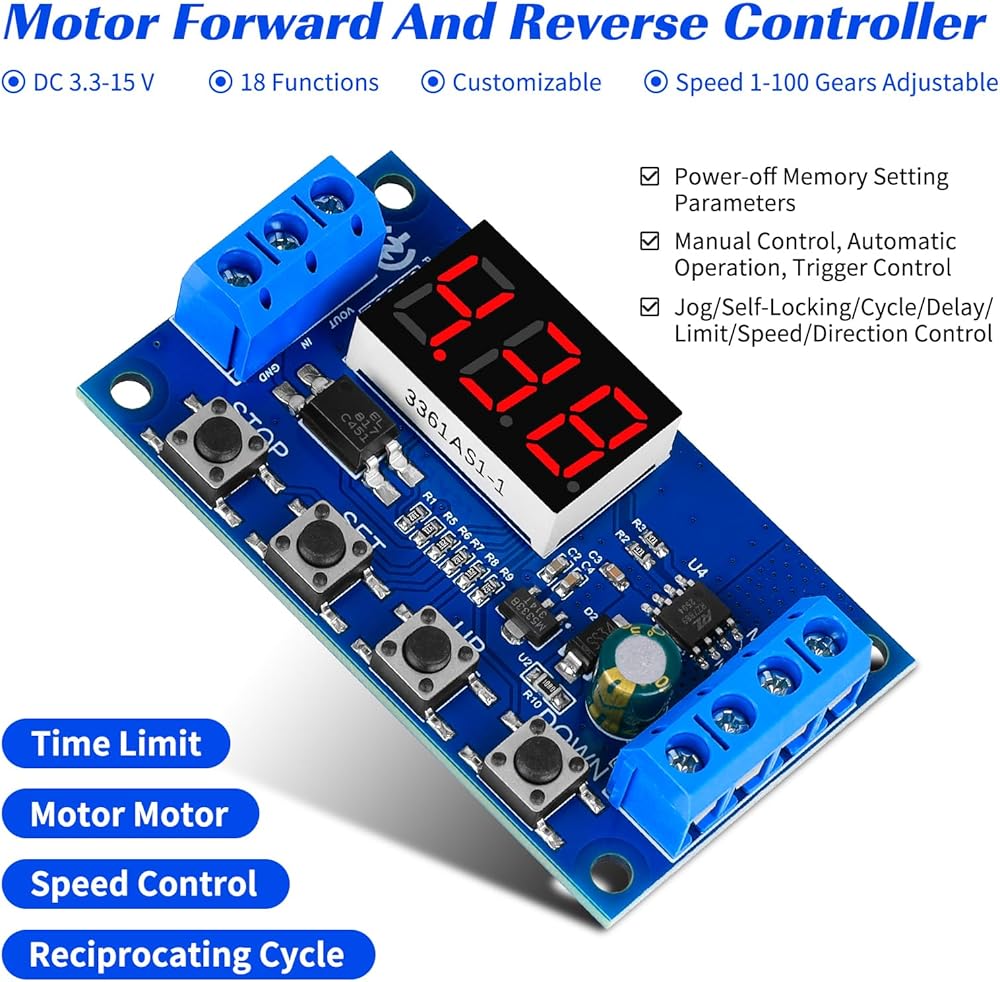
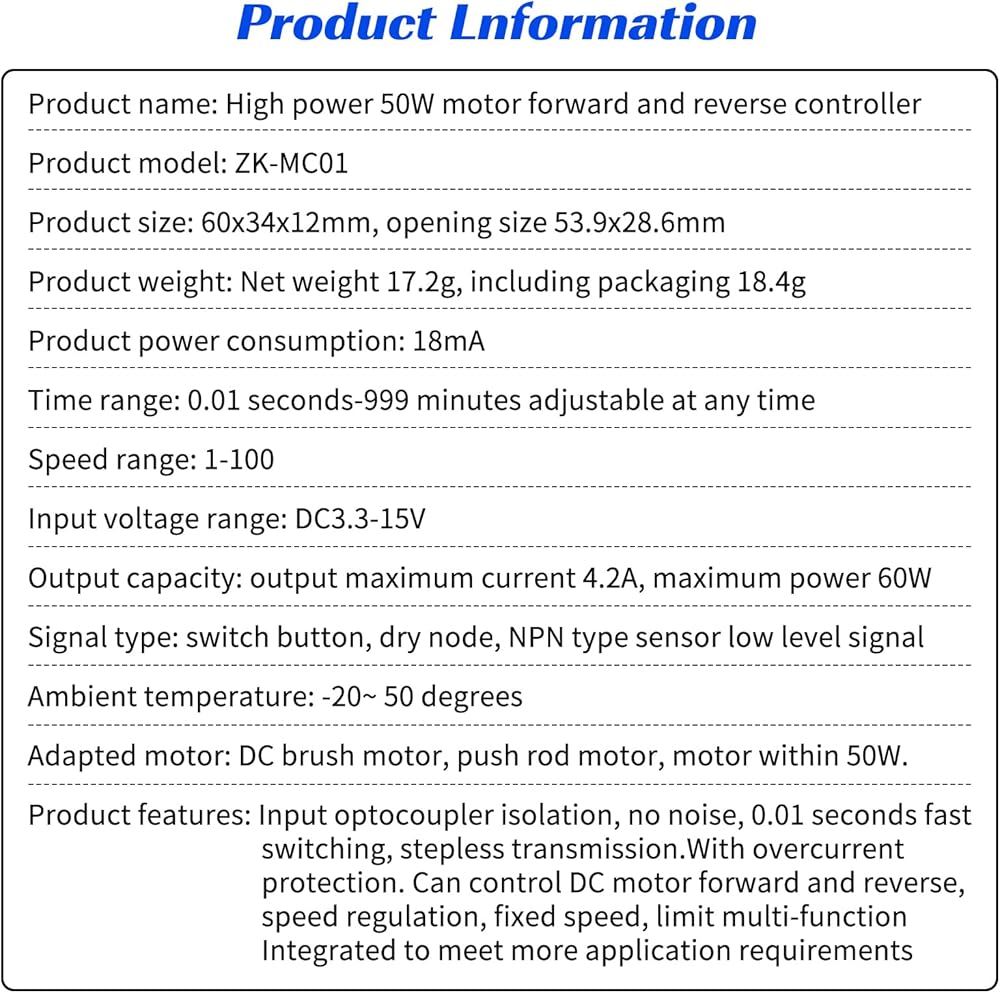
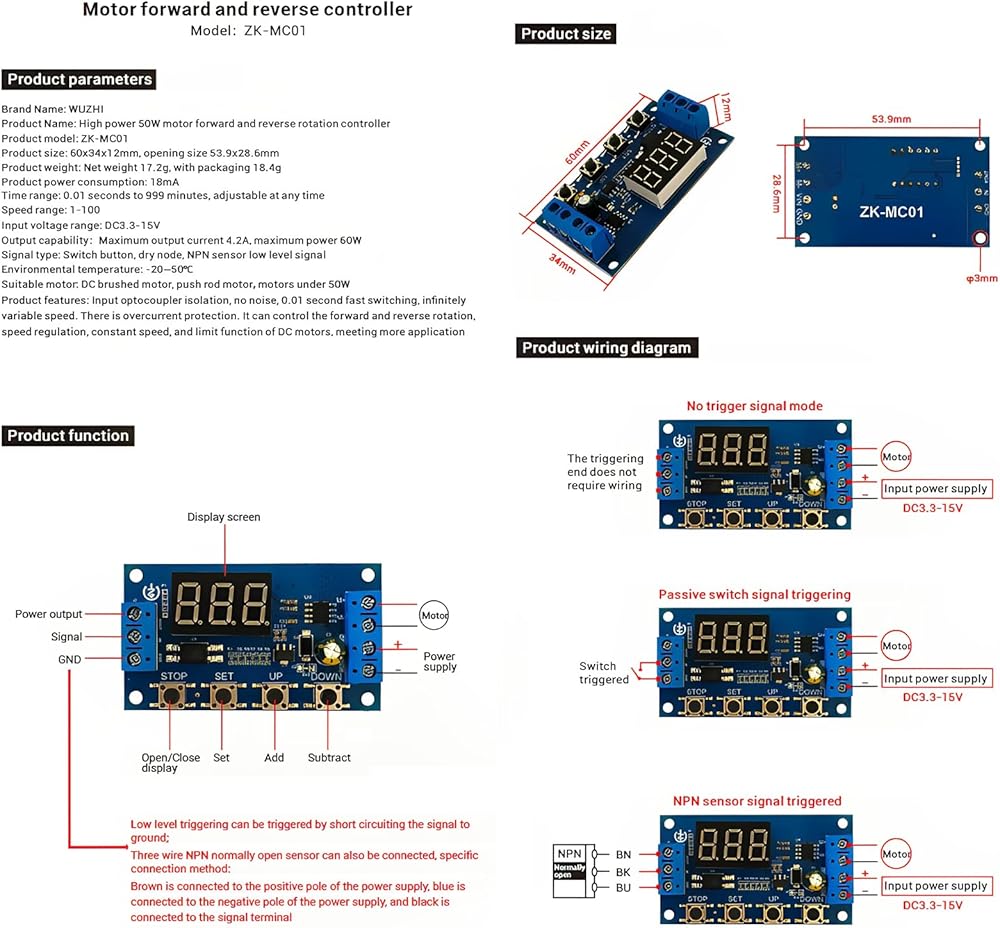
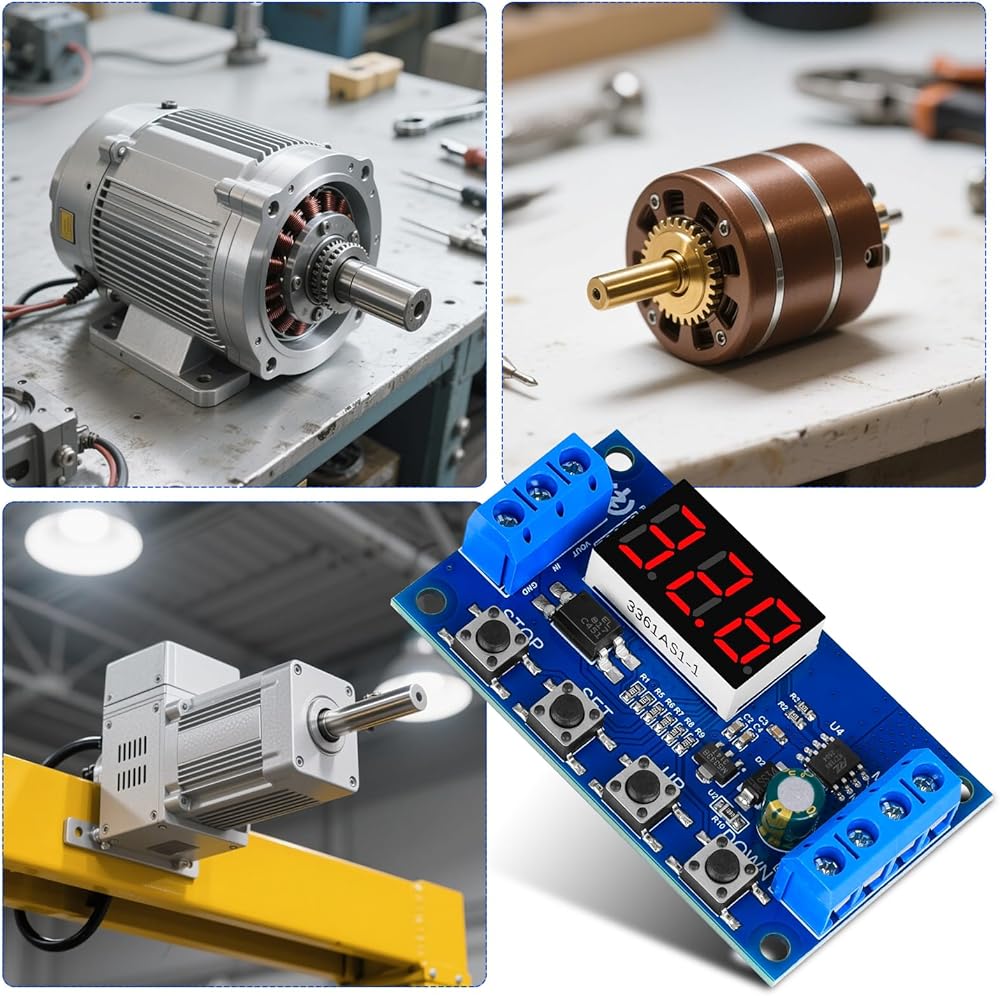
Product name: High-power 50W motor forward and reverse controller
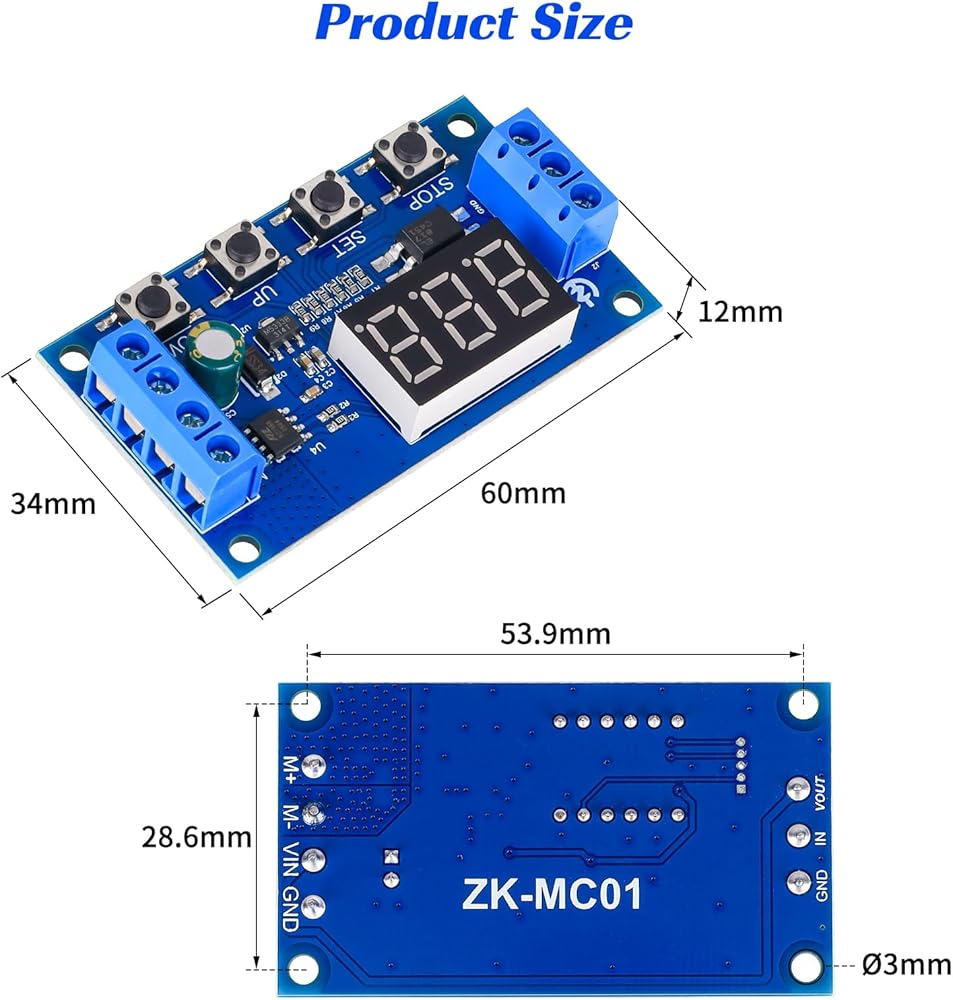
Product size: 60x34x12mm, opening size 53.9x28.6mm
Product weight: net weight 17.2g, including packaging 18.4g
Product power consumption: 18mA
Time range: 0.01 seconds-999 minutes, adjustable at any time
Speed range: 1-100
Input voltage range: DC3.3-15V
Output capacity: maximum output current 4.2A, maximum power 60W
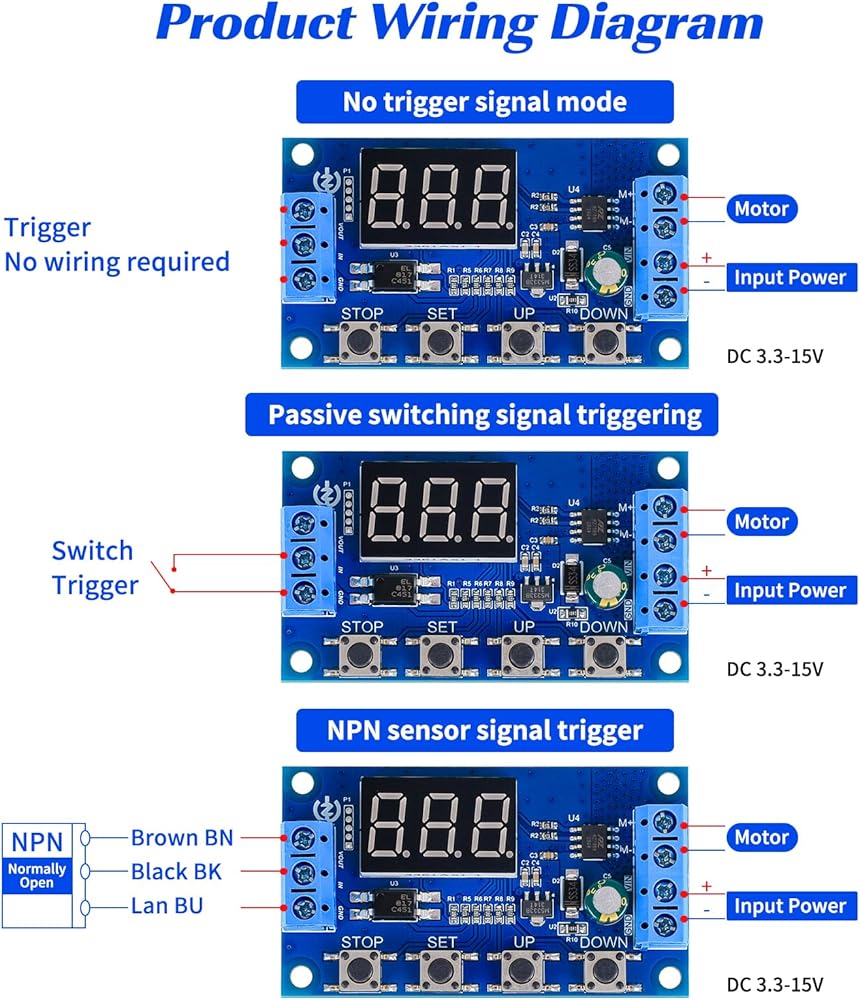
Signal type: switch button, dry node, NPN sensor low-level signal
Ambient temperature: -20~50 degrees
Applicable motor: DC brushed motor, push rod motor, motor within 50W
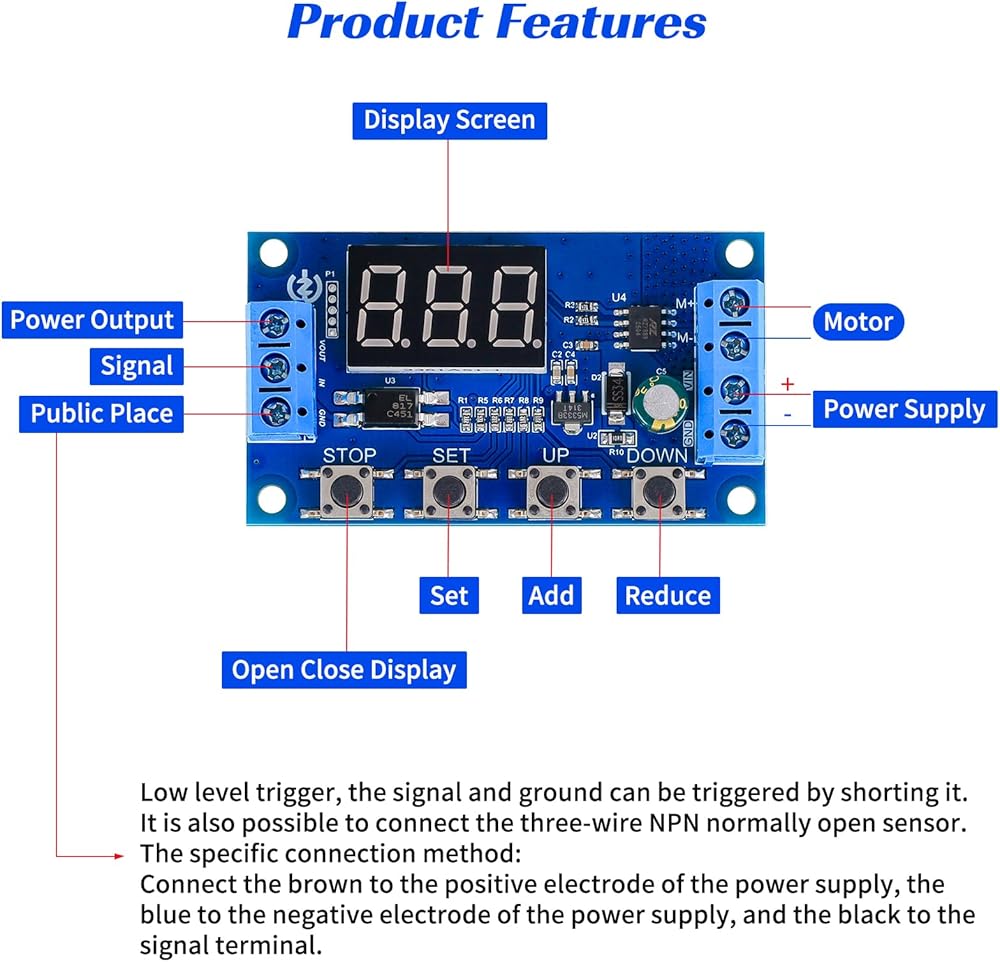
Product features: input optocoupler isolation, no noise, 0.01 second fast switching, stepless speed change With overcurrent protection. Can control the forward and reverse rotation of DC motors, speed regulation, fixed speed, limit multi-function Integrated to meet more application needs
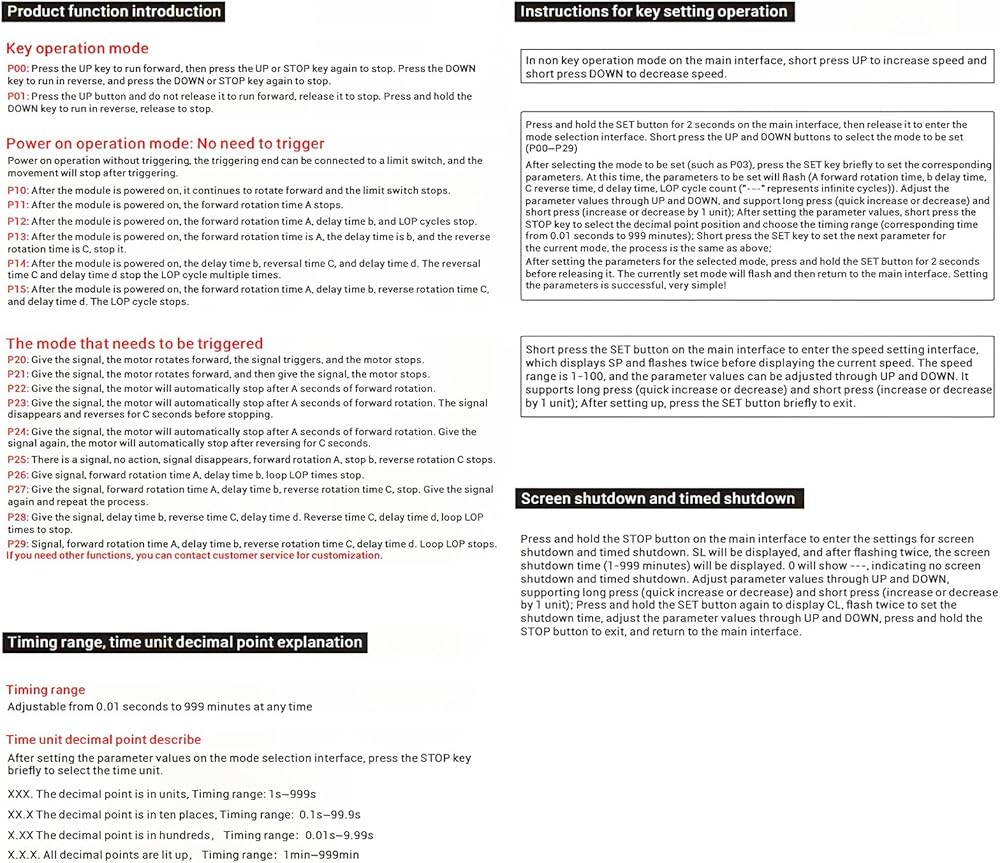
Product function introduction
Key operation mode
POO: Press the UP key to run forward, press the UP key or STOP key again to stop. Press the DOWN key to run reversely, press the DOWN key or STOP key again to stop
P01: Press the UP key without releasing it to run forward, and release it to stop. Press the DOWN key without releasing it to run reversely, and release it to stop
Power-on operation mode: No trigger required
Power-on operation, no trigger required, the trigger end can be connected to the limit switch, and the movement stops after triggering
P10: After the module is powered on, it keeps running forward, and the limit switch stops
P11: After the module is powered on, the forward time A stops
P12: After the module is powered on, the forward time A, the delay time b, the cycle LOP times stop
P13: After the module is powered on, the forward time A, the delay time b, the reverse time C, stop
P14: After the module is powered on, the delay time b, the reverse time C, the delay time d. Reverse time C, delay time d, stop after LOP cycles
P15: After the module is powered on, forward time A, delay time b, reverse time C, delay time d. Stop after LOP cycles
Modes to be triggered
P20: Give a signal, the motor rotates forward, the signal triggers, and the motor stops
P21: Give a signal, the motor rotates forward, and then give a signal, the motor stops
P22: Give a signal, the motor stops automatically after A seconds of forward rotation
P23: Give a signal, the motor stops automatically after A seconds of forward rotation. The signal disappears, and the reverse rotation stops for C seconds
P24: Give a signal, the motor stops automatically after A seconds of forward rotation. Give a signal again, and the motor stops automatically after C seconds of reverse rotation
P25: There is a signal, no action, the signal disappears, forward rotation A, stop b, reverse rotation C stop
P26: Give a signal, forward rotation time A, delay time b, stop after LOP cycles
P27: Give a signal, forward rotation time A, delay time b, reverse rotation time C, stop. Give the signal again and repeat the execution once
P28: Give the signal, delay time b, reverse time C, delay time d. Reverse time C, delay time d, stop after LOP times of cycle
P29: Give the signal, forward time A, delay time b, reverse time C, delay time d. Stop after LOP times of cycle
Timing range time unit decimal point description
Timing range
0.01 seconds-999 minutes any time can be adjusted
Time unit decimal point description
After setting the parameter value in the mode selection interface, press the STOP key to select the time unit
XXX. Decimal point in the ones place, timing range: 1 second to 999 seconds
XX.× decimal point in the tens place, timing range: 0.1 seconds to 99.9 seconds
X.XX decimal point in the hundreds place, timing range: 0.01 seconds to 9.99 seconds
X.X.X. decimal point is fully lit, timing range: 1 minute to 999 minutes
Instructions for key setting operation
In the main operation interface, in non-key operation mode, short press UP to increase the speed, short press DOWN key to decrease the speed
Press and hold the SET button for 2 seconds and release it on the main interface to enter the mode selection interface. Press the UP and DOWN buttons to select the mode to be set (P00~P29). After selecting the mode to be set (for example, P03), press the SET button to set the corresponding parameters. The parameters to be set will flash (A forward time, b delay time, C reverse time) d delay time, LOP cycle times (""---"" represents infinite cycles). Use UP and DOWN to adjust the parameter value. Long press (quick increase or decrease) and short press (increase or decrease 1 unit) are supported. After setting the parameter value, press the STOP button to select the decimal point position and the timing range (the corresponding time is 0.01 seconds to 999 minutes). Press the SET button to set the next parameter of the current mode. The process is the same as above. After setting the parameters of the selected mode, press and hold the SET button for 2 seconds and release it. The currently set mode will flash, and then return to the main interface. The parameter setting is successful. It is very simple!
In the main operation interface, short press the SET button to enter the speed setting interface. SP is displayed, and after flashing twice, the current speed is displayed. The speed range is 1-100. The parameter value can be adjusted through UP and DOWN. Long press (rapid increase or decrease) and short press (increase or decrease by 1 unit) are supported. After setting, short press the SET button to exit.
Screen off and timed shutdown
In the main operation interface, long press the STOP button to enter the screen off and timed shutdown settings. SL is displayed, and after flashing twice, the screen off time (1-999 minutes) is displayed. 0 is displayed---, indicating no screen off and untimed shutdown. Adjust the parameter value through UP and DOWN. Long press (rapid increase or decrease) and short press (increase or decrease by 1 unit) are supported. Short press the SET button again, CL is displayed, and flashes twice to set the shutdown time. Adjust the parameter value through UP and DOWN. Long press the STOP button to exit and return to the main interface
"

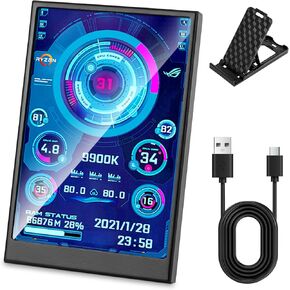 3.5 Inch IPS USB Mini Screen No Installation AIDA64 Pc Case Screen Computer Temp Monitor PC Temperature Display with Stand, USB Cable, Manual
KWD 11.500
3.5 Inch IPS USB Mini Screen No Installation AIDA64 Pc Case Screen Computer Temp Monitor PC Temperature Display with Stand, USB Cable, Manual
KWD 11.500
 USB C Power Meter USB C Tester, 3-36V 0-12A PD3.1 QC4.0 PDO Decoding High Precision Two-Way Measurement Voltage Current Capacity Voltmeter Ammeter Detector Digital Tester Multimeter for Charger Cable
KWD 8
USB C Power Meter USB C Tester, 3-36V 0-12A PD3.1 QC4.0 PDO Decoding High Precision Two-Way Measurement Voltage Current Capacity Voltmeter Ammeter Detector Digital Tester Multimeter for Charger Cable
KWD 8
 KY-003 Hall Effect Sensor Module A3144E Hall Effect Magnetic Sensor DC 3.3V-5V Pressure Sensors 6pcs for Ar duino
KWD 3
KY-003 Hall Effect Sensor Module A3144E Hall Effect Magnetic Sensor DC 3.3V-5V Pressure Sensors 6pcs for Ar duino
KWD 3
 6pcs AS5600 Magnetic Encoder Non-Contact Magnetic Induction Angle Measurement Sensor Module 12bit, I2C, PWM, high Precision,Equipped with Multiple Output Modes and Intelligent Low-Power Modes
KWD 6.500
6pcs AS5600 Magnetic Encoder Non-Contact Magnetic Induction Angle Measurement Sensor Module 12bit, I2C, PWM, high Precision,Equipped with Multiple Output Modes and Intelligent Low-Power Modes
KWD 6.500