- Shopping, made easy.
- /
- Get the app!
Specification:
Item Type: Gaming Graphics Card
Material: ABS, PCB, Metal
Core Codename and Process: GF116 40nm
Unified Shader: 192
Core Frequency, Memory Frequency: 750/3000MHz
Memory Capacity and Specification: 6G 192bit GDDR5
Output Interface: VGA, HD Multimedia Interface, DVI
Bus Interface: PCI Express 1.1 x 16
Cooling Fan: Yes
How to Use:
Product Installation
1. Turn off the power and unplug all connectors; disassemble the main case.
2. If there is another graphics card installed on the motherboard, please unplug it first and then insert the new graphics card into the PCI Express X16 slot provided by the motherboard.
3. If the graphics card comes with additional power supply input connectors, please look for the corresponding plugs on the host computer's power supply and insert them into the graphics card. Please use these adapter plugs and connect the graphics card in order to provide sufficient power to the graphics card.
4. Tighten the fixing screws on the graphics card bezel to make sure the graphics card is properly fixed.
5. Cover the case, reconnect all peripheral device connectors, and then plug the display connector into the corresponding connector on the graphics card.
6. If you need to use TV OUT, HD Multimedia Interface, DisplayPort or other interfaces of your TV or display device, please make sure the graphics card has the corresponding interfaces first, if so, use the corresponding cables to connect the display device and the graphics card directly.
Package List:
1 x Gaming Graphics Card
1 x Instruction Manual
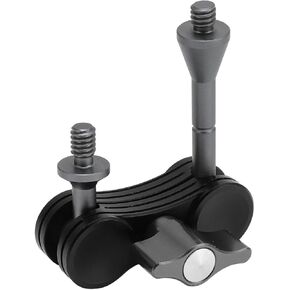 Camera Articulating Arm, Aluminium Alloy Magic Arm with 1/4 Inch Screw, CNC Machining, 180 Degree Adjustable for DSLR Camera, Monitor, Lights
KWD 5.500
Camera Articulating Arm, Aluminium Alloy Magic Arm with 1/4 Inch Screw, CNC Machining, 180 Degree Adjustable for DSLR Camera, Monitor, Lights
KWD 5.500
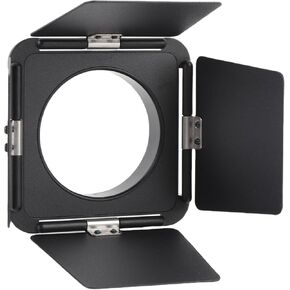 Four Leaf Light Baffle, Aluminum Alloy Flash Fit with Flexible Baffles for for LT028 40W COB Light
KWD 5.500
Four Leaf Light Baffle, Aluminum Alloy Flash Fit with Flexible Baffles for for LT028 40W COB Light
KWD 5.500
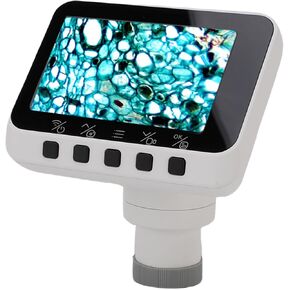 WiFi Electronic Eyepiece Camera, 1080P 2.8in Display Wireless Electronic Eyepiece, Astronomical Telescopes, Microscopes, for Astrophotography Bird Watching
KWD 14
WiFi Electronic Eyepiece Camera, 1080P 2.8in Display Wireless Electronic Eyepiece, Astronomical Telescopes, Microscopes, for Astrophotography Bird Watching
KWD 14
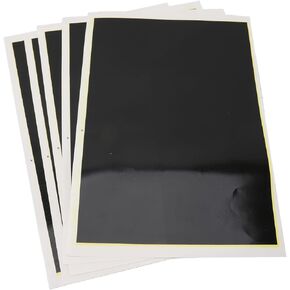 Black Engraving Marking Color Paper, 5 Sheets,15.4x10.6in, for Engraver, Ceramics, Glass, Metal, DIY Crafts
KWD 7.500
Black Engraving Marking Color Paper, 5 Sheets,15.4x10.6in, for Engraver, Ceramics, Glass, Metal, DIY Crafts
KWD 7.500




