- Shopping, made easy.
- /
- Get the app!


Specification:
Item Type: Mechanical Number Pad
Material: PBT, ABS
Keys: 34 keys
Lighting Mode: Mixed lighting (17 different lighting effects)
Connection: Type C wired connection (detachable)
Switch Type: Blue switch
Compatible Systems: Support for OS X, support for Windows
Product Size: Approx. 150x135x45mm/5.9x5.3x1.8in
How to Use:
1. Press FN+SCRLK to switch light effect.
2. Press FN+↑/↓ to adjust backlight brightness.
3. Press FN+←/→ to change light effect speed.
4. Press FN+HOME to turn on/off the light.
packing list:
1 x Mechanical Number Pad
1 x Type C Cable
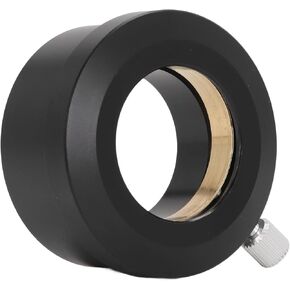 2 Inch to 1.25 Inch Telescope Eyepiece Adapter, Accurate Thread Telescope Eyepiece Mount Adapter Easy Installation Full Metal Black for Telescope Accessories
KWD 6.500
2 Inch to 1.25 Inch Telescope Eyepiece Adapter, Accurate Thread Telescope Eyepiece Mount Adapter Easy Installation Full Metal Black for Telescope Accessories
KWD 6.500
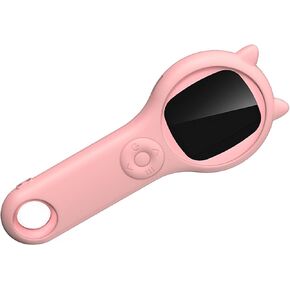 Handheld Digital Microscope, Pocket Magnifying Glass for Students Kids with 2.0in Color Screen, 500x Magnification, 2MP, 8 Adjustable LED Lights, Compatible with Windows OSX (Pink)
KWD 6.500
Handheld Digital Microscope, Pocket Magnifying Glass for Students Kids with 2.0in Color Screen, 500x Magnification, 2MP, 8 Adjustable LED Lights, Compatible with Windows OSX (Pink)
KWD 6.500
 SPX to RJ45 Female Cable, 1200Mbps High Speed Starlink Internet Satellite Kit for Gen3 V3 Rectangular, IP68 Waterproof Starlink Adapter for Office Home (1M)
KWD 5
SPX to RJ45 Female Cable, 1200Mbps High Speed Starlink Internet Satellite Kit for Gen3 V3 Rectangular, IP68 Waterproof Starlink Adapter for Office Home (1M)
KWD 5
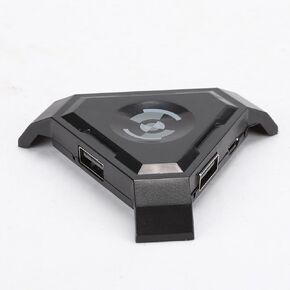 Keyboard Mouse Adapter for PUBG, Keyboard Mouse Converter for Mobile Cell Phone Games, PUBG Game Console Accessories, PC Gaming Experience for Android iOS Phone, Supports FPS Games
KWD 9.500
Keyboard Mouse Adapter for PUBG, Keyboard Mouse Converter for Mobile Cell Phone Games, PUBG Game Console Accessories, PC Gaming Experience for Android iOS Phone, Supports FPS Games
KWD 9.500

