- Shopping, made easy.
- /
- Get the app!
Spec:
Item Type: Desktop Computer Motherboard
Material: PCB
Model: B250B4
Motherboard Size: Approx. 190x170mm / 7.48x6.69in
Motherboard Architecture: M ATX
CPU Slot Type: Support for LGA 1151 (for 6 7 8 9 Generation Core i3 i5 i7 and for Celeron, for Processors)
Network Card: 100 Network Card
Graphics Card Slot: PCI E X16 Gen 3.0
Support Memory Type: 2 x DDR4
Maximum Memory Capacity: 16GB x 2 (32GB)
Sata Interface: SATA3.0 x 3
USB Interface: USB3.0 x 2, USB2.0 x 4, Front USB2.0 Pins x 1, Front USB3.0 Pins x 1
Power Interface: 24 + 4 Pin Six Phase Power Supply
Expansion Interface: HD Multimedia Interface x 1, VGA x 1, M.2 Interface (Support NGFF, NVME Protocol)
Battery Type: CR2032 Cell (Built In)
Battery Capacity: 240mA
Fix the motherboard in the main case, and then connect the connectors according to the corresponding marks. No power on problem: When the device on and the power indicator doesn't light up, make sure the power supply is connected and working properly. If your CPU fan is installed correctly, you can also determine whether the power supply is working properly by judging whether the fan can work properly. 1. Confirm the power supply of the power adapter a. Please check the connection of the power cord and whether the socket is plugged in as shown in the figure below. If there is a main power switch on the extension cord, please make sure it is on state. b. Replacing the extension cord and socket will help solve the problem. Verify that the motherboard power supply is properly connected: 1. Verify that the power adapter's power cord is properly plugged into the ATX power connector. The motherboard may contain 24 pin EATXPWR and 8 pin EATX12V, make sure that both 8 pin EATX12V and 24 pin EATXPWR are connected to the power adapter.
Package List:
1 xDesktop Computer Motherboard
1 x SATA Cable
1 x Baffle
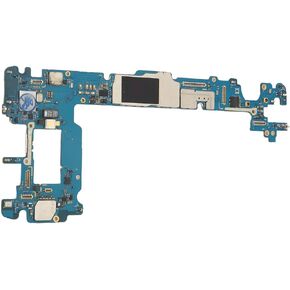 Main Logic Board for Galaxy Note 9 64GB, Unlock Cellphone Motherboard, PCB Motherboard, Easy to Use, Ideal Replacement
KWD 36.500
Main Logic Board for Galaxy Note 9 64GB, Unlock Cellphone Motherboard, PCB Motherboard, Easy to Use, Ideal Replacement
KWD 36.500
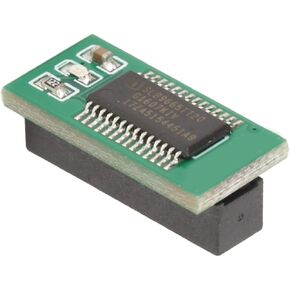 TPM2.0 Encryption Security Module, 18Pin 1 LPC Remote Card Security Board for Win11 11 2.0 System for Motherboard
KWD 6
TPM2.0 Encryption Security Module, 18Pin 1 LPC Remote Card Security Board for Win11 11 2.0 System for Motherboard
KWD 6
 -14%
Main Logic Board for Galaxy S10+ 128GB, Unlock Cellphone Motherboard, PCB Motherboard, Professional Installation Needed, Perfect Replacement (US Version)
KWD 33
-14%
Main Logic Board for Galaxy S10+ 128GB, Unlock Cellphone Motherboard, PCB Motherboard, Professional Installation Needed, Perfect Replacement (US Version)
KWD 33
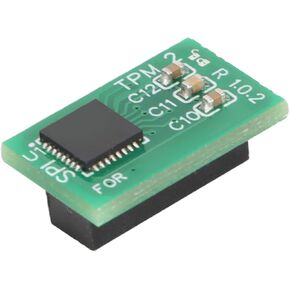 ciciglow TPM2.0 Module, 14Pin SPI TPM 2.0 Encryption Security Module System Components for Win 8.1, for Win 7, for Win 10, for
KWD 11.500
ciciglow TPM2.0 Module, 14Pin SPI TPM 2.0 Encryption Security Module System Components for Win 8.1, for Win 7, for Win 10, for
KWD 11.500




