4-Port KM Switch with Mouse Roaming Control, Independent Audio Switching, Supports Multi-Monitor, Hotkey Control, Includes Cables and Management Software to Customize Switching Modes,New Version
Four-Port Keyboard and Mouse Switch: Effortlessly manage and switch KM (Keyboard and Mouse) functions across four computers, including multi-head setups, with the 4 Port KM Switch. This device supports seamless KM commands from a single workstation, streamlining your workflow without needing additional software. Simply use front panel push buttons or keyboard hotkeys for easy port selection.
Mouse Roaming Function: Switch between computers seamlessly by moving the mouse cursor from one display to another. This intuitive mouse roaming feature allows for smooth transitions and enhanced control. You can also switch using front panel buttons or hotkeys.
Customizable Monitor Layouts: Personalize your monitor layouts by connecting the KM switch to your computer via the included USB-C cable. Install the management software from the provided U-disk to customize the switching modes. This feature ensures an efficient and personalized setup, adapting to your specific workflow requirements.
Independent Audio Switching: Experience superior audio quality with the stereo audio output and independent audio switching function. This allows you to listen to audio from one computer while controlling another, enhancing multitasking capabilities and providing a richer user experience. Advanced Features and Reliable Support: This KM switch supports hot-plugging, USB-C firmware upgrades, and RS485 communication management with a baud rate of 115200bps.
Multi-Head Display Setup Guide: By default, the KM switch operates in Single-Head Mode. To use computers with multiple displays, enable Multi-Head Mode (supports up to 3 displays per PC). For Windows Users: Double-click to install the multi-screen plugin patch(found on the provided USB flash drive) to enable Multi-Head Display support. Important: DO NOT add screens using the "Cross Screen" software. For Linux Users: Add screens directly via the "Cross Screen" software. No plugin is required.


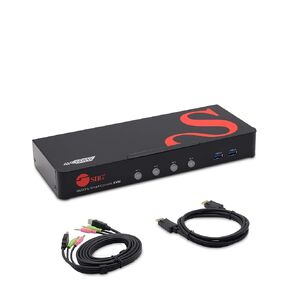 SIIG 2-Port 4K KVM Switch HDMI with Picture-by-Picture (PbP) Mouse Cursor Roaming and Picture-in-Picture (PiP) Image for 2 Computers, Support Windows and Linux, TAA Compliant (CE-KV0G11-S1)
KWD 123
SIIG 2-Port 4K KVM Switch HDMI with Picture-by-Picture (PbP) Mouse Cursor Roaming and Picture-in-Picture (PiP) Image for 2 Computers, Support Windows and Linux, TAA Compliant (CE-KV0G11-S1)
KWD 123
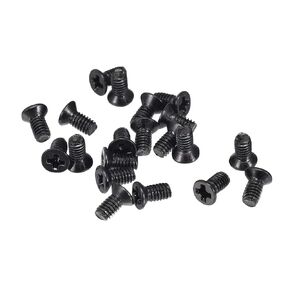 uxcell M2.5 x 10mm Phillips Screw Fastener Black for Laptop PC TV Fan Switch 150pcs
KWD 2.500
uxcell M2.5 x 10mm Phillips Screw Fastener Black for Laptop PC TV Fan Switch 150pcs
KWD 2.500
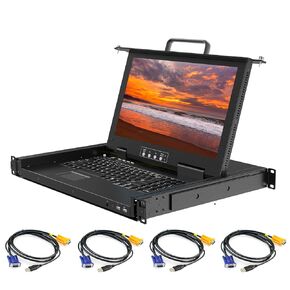 8 Port Rack Mount KVM Console 18.5-Inch Full HD, Standard 1U VGA KVM Switch + Keyboard Touchpad, 16:9 Aspect Ratio 1920 x 1080, OSD/Hotkey/Button Switching,Fits 19" Rack, 8 VGA USB KVM Cables Included
KWD 402.500
8 Port Rack Mount KVM Console 18.5-Inch Full HD, Standard 1U VGA KVM Switch + Keyboard Touchpad, 16:9 Aspect Ratio 1920 x 1080, OSD/Hotkey/Button Switching,Fits 19" Rack, 8 VGA USB KVM Cables Included
KWD 402.500
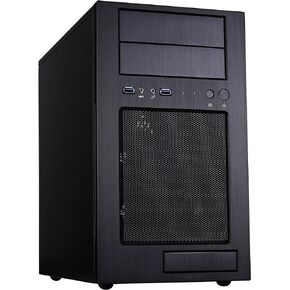 Silverstone Tek Micro-ATX Mini-DTX, Mini-Itx Mid Tower Computer Case with Aluminum Front Panel and Steel Body TJ08B-E-USA
KWD 64.500
Silverstone Tek Micro-ATX Mini-DTX, Mini-Itx Mid Tower Computer Case with Aluminum Front Panel and Steel Body TJ08B-E-USA
KWD 64.500




