H6 Video Signal Conversion Hub for Laptop to Transmite Video Signal from USB-A/Non Full-Featured USB-C Port, M1/M2/M3 chip MacBook Pro/Air to High Definition Dispaly by HDMI Port (Driver Needed)
All electronics ship with US style plugs.You may need a voltage converter or a plug adapter.
Special Features
Supports real-time USB video signal output from desktop or laptop, computers, etc. Should install the dirver "USB Display" which storage in the H6 video signal conversion HUB before connection.
Supports computer operating systems: Windows/MAC operating systems. Driver needed and inclued. Locate the "USB Display" driver installation file on your computor, double click "USB Display" to install the driver for your Window/ Mac laptop.
Designed for KEFEYA S1/S2/S3/S6/P5/N2, USB-A to HDMI adapter, Non full-featured USB-C to HDMI adapter, USB-C to HDMI adapter for Macbook Air/Pro with M1/M2/M3 chips. Note: The H6 TYPE-C output port can only be connected by the full-feature HDMI to USB-C or HDMI to mini HDMI cable, the output of the HDMI to USB-C cable should connect to the port wihich mark "HDMI" or "USB-C with DP" on back of the portble monitors.
When finish installing the included "USB Display" driver and connect the output of the H6 with the included HDMI to USB-C cable or HDMI to Mini HDMI cable to the bottom USB-C port( mark "HDMI" or "USB-C with DP") or Mini HDMI port to transmit real time video signal, a power cable with USB-C end is needed to power that portable monitor.


 -5%
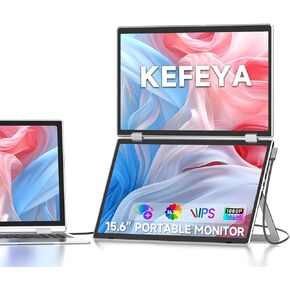
Laptop Screen Extender, 15.6" Folding Portable Monitor for Laptop, 1080P FHD IPS Triple Monitor Extension for Laptop with Windows MacOS, One Cable/340° Rotation/VESA Mountable/Ergo Design
KWD 71.500
-5%
Laptop Screen Extender, 15.6" Folding Portable Monitor for Laptop, 1080P FHD IPS Triple Monitor Extension for Laptop with Windows MacOS, One Cable/340° Rotation/VESA Mountable/Ergo Design
KWD 71.500
 -10%
Laptop Screen Extender Portable Monitor, 14" FHD IPS 1200P Travel Dual Second Monitor for Laptop 11-17.3" - Metal Portable Monitor Fit HDMI/USB-A/Type-C Plug & Play for Wins/Mac/Switch
KWD 81.500
-10%
Laptop Screen Extender Portable Monitor, 14" FHD IPS 1200P Travel Dual Second Monitor for Laptop 11-17.3" - Metal Portable Monitor Fit HDMI/USB-A/Type-C Plug & Play for Wins/Mac/Switch
KWD 81.500
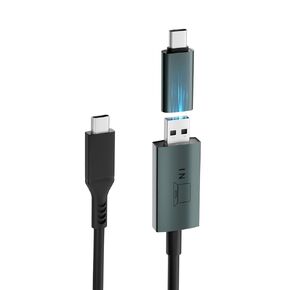 USB Video Transmission Cable, 2-in-1 USB Data to Video Signal Conversion Cable Laptop Screen Extender, Compatible with M1/M2/M3 MacBook
KWD 11
USB Video Transmission Cable, 2-in-1 USB Data to Video Signal Conversion Cable Laptop Screen Extender, Compatible with M1/M2/M3 MacBook
KWD 11
 -29%
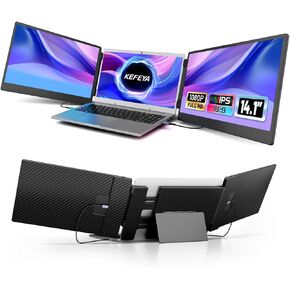
Laptop Screen Extender - 14.1" Triple Portable Monitor with Sturdy Metal Kickstand for 13-17 Inch Laptops, 1080P HD IPS Laptop Monitor Extender Plug and Play for Windows/Chrome/Mac/Switch/PS5
KWD 64.500
-29%
Laptop Screen Extender - 14.1" Triple Portable Monitor with Sturdy Metal Kickstand for 13-17 Inch Laptops, 1080P HD IPS Laptop Monitor Extender Plug and Play for Windows/Chrome/Mac/Switch/PS5
KWD 64.500




