- Shopping, made easy.
- /
- Get the app!
Keyboard connection method:
1: When the keyboard is turned on, the power will be turned on automatically.
2: Press the FN+ Bluetooth logo at the same time to enter the pairing state, and the white light flashes.
3: Turn on the Bluetooth of your iPad, search for Bluetooth 5.0 Keyboard.
4: Click the Bluetooth 5.0 Keyboard on the iPad, press the Enter to connect.
Compatible with iPad Air 11-inch (M3) 2025 (A3266, A3267, A3270)
Compatible with iPad Air 11-inch (M2) 2024 (A2902, A2903, A2904)
Compatible with iPad Air 5th Gen 2022 (A2588, A2589, A2591)
Compatible with iPad Air 4th Gen 2020 (A2316, A2324, A2325, A2072)
Compatible with iPad Pro 11-inch 4th Gen 2022 (A2759, A2761, A2435, A2762)
Compatible with iPad Pro 11-inch 3rd Gen 2021 (A2377, A2459, A2301, A2460)
Compatible with iPad Pro 11-inch 2nd Gen 2020 (A2228, A2068, A2230, A2231)
Compatible with iPad Pro 11-inch 1st Gen 2018 (A1980, A2013, A1934, A1979)
Note: Not compatible with iPad Pro 11-Inch (M5/M4) and other iPad models. Please check the model number starting with "A" on the back of your iPad before purchasing.
Package including:
1 * Keyboard Case
1 * USB Cable
1 * User Manual
 Large Gaming Mouse Pad Extended Mouse Mat Non-Slip Rubber Base Mousepad Big Desk Pad Keyboard Mat with Stitched Edge for Laptop Notebook Computer Desktop PC Gamer Office & Home (23.5" x 11.8" Black)
KWD 4
Large Gaming Mouse Pad Extended Mouse Mat Non-Slip Rubber Base Mousepad Big Desk Pad Keyboard Mat with Stitched Edge for Laptop Notebook Computer Desktop PC Gamer Office & Home (23.5" x 11.8" Black)
KWD 4
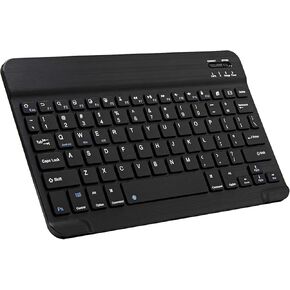 Ultra-Slim Bluetooth Keyboard Portable Mini Wireless Keyboard Rechargeable for Apple iPad iPhone Samsung Tablet Phone Smartphone iOS Android Windows (10 inch Black)
KWD 5
Ultra-Slim Bluetooth Keyboard Portable Mini Wireless Keyboard Rechargeable for Apple iPad iPhone Samsung Tablet Phone Smartphone iOS Android Windows (10 inch Black)
KWD 5
 Wireless Bluetooth Mouse for Apple iPad iPhone MacBook Android Samsung Tablet Phone Dual-Mode Rechargeable 2.4G Portable Computer Mice for Windows Laptop Notebook PC Mac Desktop USB Receiver (Black)
KWD 4.500
Wireless Bluetooth Mouse for Apple iPad iPhone MacBook Android Samsung Tablet Phone Dual-Mode Rechargeable 2.4G Portable Computer Mice for Windows Laptop Notebook PC Mac Desktop USB Receiver (Black)
KWD 4.500
 Ultra-Slim Bluetooth Keyboard and Mouse Combo Rechargeable Portable Wireless Keyboard Mouse Set for Apple iPad iPhone iOS 13 and above Samsung Tablet Phone Smartphone Android Windows (Black)
KWD 8.500
Ultra-Slim Bluetooth Keyboard and Mouse Combo Rechargeable Portable Wireless Keyboard Mouse Set for Apple iPad iPhone iOS 13 and above Samsung Tablet Phone Smartphone Android Windows (Black)
KWD 8.500




