- Shopping, made easy.
- /
- Get the app!
How to customize RGB light effects: 1. Download and install the RGB SYNC driver to customize and control the light effects through the software. 2. If your motherboard doesn't support SYNC and doesn't have a 5V 3PIN connector, you can set the light effect through the fan control box (you need to buy the control box additionally).
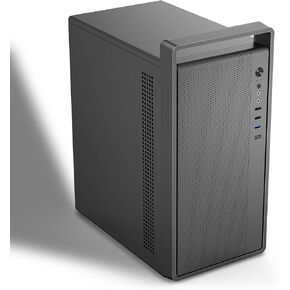 Micro-ATX PC Case with Handle | 0.7mm Steel Portable PC Case Fits max 260mm GPU & ATX PSU | Pre-Installed 120mm *1 Rear Fan | mini Tower Desktop Chassis for MATX/ITX, Black-M5
KWD 22.500
Micro-ATX PC Case with Handle | 0.7mm Steel Portable PC Case Fits max 260mm GPU & ATX PSU | Pre-Installed 120mm *1 Rear Fan | mini Tower Desktop Chassis for MATX/ITX, Black-M5
KWD 22.500
 ATX Gaming Computer case with 4pack ARGB Fans for Cooling
KWD 45
ATX Gaming Computer case with 4pack ARGB Fans for Cooling
KWD 45
 Micro-ATX Computer case with 4pack 120mm ARGB Fans
KWD 29
Micro-ATX Computer case with 4pack 120mm ARGB Fans
KWD 29
 Micro ATX PC Case | Mini Tower Computer case | Pre-Installed 120mm*1 RGB Fan | ITX Desktop Chassis for MATX/ITX | 240 RAD | 280mm GPU | 160mm CPU Cooler Height - White S6
KWD 20.500
Micro ATX PC Case | Mini Tower Computer case | Pre-Installed 120mm*1 RGB Fan | ITX Desktop Chassis for MATX/ITX | 240 RAD | 280mm GPU | 160mm CPU Cooler Height - White S6
KWD 20.500




