GPS Tracker for Vehicles, 2PCS Real Time GPS Tracker, Car Tracker Device Hidden, Work with Find My (iOS Only), Tracker Device for Vehicles with Magnetic Case, No Monthly Fee, Waterproof Car Tracker
All electronics ship with US style plugs.You may need a voltage converter or a plug adapter.
Special Features
✅✅【No Subscription GPS Tracker for Vehicles】This car tracker has no monthly fee, no SIM card required, download the Find My app and use it straight away to track your cars, trucks and motorbikes, keys, wallets, luggage, bikes and more.
✅✅【Real Time GPS Tracking】The gps tracker allows you to easily track and pinpoint your vehicle in real time with the Find My app.No matter where your car vehicle is located in the world, you can keep track of the exact location of your car from your mobile phone.
✅✅【Lost Reminder】When this car tracker is lost with your important items, you can play the sound by clicking on it in APP, the tracker device for vehicles will keep on making regular ticking sound to help you find the lost items in the nearby range.
✅✅【Magnetic Case】The tracking device comes with a super-strong magnetic housing that allows the tracking devices for cars hidden to be securely attached to the underside of a vehicle or any steel metal surface without the need for additional tools.
✅✅【Privacy Protection】The "Find My" app network is encrypted and anonymous, ensuring that location data and history are not stored on the tracker device for vehicles.
✅✅【Multifunctional】This vehicle tracker is compact design and mini, perfect for tracking all kinds of vehicles, such as cars, bicycles, etc; The shell is waterproof and rainproof, so it can easily cope with various scenarios.
☛☛☛☛☛【Steps to Connect to "Find My" APP】Turn on Bluetooth, open the "Find My" APP-item-add items-other supported items-Connect tag.


 -39%
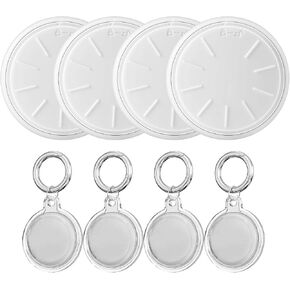
Tags-4 Pack Air Tracker with Apple Find My (iOS Only),Track Your Keys Wallet Luggage Backpack Suitcase,Super Lightweight Item Finder,Comes with 4 Keyrings and 4 Waterproof Cases,Replaceable Battery
KWD 11.500
-39%
Tags-4 Pack Air Tracker with Apple Find My (iOS Only),Track Your Keys Wallet Luggage Backpack Suitcase,Super Lightweight Item Finder,Comes with 4 Keyrings and 4 Waterproof Cases,Replaceable Battery
KWD 11.500
 Wallet Tracker Card, Compatible with Find My (iOS Only), Ultra Thin Item Finder for Wallet, Luggage Tag, Passport etc, IPX7 Waterproof (Black)
KWD 8.500
Wallet Tracker Card, Compatible with Find My (iOS Only), Ultra Thin Item Finder for Wallet, Luggage Tag, Passport etc, IPX7 Waterproof (Black)
KWD 8.500
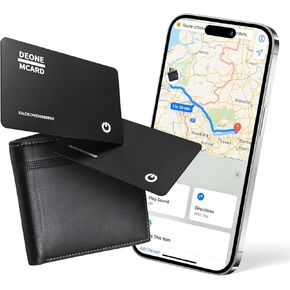 Wallet Tracker Card,1.6mm Ultra-Thin Wallet Finder, Smart Wallet Tracker Works with Apple Find My (iOS Only), Item Finder for Luggage Tags,Passports,Phone,IP67 Waterproof and 3-Year Battery Life
KWD 9
Wallet Tracker Card,1.6mm Ultra-Thin Wallet Finder, Smart Wallet Tracker Works with Apple Find My (iOS Only), Item Finder for Luggage Tags,Passports,Phone,IP67 Waterproof and 3-Year Battery Life
KWD 9
 Hidden GPS Tracking Devices, 1PCS Real Time GPS Tracker for Vehicles Work with Find My (iOS Only), Car GPS Tracker with Magnetic Case, No Monthly Fee, No SIM Card Required, Black
KWD 8
Hidden GPS Tracking Devices, 1PCS Real Time GPS Tracker for Vehicles Work with Find My (iOS Only), Car GPS Tracker with Magnetic Case, No Monthly Fee, No SIM Card Required, Black
KWD 8

