All electronics ship with US style plugs.You may need a voltage converter or a plug adapter.
Special Features
Two Connection Methods: 1. With full-featured USB-C (USB-C 3.1) port: Please use the power adapter to power the monitor first, and then connect your device to the monitor's USB-C port via a USB-C to USB-C cable to achieve video output and touch functionality. 2. With HDMI/DP and USB-A ports: Please use the power adapter to power the monitor first. Then connect your device to the monitor via a HDMI/DP cable and a USB-A to USB-B cable to achieve signal transmission and touch functionality.
How to Use The Touch Functionality of The Monitor: Firstly, if your device has a full-featured USB-C port, simply connect it to the monitor's USB-C port via a USB-C to USB-C cable to achieve touch functionality. Secondly, if your device does not have a USB-C port but has a USB-A port, you need to use a USB-A to USB-B cable to connect to the USB-B interface of the monitor to achieve the touch functionality. Please Note: The touch functionallity of this 34 inch touchscreen monitor is not available when the monitor is connected to devices such as Apple devices, PS3/4/5, Switch, X-box, Steam-Deck, Fire TV stick/ cube, etc
Full-Featured USB-C Port for Convenient Connection to Smartphones: This 34 inch large touch display has a full-featured USB-C port, which can be easily connected to smartphones via a USB-C to USB-C cable for signal transmission and touch functionality. It can support screen mirroring mode and computer mode after connecting the smartphone to the monitor. Please Note: The touch functionality of this 34 inch touch monitor does not supports on Apple devices.
Touchscreen Capability for Interactive Use: The 34 inch WQHD 3440x1440P touchscreen monitor is equipped with advanced multi-touch functionality, providing a responsive and intuitive user experience. Perfect for creative professionals, designers, and anyone who needs precise touch input for presentations or workflow efficiency, this monitor adds an extra layer of interactivity, making it a versatile tool for both work and play. Contrast Ratio: 3000:1 | Brightness: 350cd/m²
Ergonomic Height/Swivel/Tilt Adjustable Stand for Comfort: Achieve the perfect viewing angle with the height, swivel, and tilt adjustable stand. Whether you're working long hours or enjoying an extended gaming session, the ergonomic design ensures optimal comfort and reduces strain. This flexible stand allows you to customize the monitor's position, improving posture and creating a more comfortable and productive workspace.
Immersive WQHD Touch Display for Exceptional Visuals:Experience stunning visuals on a 34-inch WQHD 3440x1440P touchscreen monitor. With a 100Hz refresh rate and 2ms response time, this touch monitor delivers ultra-smooth and responsive performance for gaming, video editing, and multitasking. The high-resolution 3440x1440P screen provides clear, crisp images with vibrant colors, making it the perfect choice for anyone looking for an immersive and high-performance display.
Wide Connectivity Options with USB-C, USB-B, USB-A, DP, and HDMI Ports: Stay connected with USB-C, USB-B, USB-A, DisplayPort (DP), and HDMI inputs, allowing you to easily connect a variety of devices including laptops, desktops, and gaming consoles. Please Note: The two USB-A ports on the monitor are used to connect the keyboard and mouse. If you want to use the touch function of the monitor, you need to connect the monitor's USB-C port through a USB-C to USB-C cable, or connect the monitor's USB-B port through a USB-a to USB-B cable.


 ASUS ROG Swift 360Hz PG259QN 24.5" HDR Gaming Monitor, 1080P Full HD, Fast IPS, 1ms, G-SYNC, ULMB, Eye Care, HDMI DisplayPort USB, Ergonomic Design, VESA Wall Mountable, HDR10, World’s First 360Hz
KWD 236.500
ASUS ROG Swift 360Hz PG259QN 24.5" HDR Gaming Monitor, 1080P Full HD, Fast IPS, 1ms, G-SYNC, ULMB, Eye Care, HDMI DisplayPort USB, Ergonomic Design, VESA Wall Mountable, HDR10, World’s First 360Hz
KWD 236.500
 -13%
19 Inch PC Monitor(1440x900),60 Hz, 5 ms,Brightness 250 cd/m²,Built-in Speaker,HDMI & VGA Interface,Display Screen for Laptop/PS3/PS4/X-Box/PC,Black,Prechen
KWD 62
-13%
19 Inch PC Monitor(1440x900),60 Hz, 5 ms,Brightness 250 cd/m²,Built-in Speaker,HDMI & VGA Interface,Display Screen for Laptop/PS3/PS4/X-Box/PC,Black,Prechen
KWD 62
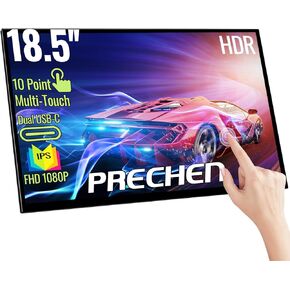 Portable Touchscreen Monitor 18.5 Inch, HDR, 350cd/m², 1920x1080 Touch Display with HDMI USB C, 99% sRGB, Built-in Speakers, Kickstand & VESA,Travel Second Monitor for Laptop PC Phone Mac Xbox
KWD 71.500
Portable Touchscreen Monitor 18.5 Inch, HDR, 350cd/m², 1920x1080 Touch Display with HDMI USB C, 99% sRGB, Built-in Speakers, Kickstand & VESA,Travel Second Monitor for Laptop PC Phone Mac Xbox
KWD 71.500
 -14%
12.3 Inch Touchscreen Secondary Monitor, IPS Stretched Bar LCD Travel Touch Display 1920 * 720 Mini HDMI USBC, Portable Touch Screen for Laptop Computer Windows Aida64 GPU CPU RAM Monitoring
KWD 38.500
-14%
12.3 Inch Touchscreen Secondary Monitor, IPS Stretched Bar LCD Travel Touch Display 1920 * 720 Mini HDMI USBC, Portable Touch Screen for Laptop Computer Windows Aida64 GPU CPU RAM Monitoring
KWD 38.500

